“Hello Again” Apple Event Set for October 27, New Macs Expected
Oct 20, 2016 - 8 Comments

Apple has scheduled a press event for October 27. The event is titled “hello again” and presumed focus will be on the introduction of new Macs.

Apple has scheduled a press event for October 27. The event is titled “hello again” and presumed focus will be on the introduction of new Macs.
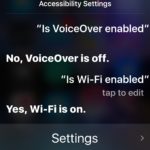
Ever wondered if an iOS Setting was turned off or on? Don’t want to go fishing around in Settings of iOS to see if something is enabled or disabled? Maybe you’re away from your device and want to know a settings status using Hey Siri? You don’t always need to dig around in the Settings … Read More
Apple has released the fifth beta versions of iOS 10.1 and macOS Sierra 10.12.1.

The Spotlight search window can be moved around screen in modern versions of Mac OS X, which is great if you want to move the Spotlight window away from something that it’s obstructing, or perhaps because you’d rather it be in the corner of the display then in the middle of the Mac screen.

The iOS Messages app for iPhone and iPad includes an animated GIF search feature which allows you to search for and send GIFs to any recipient, whether they have an iPhone with iMessage or not.
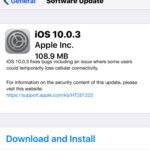
Apple has released iOS 10.0.3 for iPhone 7 and iPhone 7 Plus users. The small update, which arrives as build 14A551, includes a bug fix to resolve potential cellular connectivity issues.

With the latest versions of iOS, your wonderfully useful iPhone flashlight can adjust the strength of its flashlight brightness, with three options of LED brightness intensity. This is really great to have the iPhone, as many dedicated LED flashlights have a similar ability to adjust the strength of the light, with a little switch to … Read More
Whether or not an IPSW firmware file is signed determines whether or not you can use that IPSW to update iOS or whether or not you can downgrade iOS to a prior version. Put simply, if an IPSW firmware file is not being signed by Apple through their servers, it can not be used to … Read More

Picture in Picture mode is one of the more useful features available in the latest version of MacOS, essentially it allows you to pop open a little hovering video player that is unobtrusive as it floats over the screen. This is great whether you’re watching a game, tutorial, TV show, or a movie while working … Read More

Capturing Live Photos with the iPhone camera is a lot of fun, but when you share those moments with friends through Instagram or Facebook the “Live” aspect of the photo disappears and only the still picture posts to the service instead. Of course, we want to post the Live Photo the Instagram or Facebook, rather … Read More

The iPhone 7 and iPhone 7 Plus are great phones that are said to get even better battery life than predecessors. But not everyone notices that increase in battery life, and some users may feel like their iPhone 7 battery is draining a little faster than it should. Additionally, many iPhone owners may already be … Read More

Want to delete your Snapchat account? Welcome to the club! OK but really, if you want to permanently delete your Snapchat account you’ve likely looked around in the Snapchat app and gone nowhere, that’s because you have to go through a series of steps to deactivate and then delete an account on every teenagers and … Read More

Some Mac users may need to reinstall their current macOS system software; typically this is necessary only as a troubleshooting technique, though there may be other reasons to reinstall Sierra or High Sierra as well. The method we are going to outline here will reinstall macOS system software versioned as High Sierra or Sierra without … Read More
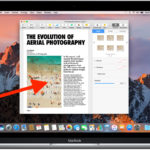
Universal Clipboard is one of the greatest features available with the latest versions of macOS and iOS which allow you to copy and paste between devices across platform or devices. For example, you can copy a link on a Mac and then paste it into an email on the iPhone, or copy a picture on … Read More

Apple has released the fourth beta version of macOS Sierra 10.12.1 to users enrolled in the beta testing programs.

Did you know you can handwrite messages and notes in Messages for iOS 10 on your iPhone? With this feature you can scribble out a little note or sketch a simple drawing and send it along to any recipient. Unlike some of the more obvious new Messages features in the latest versions of iOS that … Read More

Apple has released the third beta version of iOS 10.1 to users participating in the beta testing programs.
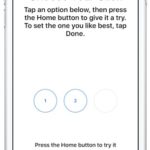
The new iPhone models don’t have a physical clicking Home button, and instead it senses pressure and gives haptic feedback instead, similar to how 3D Touch works on the screen and on Mac trackpads. If you decide you want to change how that Home button click feels, you can adjust the Home button click strength … Read More




