Transfer a Playlist from iPhone, iPod, or iPad to iTunes

Jul 2, 2012 - 57 Comments
Export a playlist from an iPod or iPhone to copy to iTunes

Do you have a music playlist on an iPod, iPhone, or iPad that you want to move to iTunes on your computer? It’s fairly easy: Connect the iPod, iPhone to the computer and launch iTunes Under the “Devices” menu locate the playlist you want to copy to the computer and right-click on the playlist name, … Read More

Send Current Webpage to Chrome from Safari in iOS with a Bookmarklet

Jul 1, 2012 - 3 Comments
Send webpage from Safari to Chrome in iOS with a bookmarklet

The recently released Chrome browser for iOS is pretty good, and even if it’s not replacing Safari as your primary web browser on an iPhone or iPad quite yet, you may still find this bookmarklet handy which lets you instantly send the currently active web page from Safari into Chrome: From the iOS device, launch … Read More

Change the Font Size of the Track List in iTunes

Jul 1, 2012 - 3 Comments

The iTunes track list has a fairly small default font size, it works fine on displays with lower resolutions but if you’re using a higher resolution screen the text of song and artist names can be annoyingly small. Fortunately it’s easy to change and make larger: Open Preferences from the iTunes menu Under “General” look … Read More

Find What App is Using Location Services & Draining Battery Life in iOS

Jun 30, 2012 - 4 Comments
Find what app is using Location Services in iOS

Want to know what apps are using your location on iPhone or iPad? This can be useful information for many reasons, including potentially saving some battery life on your iOS Device. You may already know this, but you can tell if Location Services are being used on an iPhone or iPad because a little purple … Read More

Fix Dull Colors & Contrasts on New MacBook Air/Pro by Calibrating the Display

Jun 29, 2012 - 15 Comments
Calibrated vs Uncalibrated Display

If you have a new MacBook Air or MacBook Pro and the colors seem a bit dull and washed out compared to your previous Mac, you probably aren’t imagining things. Like most other hardware companies, Apple sources display panels from a variety of screen manufacturers, and though all the displays are of very high quality … Read More

9 Fantastic High-Resolution Wallpapers for the Retina MacBook Pro

Jun 29, 2012 - 5 Comments
Mountains of France wallpaper

Looking for some beautiful ultra-high resolution wallpapers to dress up your snazzy new MacBook Pro’s retina display? You’re in the right place, here are nine great images that come in at least 2880×1800 resolution, perfect for the humungous pixel density of the retina Mac. Of course, being such a high resolution means these wallpapers will … Read More

Stop YouTube Links Opening the YouTube App in iOS

Jun 29, 2012 - 5 Comments
Stop YouTube Links opening in YouTube App

With how prevalent HTML5 is these days it seems unnecessary for the YouTube app to launch every time you tap a YouTube video link on an iPhone, iPad, or iPod touch. If you’d rather watch the movie directly in Safari, here is how to stop the YouTube app from launching in iOS.

Chrome for iPad, iPhone, and iPod touch Now Available on iOS App Store

Jun 28, 2012 - 9 Comments
Chrome for iOS shown on iPad

The popular Chrome web browser is now available as a free download for iPad, iPhone, and iPod touch. The alternative iOS browser has many features borrowed from the desktop version, but three in particular make Chrome a very nice alternative to Safari: Incognito mode is separate from standard browsing and can be opened as a … Read More

8 Typing Tips for iPad and iPhone That Everyone Should Know and Use

Jun 28, 2012 - 18 Comments
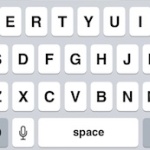
iPad and iPhone typing tips

Learning to type well on the touchscreen keyboards in iOS that we all use on the iPhone, iPad, and iPod touch can take some time. To speed that process up and improve touch typing, here are a handful of great tips to make typing on iOS virtual keys much easier and faster. Some of these … Read More

Run Android Apps in Mac OS X with BlueStacks

Jun 28, 2012 - 11 Comments
Run Android Apps in Mac OS X with BlueStacks

If you’ve ever wanted to run Android apps on your Mac, a new virtualization tool called BlueStacks makes it easier than ever before. The extremely simple to install solution includes 17 popular Android apps that can be run independently and without the need for running Android ICS in a virtual machine, removing the often clunky … Read More

Get 53+ High Quality Mac & Apple Hardware Icons Right in Mac OS X

Jun 27, 2012 - 7 Comments
High resolution Mac and Apple icons included in OS X

A large collection of high resolution Apple hardware icons is bundled right in Mac OS X, including great icons for nearly all vaguely recent Mac models, iPad, iPhone, iPod touch, Apple TV, iMac, Mac Mini, Mac Pro, and much more, going all the way back to the G4 series. Many of these icons are what … Read More

Quickly Toggle “White on Black” Screen Mode on iPad

Jun 27, 2012 - 4 Comments
Toggle White on Black with iPad

iOS for iPad includes a nice feature that lets you triple-click the Home button to toggle ‘White on Black’ screen mode. If you haven’t used White on Black before it essentially inverts the screen, which makes reading at night or in low light conditions less harsh on the eyes. Triple-click the Home button to try … Read More

New MacBook Air Freezing & Crashing? Try Using Safari or Chrome Canary For Now

Jun 27, 2012 - 16 Comments
Mac Kernel Panic

We’ve discussed some pretty flattering attributes of the new MacBook Air lately, but here’s one that’s less than pleasant: a sizable amount of users are reporting the machine will completely freeze up seemingly out of nowhere, requiring a hard reset. Though not every new MacBook Air owner is experiencing the freezing issue, those who have … Read More

Highlight Non-Retina Image Assets in Red to Insure High Resolution Images Load

Jun 26, 2012 - 2 Comments
Highlight and tint non-retina images in red

For the developers and UI designers out there, Apple’s developer docs show us how to highlight non-retina images in red, making it easy to determine if the 2x image assets are loading properly for retina displays. You can set the image tinting to occur in all apps, or on a per-app basis. Enable Non-Retina Image … Read More

How to Convert Currency in Mac OS X with Calculator App

Jun 26, 2012 - 9 Comments
Calculator app converts currency

Need to quickly convert a value in one currency to another? You don’t need to hit the web to learn the latest exchange rates, instead you can turn to the trusty old Calculator app. The OS X Calculator is bundled with a variety of built-in conversion tools, currency included. Using it is simple: Launch Calculator … Read More

Remove Rounded Corners from QuickTime Player Video Windows

Jun 25, 2012 - 6 Comments
Remove rounded corners from QuickTime video windows

QuickTime Player automatically rounds the corners of any video window, a nice touch that fits in line with the rest of the OS X desktop and window experience. If you don’t like the rounded movie window appearance though, you can easily disable them: Quick QuickTime Launch Terminal and enter the following command: defaults write com.apple.QuickTimePlayerX … Read More

Add FaceBook, Twitter, LinkedIn, and Other Social Profiles to iPhone Contacts

Jun 25, 2012 - 5 Comments
Add Social Profiles to iOS and iPhone Contacts

Many of your contacts probably have social profiles they use on services like Twitter, Facebook, LinkedIn, and Flickr, and these social profiles can be added to their existing contact card information easily in iOS. This makes it so when you look at an iPhone contact on iPhone or iPad, you will see those contacts social … Read More

Merge & Clear Duplicate Contacts from Address Book and iPhone

Jun 22, 2012 - 17 Comments
Merge and remove duplicate contacts from Address Book an iOS

Duplicate contact entries occur with some regularity, whether it’s because a contact has changed an email address, phone number, name, or just because you accidentally entered someone twice into your iOS contacts list. If you have a Mac, the Contacts / Address Book app makes it very easy to merge these duplicate contacts and then … Read More

Subscribe to OSXDaily

Subscribe to RSS Subscribe to Twitter Feed Follow on Facebook Subscribe to eMail Updates

Tips & Tricks

News

iPhone / iPad

Mac

Troubleshooting

Shop on Amazon to help support this site