Customize the Login Screen of Mac OS X Lion Easily with Loginox

Dec 7, 2011 - 11 Comments
Customize the Login Screen of Mac OS X 10.7 Lion

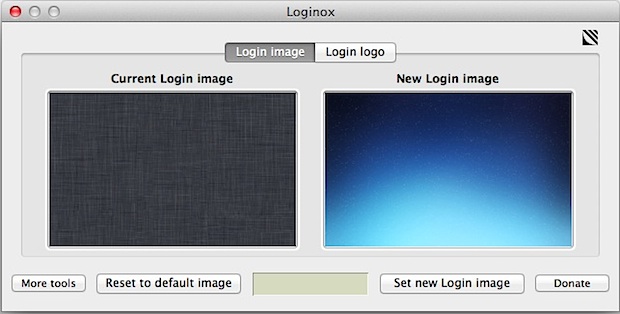
We recently showed you how to manually change the login screen wallpaper, but if you don’t want to deal with resizing images and digging around in the filesystem, you can use a free app called Loginox. Loginox sets new background wallpaper at the click of a button, resizing the images for you to the native … Read More

Hide the Toolbar in Mac OS X Finder Windows

Dec 7, 2011 - 6 Comments
Hide Toolbar in OS X Lion for Minimal Mac Finder windows

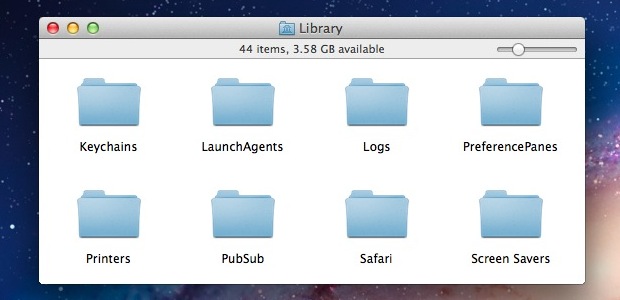
Modern versions of Mac OS X have left behind the toolbar switch that used to sit in the upper right corner of all Finder windows as a rectangular button in favor of a cleaner appearance. That doesn’t mean you can’t hide the toolbar in OS X any longer though, it’s just now done through the … Read More

Steve Jobs Biography is the #1 Best Selling Book for 2011 on Amazon

Dec 6, 2011 - Leave a Comment
Steve Jobs Biography is 2011 Best Seller

The official biography of Steve Jobs by Walter Isaacson is now the number one best selling book for 2011, according to Amazon.com’s best sellers list. The book was released October 24 and quickly shot to the top of charts in the wake of Jobs passing. It’s a compelling read covering the immensely fascinating life of … Read More

Quickly Sleep the Display in Mac OS X with a Hot Corner

Dec 5, 2011 - 13 Comments
Quick Sleep the Display of a Mac with Hot Corners

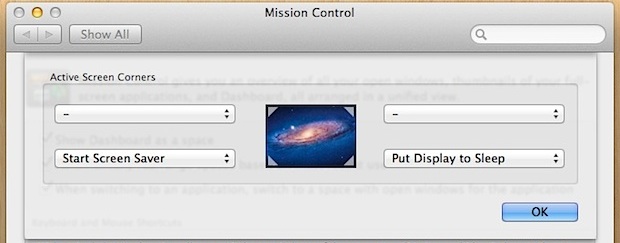
You can quickly sleep the display of a Mac or immediately start a screen saver by setting up Hot Corners, which are activated just by sliding your cursor into the specified corners of the screen. This is a great way to quickly hide what’s on the display, but also as a way to initiate a … Read More

iOS Version Code Names Are Labeled After Ski Resorts

Dec 5, 2011 - 5 Comments
iOS versions named after ski resorts

Fitting news as the Northern Hemisphere approaches winter and ski season, it has been discovered that Apple internally identifies iOS versions with code names based on ski resorts. The current list of iOS versions and their mountain code names is printed below, courtesy of AppleInsider: 1.0: Alpine 1.1: Little Bear 2.0: Big Bear 2.1: Sugarbowl … Read More

Macintosh Portable Ejecting a Disk in Space [Video]

Dec 3, 2011 - 6 Comments

In 1991, astronauts took a Macintosh Portable aboard Space Shuttle mission STS-43, and amongst other things, it became the first computer to send an email in space. A slightly less historical aspect is this fairly entertaining video clip from that mission, demonstrating the Macintosh Portable’s disk ejection system, which works perhaps a little too well … Read More

Run Firebug on iPad or iPhone

Dec 2, 2011 - 11 Comments
Firebug on iPad

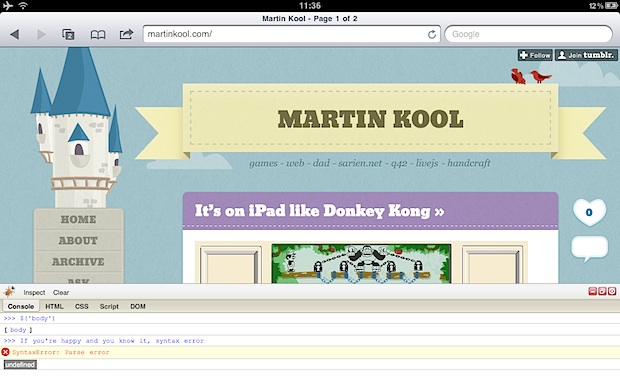
Firebug is an extremely popular web development tool that allows a user to inspect and modify page elements in real time, be it HTML, CSS, or JavaScript. It’s most known for being a plugin for the Firefox browser, but thanks to Firebug Lite and a little bookmarklet hack, you can run Firebug Lite directly in … Read More

Disable the Empty Trash Warning in Mac OS X

Dec 2, 2011 - 2 Comments
Disable the Empty Trash Warning in Mac OS X

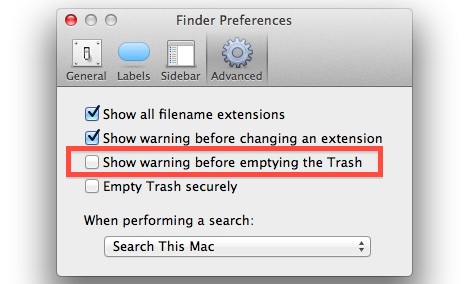
Tired of having to approve the Trash being emptied in Mac OS X? You can disable the Empty Trash warning message dialog window in two ways on the Mac, either on a per-trash emptying basis, or by completely turning off the dialog.

Steve Jobs: Thoughts on Life [Video]

Dec 1, 2011 - 3 Comments

This short clip of Steve Jobs sharing his thoughts on life is well worth watching. Taken from a 1995 interview when Jobs was still working at NeXT, he reflects on some important lessons and simple facts about life and the world around us. Here’s a great inspirational quote: “Everything around you that you call life, … Read More

Decorate a Christmas Tree with iPad & iPhone Ornaments

Dec 1, 2011 - 1 Comment
iPad and iPhone Christmas Ornaments

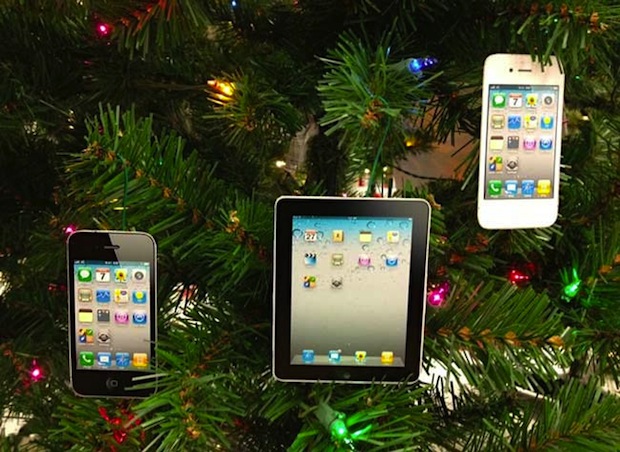
The Holiday season is here, and what better way to bring the Holiday Apple cheer to your home than some iPhone and iPad ornaments hanging on your tree. Sure, you can buy some of these from an Etsy store that MacTrast found, but realistically you can make iOrnaments yourself just by printing out high quality … Read More

How to “Save As” in Mac OS X Lion with an “Export” Shortcut

Nov 30, 2011 - 42 Comments

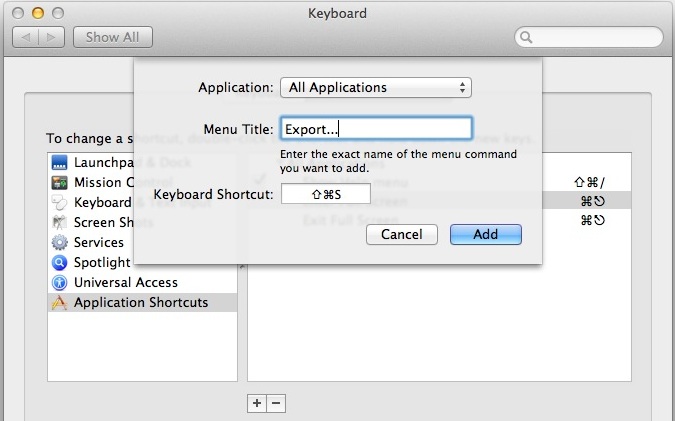
Mac users may have noticed that the longstanding “Save As” function has disappeared as of OS X Lion, and’Save As’ is something that many Mac users have become accustomed to using over the years. The default choices replacing “Save As” are two different features, Duplicate and Export, neither of which work quite the same, and … Read More

Free Online Computer Security Class from Stanford & UC Berkeley

Nov 30, 2011 - 3 Comments
Computer Security class from Stanford & UC Berkeley

If you already signed up for a few of the 10 free online Computer Science classes from Stanford University, get ready to pack your self-learning schedule even further, because three professors from Stanford University and University of California Berkeley are teaming to offer a new free online course on Computer Security, starting in February 2012. … Read More

Safari 5.1.2 Update Improves Stability and Memory Problems

Nov 29, 2011 - 6 Comments
Safari 5.1.2 is available to download

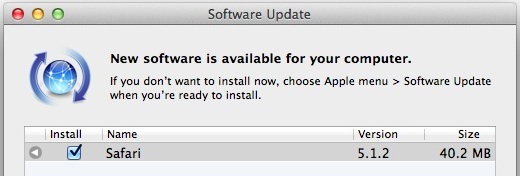
Safari 5.1.2 has been released, and if it sounds like just another minor update to put off, it’s not, it improves overall stability and resolves some of the annoying memory management issues that existed in the prior versions of the browser. Also fixed is the flashing page issue, and a problem with displaying PDF’s within … Read More

How to Always Send Mail as Plain Text in Mac OS X

Nov 29, 2011 - 2 Comments
Always send Mail as Plain Text

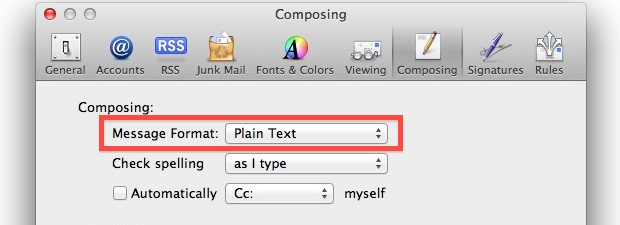
Need to adjust Mac Mail app so that it sends new email compositions as plain text? This can be a popular change for some email situations, and it’s easy to make the adjustment to plain text emails in Mail for Mac. Email defaults to wanting to send as rich text, meaning bold text, highlighting, fonts, … Read More

Run a Windows Phone 7.5 Demo on iPhone

Nov 29, 2011 - 19 Comments
Windows phone demo on the iPhone

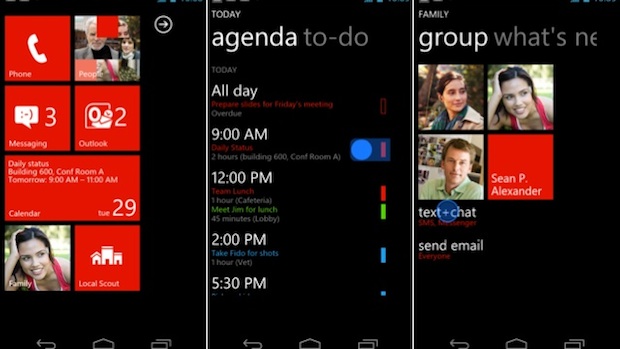
The smartphone discussion is typically focused around iPhone and Android, but Microsoft is still cooking up it’s own unique smartphone OS: Windows Phone 7. Now thanks to an HTML5 demo, the curious can try out a basic Windows Phone 7.5 experience directly on your iPhone. Open up Safari and throw in the following URL: http://aka.ms/wpdemo … Read More

Disable Inertia Scrolling in Mac OS X

Nov 29, 2011 - 11 Comments
Disable inertia scrolling in OS X Lion

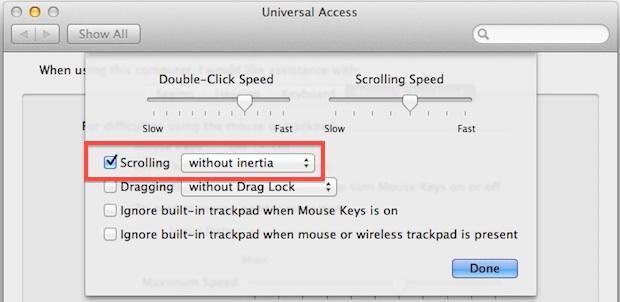
Flick down with two fingers on a trackpad or Magic Mouse in Mac OS X and you’ll experience inertial scrolling, where after your finger has stopped moving the page continues to scroll in the intended direction until it slowly stops. This fluid and natural scrolling experience comes from the iOS world, and while it works … Read More

Move Files from Android to Mac OS X and Vice Versa with Android File Transfer

Nov 28, 2011 - 22 Comments
Transfer files from Android to Mac

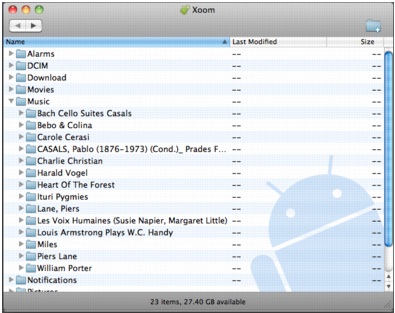
Have an Android phone or tablet that you want to transfer files and movies to and from your Mac with? Maybe you got a new Kindle Fire that is freshly rooted, and you’re looking to move some of your own movies and pictures to it? No sweat, there are some really easy ways to do … Read More

Read & Download all the Skyrim Books for iPad, iPhone, Mac, or Kindle

Nov 28, 2011 - 2 Comments
Read Skyrim Books

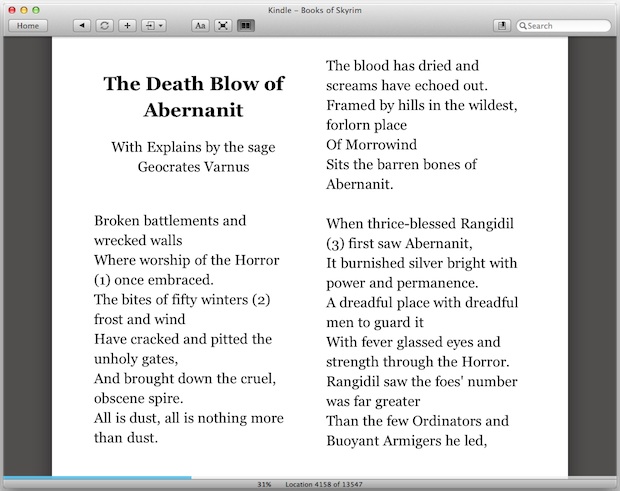
Skyrim is one of those games that is so massive with so many individual elements that it could take forever to try and cover everything. Included all over the game is a massive collections of books that fill in elements of lore, backstory, information on quests and characters, you name it, but who has time … Read More

Subscribe to OSXDaily

Subscribe to RSS Subscribe to Twitter Feed Follow on Facebook Subscribe to eMail Updates

Tips & Tricks

News

iPhone / iPad

Mac

Troubleshooting

Shop on Amazon to help support this site