Disable the Caps Lock Key on a Mac

Nov 10, 2011 - 18 Comments
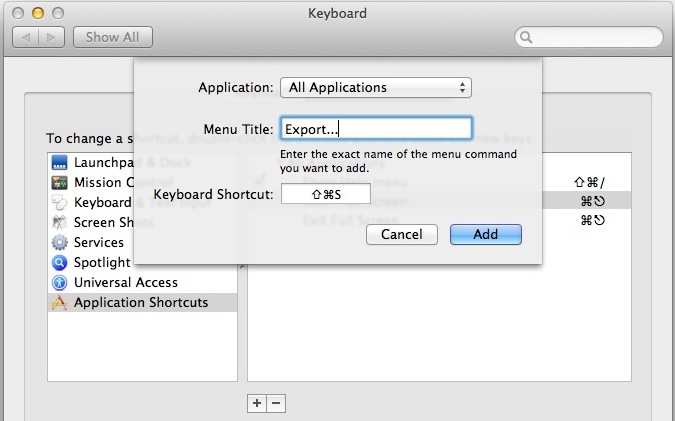
Disable Caps Lock key on a Mac

Does anyone like the CAPS LOCK key? Yes, it can be useful for typing some things that happen to be all uppercase, but as many internet readers know, it can also be an obnoxious key that many Mac users accidentally press on their keyboards, leading to ALL THEIR LETTERS APPEARING UPPERCASE. If you’re a Mac … Read More

How to Split the iPad Keyboard For Easier Typing

Nov 9, 2011 - 12 Comments
iPad split keyboard

Typing on the iPad onscreen keyboard can be a little strange for some users who are accustomed to either an iPhone and typing with their thumbs, or even a Mac or PC and accustomed to typing on a regular touch keyboard. But one great way to improve iPad typing and make it faster is to … Read More

Delete Songs Directly on iPhone, iPad, or iPod touch

Nov 9, 2011 - 44 Comments
Delete Music from iPhone

You can now delete songs directly from the Music app on your iPad, iPhone, or iPod touch. The music removal action is achieved directly on the iOS device without having to re-sync to iTunes, allowing you to rapidly clear out music or songs you don’t want stored on the device.

6 Colorful Aurora Wallpapers

Nov 8, 2011 - 1 Comment
Colorful Aurora Wallpapers

Looking for a few more gorgeous wallpapers for your desktop? This pack of colorful aurora themed images should do the trick, with two variations of each image, one with a Windows 7ish aurora stripey look and the other a blurred faint aurora more reminiscent of OS X. They all look great, and with the 2560×1600 … Read More

Hate Lines at the Apple Store? EasyPay Lets You Self Checkout

Nov 8, 2011 - 9 Comments
Apple Store EasyPay

If you’re in a hurry, visiting a busy Apple Store for a quick purchase can be the worst part of the experience. With all the store reps tied up with other customers, you can just sit around waiting aimlessly to buy something you already know you want. Apple’s newly updated Store app aims to reduce … Read More

Quickly Create a New Desktop for an App from Mission Control in Mac OS X

Nov 8, 2011 - 1 Comment
Create a new Desktop from an App via Mission Control

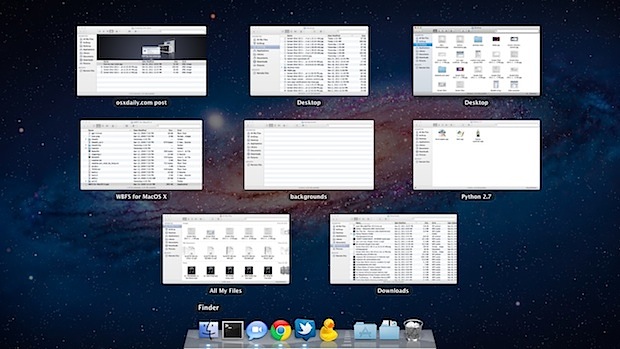
Using Mission Control on the Mac, you can quickly create a new Desktop Space just by grabbing an app from the Mission Control window, and then dragging the window into the corner, then letting it go on the “+” plus icon. This will instantly generate a new desktop space, or a virtual desktop, with that … Read More

How to Invert the iPad or iPhone Screen to Make Reading at Night Easier on the Eyes

Nov 7, 2011 - 15 Comments
Invert iPhone or iPad Screen

If you’re like me you end up reading a fair amount while laying in bed using an iOS device. If you read in the dark, you can give your eyes a rest by turning on a little known Accessibility feature that inverts the display of the iPhone, iPad, or iPod touch to show white text … Read More

Enable Safari Hidden Debug Menu in Mac OS X

Nov 7, 2011 - 8 Comments
Debug menu in Safari

Safari has a hidden “Debug” menu that offers some additional features for debugging the browser, including stress and load tests, sampling, javascript error logging, the ability to intentionally crash a page, and more. Intended for Safari developers, the Debug menu is different from the Developer menu, which is geared more at web developers, although there … Read More

Backup to iCloud Manually from an iPhone or iPad

Nov 6, 2011 - 20 Comments
Back up to iCloud

Once you have iCloud set up, it becomes easier than ever to keep recent backups of your iPhone and iPad. With iCloud backup enabled, remember that the backup starts automatically any time the device is connected to a power source, and the synced computer is turned on and connected to the same wifi network. These … Read More

Sync iTunes to Android in Mac OS X with WinAmp

Nov 5, 2011 - 9 Comments
Sync iTunes with Android in Mac OS X

WinAmp, the longstanding Windows music player, has come to the Mac OS X platform and brings a few great features for Android users, most notably iTunes music syncing and library sharing, and Wi-Fi syncing. This means you can take any existing iTunes playlist and sync it directly to an Android device without having to jump … Read More

Show Photos By Location on iPhone

Nov 5, 2011 - 7 Comments
Show Photos by Location on iPhone

The iPhone and GPS-equipped iPad include a “Places” feature in the Photos app which allow you to see pictures based on geographical location. This works to show your own photos by location, and also photos that have been shared with you that you saved to your own Photos app Camera Roll. Here is how to … Read More

Rare 50 Minute Interview with Steve Jobs from 1990 [Video]

Nov 5, 2011 - 7 Comments
Steve Jobs in 1990

PBS/NOVA and WGBH Boston have posted a full 50 minute unedited interview with Steve Jobs from the TV miniseries “Machine That Changed The World”. The clip is from 1990 and demonstrates Steve Jobs’ remarkable visionary thinking, covering a wide variety of topics and technologies well before they became parts of our daily lives (keep in … Read More

Astronaut in the Apple Store

Nov 4, 2011 - 8 Comments
Astronaut in Apple Store

An astronaut walks into the Apple Store… it sounds like the start of a bad joke, but that’s what we’re seeing here.

Resize Safari Windows While in Full Screen Mode

Nov 4, 2011 - 5 Comments
resize Safari windows in full screen mode

Like using Safari in Lion‘s full-screen mode? You can resize the viewing pane of a full-screened Safari window by dragging the cursor to the far left or right edges, grabbing, and pulling in. This lets you reduce the white space and width of browser windows while still retaining the full screen view. This is a … Read More

Get a Calendar in the Mac OS X Menu Bar with Day-O, a Date & Time Replacement

Nov 3, 2011 - 24 Comments
Day-O is a free menu bar calendar and clock replacement for Mac OS X

One of my longstanding peeves with Mac OS X is the lack of a pull-down calendar in the menubars default Date & Time settings. If you click on the time, instead of seeing something useful like a calendar or more date/time details, you just have options to set an analog clock or open Preferences. I’ll … Read More

Get the Old Pop-Up Style Alert Notifications Back in iOS 5

Nov 3, 2011 - 3 Comments
Go back to pop-up alerts in iOS

Many users are thrilled about the new iOS Notification Center and easily dismissed alerts, but some still prefer the old style of pop-up dialog notifications. You can enable the old pop-up alert style again, but you have to do it on a per-application basis with iOS 5: Tap onto “Settings” and go to “Notifications” Tap … Read More

How to Enable the Develop Menu in Safari for Mac

Nov 3, 2011 - 6 Comments
Safari Developer menu

The Develop menu of Safari adds a variety of additional features to the web browser on the Mac, including the inspector and error consoles, javascript debugging tools, the ability to disable various page elements, enable the ‘Do Not Track’ feature, use WebGL acceleration, and it offers a simple way to change the browsers user agent. … Read More

Swipe Left to Dismiss New Notifications in iOS 5

Nov 2, 2011 - 8 Comments
Swipe to dismiss notifications in iOS 5

In the newest versions of iOS, you can swipe up to hide alerts and notifications on an iPhone or iPad when they show up at the top of your screen, but what if you have an older device running older iOS software? If you want to quickly get a notification off your screen in iOS … Read More

Subscribe to OSXDaily

Subscribe to RSS Subscribe to Twitter Feed Follow on Facebook Subscribe to eMail Updates

Tips & Tricks

News

iPhone / iPad

Mac

Troubleshooting

Shop on Amazon to help support this site