Charlie Rose Interviews Walter Isaacson on Steve Jobs & the Biography

Oct 26, 2011 - 1 Comment
Walter Isaacson

Walter Isaacson was on Charlie Rose this week to discuss Steve Jobs and the writing of his biography. If you’re interested in Steve Jobs and his legacy, this is another great interview filled with interesting tidbits. It’s arguably better than the recent 60 Minutes segment and at nearly an hour long, touches on a fairly … Read More

How to Remove the Stock Ticker Widget from Notification Center in iOS

Oct 25, 2011 - 11 Comments
iOS 5 Stock Ticker

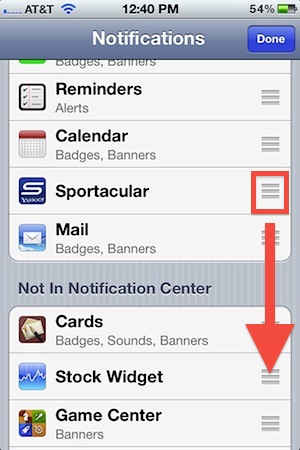
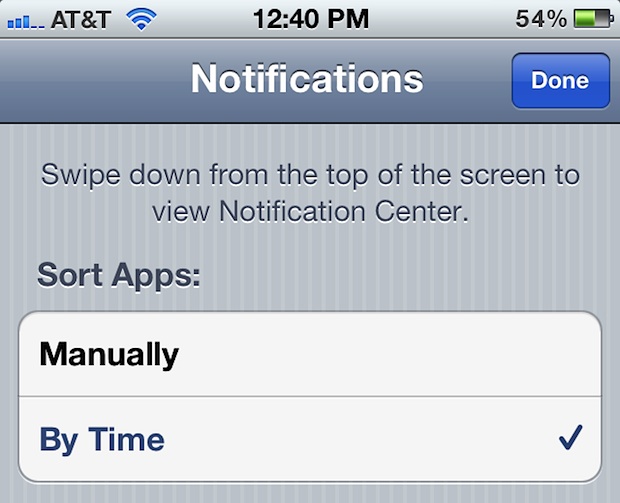
Don’t want to see the Stock Ticker and market details on the iOS Notification Center every time you swipe down to view it on your iPhone or iPad? Many users don’t, and this was one of the first questions a friend asked me after updating to iOS and discovering market details as a prominent feature … Read More

Show Recent Items Per App with a Two-Fingered Double Tap in Mac OS X

Oct 25, 2011 - 8 Comments
Show Recent Items per application in OS X Lion

Want to see recent items on a per app basis? The Mac makes this easy with a variety of ways, but perhaps one of the most convenient involves a simple tap gesture. This is particularly fast and simple, and here’s how it works.

Check What Software Updates Have Been Installed in Mac OS X

Oct 25, 2011 - 4 Comments
Check installed software updates

Forget what Software Updates you’ve installed on a Mac? Maybe you need to check if a particular Mac workstation has installed a particular software update? With a little work, you can easily check which particular software updates have been installed before in Mac OS X. We’ll show you several different ways to get a list … Read More

Increase the Contrast of a PDF to Sharpen & Darken Text

Oct 24, 2011 - 21 Comments
Increase text contrast of a PDF to make it easier to read

With Preview you can adjust the contrast of a PDF, this makes the text sharper and darker, and for scanned files or dubious quality PDF’s this makes them significantly easier to read. The process of increasing contrast and sharpening text in a PDF is made quite simple with Preview app on the Mac, we’ll walk … Read More

Hide Mail from the Lock Screen in iOS

Oct 24, 2011 - 4 Comments
Hide Mail from the iOS 5 Lock Screen

Notification Center in iOS makes it easier than ever to see when new messages and mail comes in to your device, but if you receive sensitive or private emails on your iPhone or iPad, you may not want them showing up on the lock screen at all. If you’d rather not see any alert or … Read More

A Celebration of Steve’s Life (Video)

Oct 23, 2011 - 1 Comment
Apple campus during the Steve Jobs life celebration event

Apple has posted the full video of the Steve Jobs memorial event, held on October 19, 2011 at the Cupertino California campus of Apple. The celebration featured a variety of prominent speakers, including Tim Cook, Bill Campbell, Jony Ive, and Al Gore, as well as several prominent musicians. It’s 81 minutes long and well worth … Read More

Delete Pictures from Photo Stream & iCloud

Oct 23, 2011 - 16 Comments
Delete Photos from Photo Stream in iCloud

If you’re set up to use iCloud with an iOS 5 device, you may have noticed that Photo Stream hosts your pictures online on iCloud.com and also syncs the pictures to the Photo Stream of your other devices. Apple will remove these pictures automatically after 30 days or after 1000 photos are uploaded, but if … Read More

A Real Apple TV Coming? Steve Jobs Imagined a Television Synced to iCloud

Oct 22, 2011 - 5 Comments
Apple TV

In what seems to be a never-ending series of revelations from the Steve Jobs biography, the man apparently revealed to his biographer Walter Isaacson that he had “cracked” the TV, perhaps hinting that Apple may release an actual HDTV set in the future. This potential product bombshell was dropped by the Washington Post, who suggests … Read More

Why Apple is Called Apple

Oct 21, 2011 - 21 Comments
Rainbow Apple logo

Who named Apple? Steve Jobs of course! The story behind the naming of the company has been revealed in Steve Jobs’ official biography by Walter Isaacson.

Enable Private Browsing on iPad & iPhone with Safari in iOS 6

Oct 21, 2011 - 27 Comments
Private Browsing in Safari with iOS 5

iOS allows you to enable private browsing in Safari for the iPhone, iPad, and iPod touch. This feature is sometimes called “Incognito Mode” with other browsers, and essentially this lets you browse the web and visit web sites without saving a record of any browser history, cache, logins, or searches, and it prevents cookies from … Read More

Apple iPhone 4S Ad Featuring Siri: Assistant

Oct 21, 2011 - 8 Comments
Siri commercial

Apple has started to air TV commercials for the new iPhone 4S, the first of which focuses on Siri, the virtual intelligent voice assistant that is part of iOS 5 exclusive to the 4S. The ad features people asking questions to their iPhone, ranging from how to tie a bowtie to wondering about the weather, … Read More

Set iPhone Camera LED to Flash on Incoming Calls and Alerts

Oct 21, 2011 - 60 Comments
Flash the iPhones camera LED light on incoming calls or messages

The iPhone camera LED flash can be used to alert you to incoming calls, messages, and other alerts to your device. With this feature enabled, anytime a call or messages comes in the devices LED will flash repeatedly, even when the iPhone is on silent mode. This great feature offers an obvious visual cue with … Read More

Bypass the iPad 2’s Passcode & Lock Screen with a Magnet or Smart Cover

Oct 20, 2011 - 9 Comments
Bypass the iPad 2 passcode

Well here’s a security flaw in iOS 5 that will quickly get patched: anyone with a magnet (or a Smart Cover) can bypass the iPad 2’s locked passcode screen and access whatever app was previously left open. The passcode bypass was discovered by 9to5mac, who recorded a video demonstrating the security breach (embedded below). From … Read More

Transfer Mac Apps from One Mac to Another

Oct 20, 2011 - 6 Comments
Transfer Mac Apps to Another Mac

With the addition of the Mac App Store, transferring applications from one Mac to another is made extraordinarily simple and can be done entirely through the App Store itself. This is due to the Mac App Stores licensing agreement, which allows you to download and install Mac OS X apps on all of your personal … Read More

How to Rename an iPhone, iPad, or iPod touch

Oct 20, 2011 - 6 Comments
iPhone

A nice addition to iOS is the ability to rename your iPhone, iPad, or iPod touch device directly on the device itself through the Settings app. This is a nice software feature which prevents users from having to go about changing the name with iTunes on a computer. Instead, the entire name adjustment is handled … Read More

6 Beautiful Aurora Wallpapers

Oct 20, 2011 - 4 Comments
Where to find a DeviantArt download link

By request, here is a great 6 wallpaper pack of original variations on the classic OS X Aurora style wallpaper, each image is 2560×1600 and looks great on any Mac (or iPad). This pack was sent in to us but we can’t track down the source again, so thanks to whoever that was. Download them … Read More

Sync iMessage Across All iOS Devices: iPhone, iPad, & iPod touch

Oct 19, 2011 - 46 Comments
iOS Messages app icon

Now that you’ve set up iMessage, if you use multiple iOS devices you’ll want to be sure to sync your conversations across them all. For example, if you use an iPhone and have an iPad, you may want to have iMessage sync between the iPhone and iPad seamlessly. This is supposed to happen automatically as … Read More

Subscribe to OSXDaily

Subscribe to RSS Subscribe to Twitter Feed Follow on Facebook Subscribe to eMail Updates

Tips & Tricks

News

iPhone / iPad

Mac

Troubleshooting

Shop on Amazon to help support this site