This weeks featured Mac desk setup comes to us from web developer and student Jonathan C., who uses multiple iOS devices and Macs tied together with the help of Teleport to work in unison. Let’s learn a bit more about each device and how they’re used!
Power Search for iTunes is a feature that allows many additional search parameters to be used when looking for all media types offered on iTunes, including music, apps, movies, TV shows, books, podcasts, and iTunes University. But what was once built directly into iTunes has been removed by Apple for some reason or another from the latest versions of iTunes 11, and unlike other things gone missing, now there’s no known way to return the enhanced search feature as a native functionality.
But not all is lost, because it turns out that Power Search can be accessed and used in iTunes 11 by using some fancy URL magic, which you can open from any web browser. Yes, you use a web browser to access a feature in iTunes… that may sound weird but there’s not much to this, though you will need to click through from Safari, Chrome, or Firefox to get Power Search working. Read more »
The iOS interface is easily identifiable by it’s ubiquitous usage of whites and bright colors, which can be both pleasing to the eye but also excessively harsh when an iPhone or iPad is used in darker ambient lighting situations. New versions of iOS offer an ability to adjust that bright whiteness with a setting called Reduce White Point, which offers a subtle reduction to the overall brightness of the user interface. Read more »
Have you ever seen a plane flying overhead and wondered just how high up it was, where it was going, or what flight number it identifies as? Now you don’t need to wonder anymore, because your iPhone (or iPad) can tell you exactly what flights are flying above you by way of the ever-useful iOS assistant Siri. Read more »
The EXT file system (short for Extended File System) and it’s family members of EXT2, EXT3, and EXT4, are the file systems used by Linux and Raspberry Pi. Mac users who work with multiple platforms may notice that OS X is unable to mount EXT partitions on its own, and thus anyone wishing to mount and read EXT drives and other file systems will need to rely on a third party utility.
OSXFuse is one such tool, a free open source offering that allows OS X to read EXT volumes, and if you’re comfortable with some uncertainty and risk to the Linux partition, you can even enable an experimental EXT write function too. Read more »
Though the All My Files folder is undoubtedly useful, Mac users with limited system resources along with tons of files may notice some sluggishness when using the feature. That can translate into CPU spikes and the perception of a generally slow Finder and Mac, because new windows in the file system default to opening into the “All My Files” view.
Now that more users have updated to iOS 7.1, a continuing (yet fairly small) stream of complaints have surfaced about battery life for some iPhone, iPad, and iPod touch users that have moved to the latest version of iOS.
Battery issues are reported with some degree of regularity with a subset of users with just about every single iOS update to ever exist, and from the looks of things, the limited battery problems with iOS 7.1 are similar to those that appeared with iOS 7.0.6. That’s a good thing, because it means there’s probably a very simple solution. Also, the iOS 7.1 update may have re-enabled a few settings that were previously turned off, so the reduction in battery life may simply be a matter of toggling those settings off.
If you feel battery life has suffered after updating an iPhone, iPad, or iPod touch to iOS 7.1, take the following steps and you should be able to resolve the issue completely. Read more »
Longtime Mac users are accustomed to moving files around in Mac OS X by dragging and dropping them between folders and directories, or perhaps using the more Windows-like file cut and paste ability. Both of those methods work just fine to relocate files and move things about, but another lesser known option to move a file can be done when that file is currently open, just by using the files window titlebar. Read more »
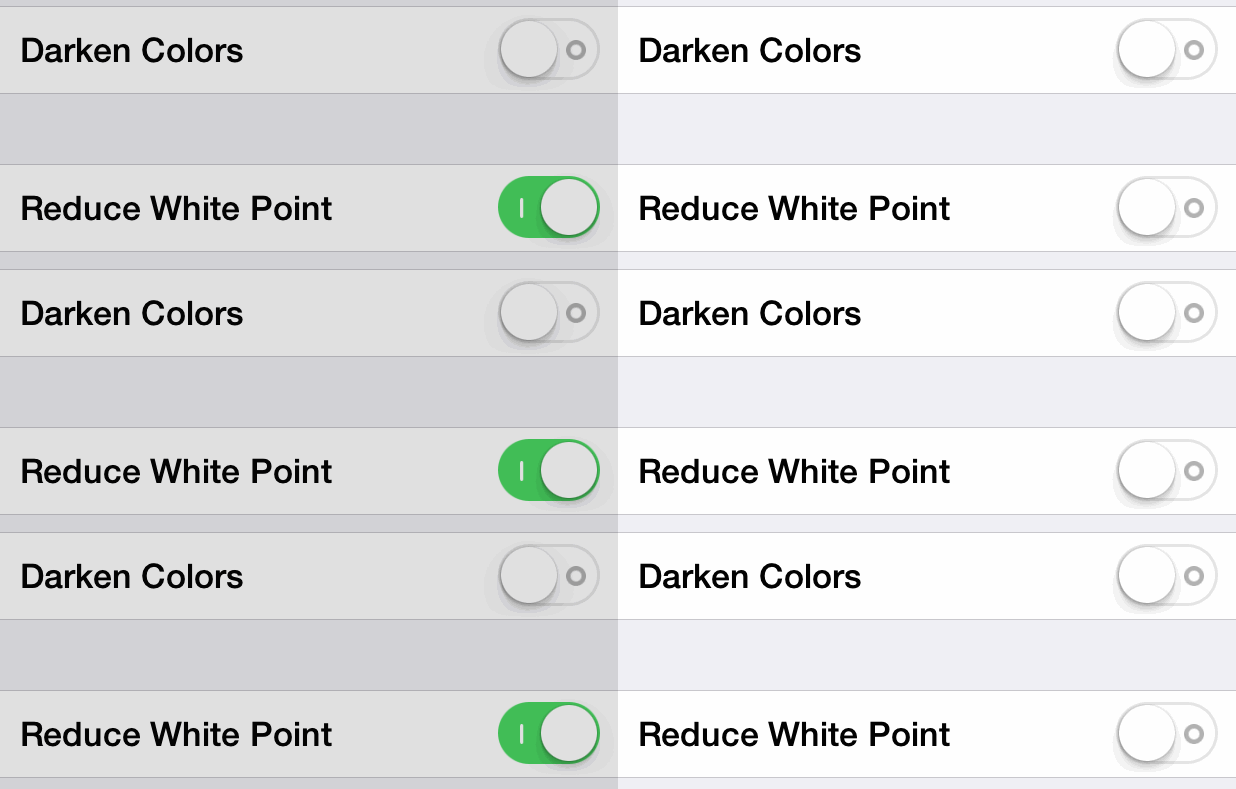
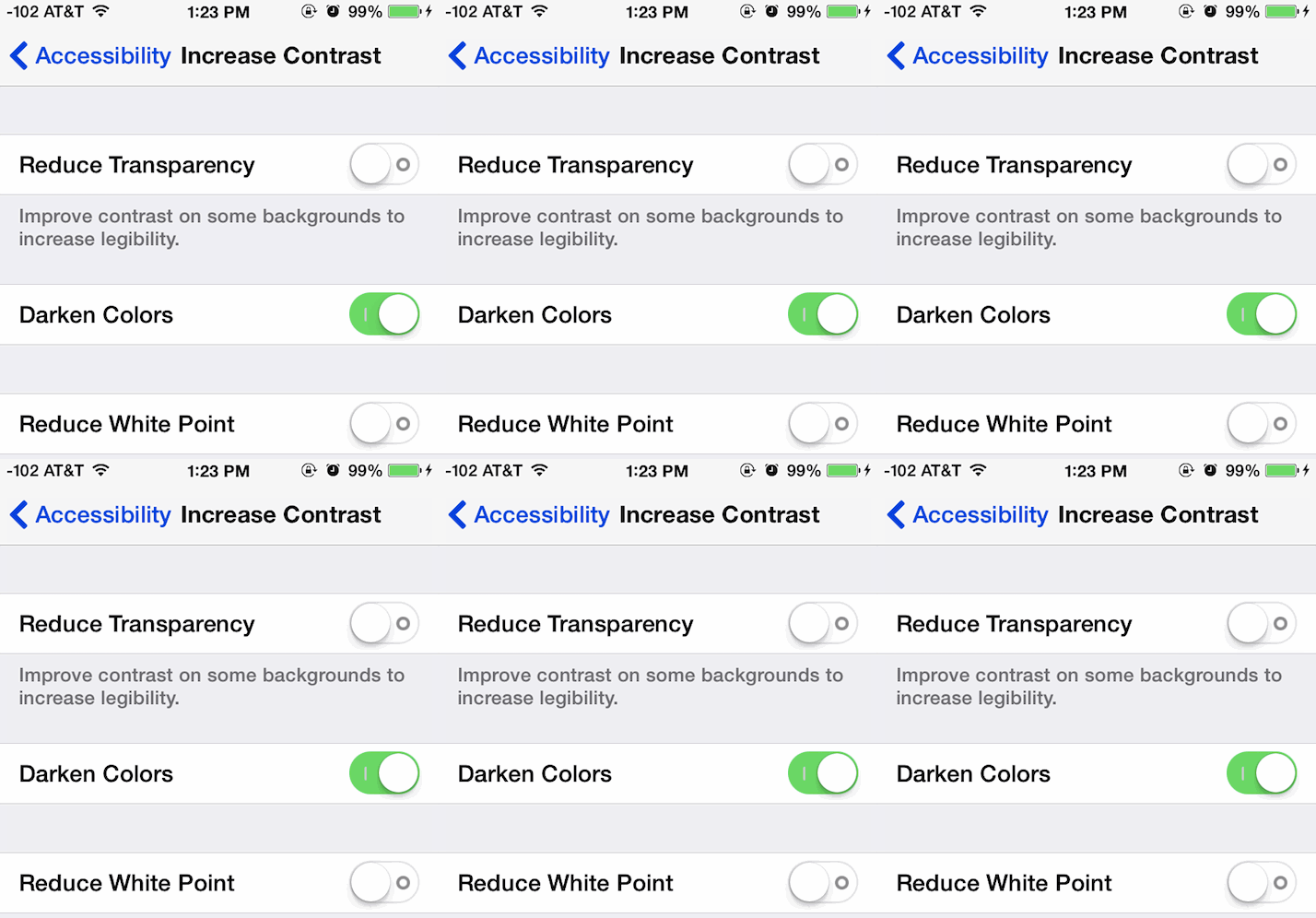
One of the bigger complaints stemming from the iOS redesign is that the stark white interface with thin fonts can be difficult to read. Setting text to Bold makes an enormous difference, but some of the color choices in iOS still lack enough contrast to make things easy on the eyes, particularly for those with less than perfect vision, or even if you just use the iPhone / iPad in bright sunlight often. Fortunately, iOS now includes a “Darken Colors” toggle, and while it doesn’t have as wide-reaching an effect as many would hope for, it does tone down the fluorescent blue text on buttons and UI elements throughout the iOS interface. It also darkens much of the super light grey text into a darker shade of grey. The overall effect is increased contrast on text in critical places, helping visibility and legibility. The change is fairly subtle, as shown in the animated gif.
OS X provides a great way to quickly find what app is using battery power from a drop-down menu on portable Macs, but you’re usually left with a single option to address the battery hog, and that is quitting the app. But it’s not always necessary to quit out of the entire app in question, and sometimes a more advanced option of targeting a specific process can be useful instead. Read more »
Chrome users may have noticed that the popular Emoji characters found on iPhone and the Mac render just fine in Apple’s Safari web browser of MacOS X, but not in Google’s Chrome browser.
Instead, us default Chrome users on the desktop will see a square rendered 😃 rather than the intended emoji character, largely being left out of the emoticon fun.
That can be quickly changed by installing a free third party extension called Chromoji, which makes those same snazzy emoji characters visible within the Chrome desktop browser of MacOS X, Windows, and even Linux. Read more »
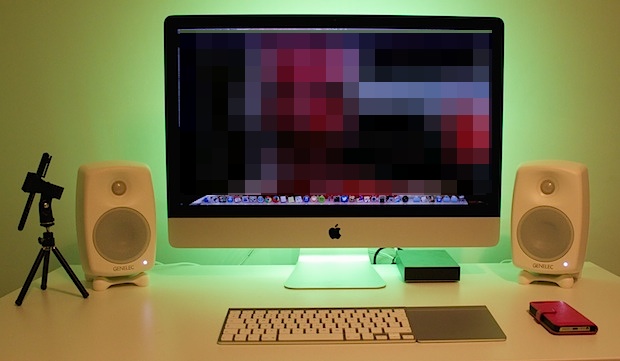
This weeks featured setup is the minimalist desk configuration of photographer and vlogger Arttu K., who uses LED backlighting to achieve a really nice mood effect behind the iMac setup. Let’s learn a bit more!
Voicemail messages have been modernized quite a bit by the iPhone’s visual voicemail service, but it’s still fairly common to wind up with many stale voicemails that aren’t listened to. You don’t have to delete the messages, or even listen to them to mark them as read (listened? heard?) though, thanks to a simple yet handy little trick in the iPhone’s Phone app. Read more »
A fair amount of Mac users have ditched the “All My Files” default Finder window option by setting new windows to open to the ~/ Home directory again, which was long the default in Mac OS X anyway. This is usually because All My Files is viewed as an overwhelming amalgamation of every single thing on your Mac dumped into a single folder, which, in fairness, that’s exactly what it is.
But All My files doesn’t have to be mess to look through, and a simple sorting toggle can transform the folder from a disaster to a productivity aid, offering quick access to all the most recently used and opened files on the Mac.
Let’s review a few quick adjustments which can make All My Files view a bit more useful to Mac users. Read more »
iPhone and iPad users can now directly control whether their iOS wallpaper moves around dramatically, thanks to a setting called “Perspective Zoom” that was added in iOS 7.1. The toggle is separate from the general reduce motion setting, and is selected when choosing a wallpaper, offering a separate control for some of the more exaggerated movements that are seen in parallax effects of iOS.
In order to use wallpapers Perspective Zoom, you’ll need iOS 7.1 (or later…) and be sure that general motion effects are enabled. Thus if you opted to use the fading transitions, you’d have to turn motion reduction off to get the effects back, an easy task: Read more »
When you think of sending out text messages you probably think of the iPhone or an Android, and the command line doesn’t cross your mind, but thanks to the ever-useful curl command, you can send out a SMS text message to any phone number right from the Terminal.
Yes, curl, the same command line tool for transferring data to and from URL’s, downloading files, getting HTTP header details, and so much more, can send text messages. This is done through a POST request sent to the TextBelt service, a free outgoing SMS API. Sure there are limits, but they’re fairly generous at 75 texts per day (per IP), and you can’t send a number more than 3 texts in three minutes to prevent abuse. Aside from that, keep in mind that you’ll be charged for incoming texts at the regular SMS / texting rate from your cell provider – this does not use the iMessage service – so don’t overuse this if you don’t have an unlimited traditional texting plan. Read more »
The Mac can now make outbound voice calls to other Apple users that have an iPhone, iPad, iPod touch, or another Mac, using nothing but the native FaceTime Audio service. Built into Mac OS X, FaceTime Audio can be used to call any other FaceTime user, free, anywhere in the world, and it provides excellent audio quality for the voice conversation.
Using FaceTime Audio in Mac OS requires MacOS or OS X 10.9.2 or later to be installed on the Mac, both on the caller and recipients end. If calling an iOS device, the iPhone or iPad will need to be running iOS 7.0 or newer to receive the call. Read more »
Some iPad Air owners have been impacted by a persistent crashing issue, where either the entire device crashes and reboots, or, more commonly, where the Safari browser crashes and randomly quits. The Safari crashing issue is often repeatable by pointing Safari at several Javascript heavy web pages with numerous tabs open, or by opening a PDF within a browser window with many tabs open. Upon investigating the iPad Air crash logs, the issue is almost always shown as a low memory error, signifying that available system resources are insufficient for the Safari actions.





 The EXT file system (short for Extended File System) and it’s family members of EXT2, EXT3, and EXT4, are the file systems used by Linux and Raspberry Pi. Mac users who work with multiple platforms may notice that OS X is unable to mount EXT partitions on its own, and thus anyone wishing to mount and read EXT drives and other file systems will need to rely on a third party utility.
  Though the


 A fair amount of Mac users have ditched the “All My Files” default Finder window option by setting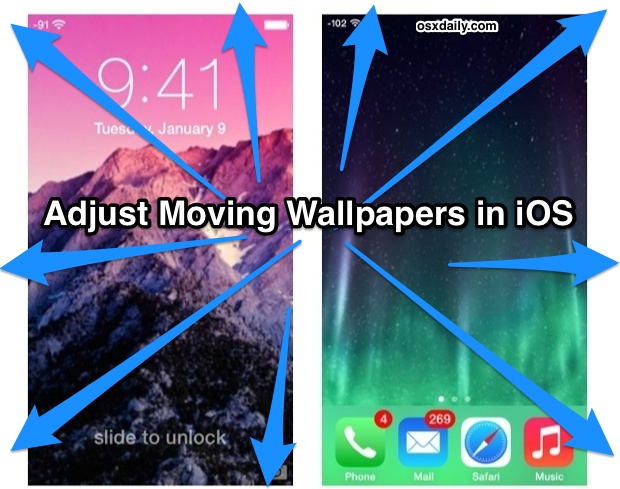
 When you think of sending out text messages you probably
  The Mac can now make outbound voice calls to other Apple users that have an iPhone, iPad, iPod touch, or another Mac, using nothing but the native FaceTime Audio service. Built into Mac OS X, FaceTime Audio can be used to call any other FaceTime user, free, anywhere in the world, and it provides excellent audio quality for the voice conversation.
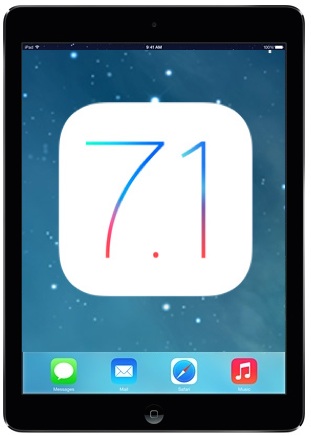 Some iPad Air owners have been impacted by a persistent crashing issue, where either the entire device crashes and reboots, or, more commonly, where the Safari browser crashes and randomly quits. The Safari crashing issue is often repeatable by pointing Safari at several Javascript heavy web pages with numerous tabs open, or by opening a PDF within a browser window with many tabs open. Upon investigating the iPad Air crash logs, the issue is almost always shown as a low memory error, signifying that available system resources are insufficient for the Safari actions.



