If you plan on developing or designing for the iPad this could be very valuable to you, the folks over at teehan+lax have created a fantastic PSD file of the iPad’s GUI elements, all arranged quite well.
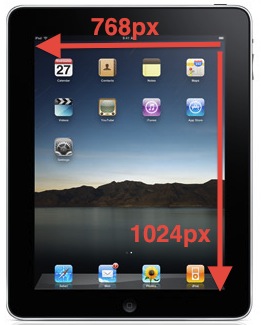
The elements are created using vectors so they’re completely scalable, and the files resolution and design is set to the iPad’s screen resolution of 768×1024. It doesn’t get much more convenient than this! Developers efforts for the iPad are already underway but it is really set to take off as the device is going to ship to consumers soon, and I for one can’t wait.
You can use your iPhone as an external USB flash drive using this (currently) free software from myPodApps. Called iPhone Explorer, it’s a simple and lightweight program that lets you browse through your iPhone through it’s interface which works pretty well as a file manager. You can rename, create, delete, drag and drop, both files and folders on the iPhone using this app.
At the time of this writing, iPhone Explorer was a free download for Mac OS X and Windows, but based on our past experience covering software by the authoring company, myPod Apps, this could change at any time. So if you want to use your iPhone as a flash drive and want to do it for free, I suggest downloading this now or it might go the same pay model as PodToMac when we discussed getting music off your ipod.
How about a little light-hearted Apple fun? Have you ever thought about what would happen if Apple kept up on the trajectory of making device screen sizes bigger and bigger? What if evolution takes over and each additional device has a bigger screen? First came the iPhone. Then came the iPad…. what would be next?
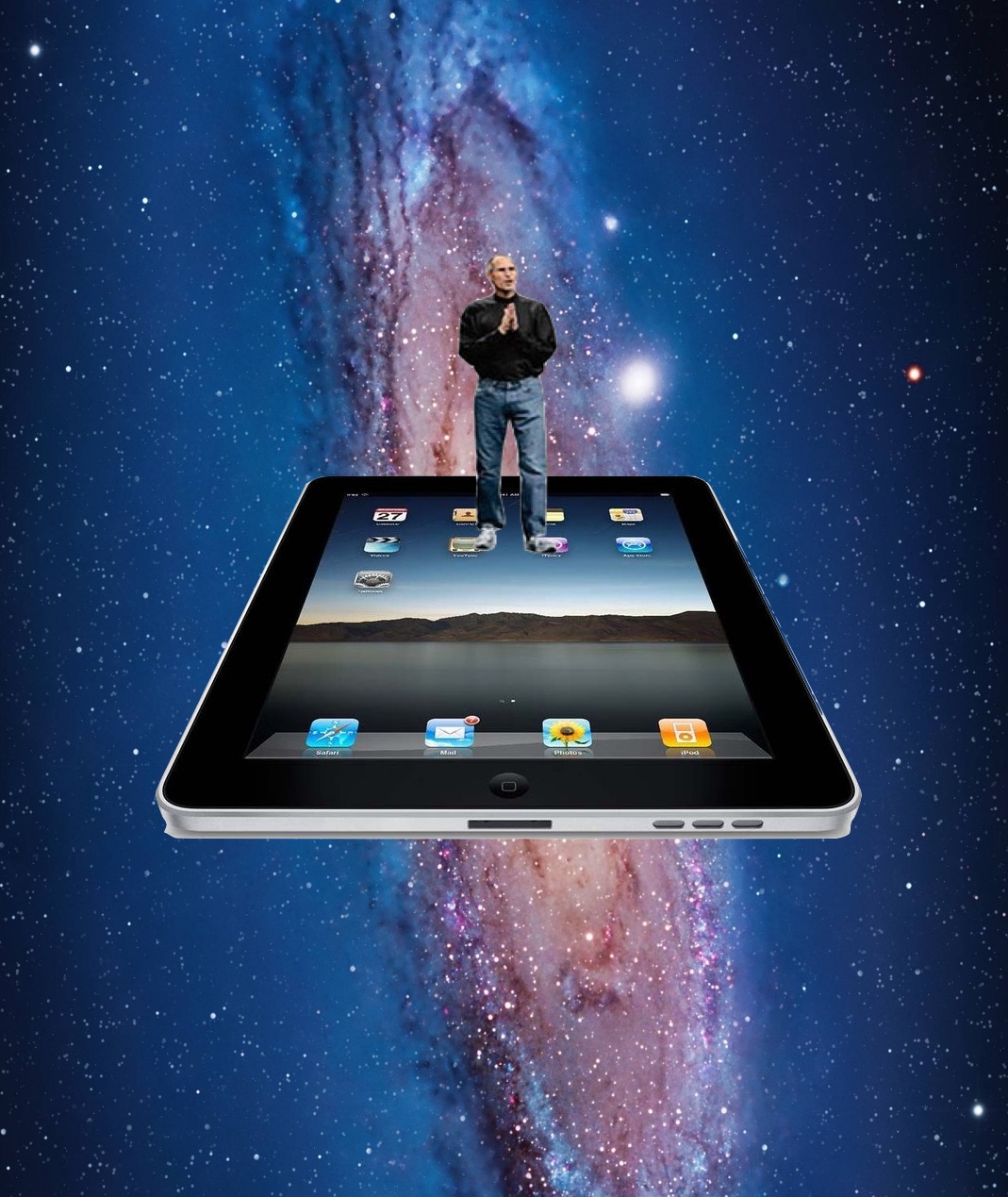
First there was the iPhone, then the iPad… then in some imaginary parallel universe there comes The iBoard… then the iMat! At that growth rate, what would be available in 2017 or 2020 or 2024? The iFloor? The iRoof? The iRoad? iWorld? The USS iSpaceship iEnterprise? The mind boggles at the possibilities of 5000″ inch screen iDevices!
And what happens by 2044? Is there a giant iSpaceship? Let’s hope so!
This is obviously just goofy photoshop work, showing Steve Jobs interacting with increasingly large sized iOS devices, and yes it is stupid but it is goofy enough that I had to post it, a little Apple fun and humor for your day!
This silly image was passed around to me through text messages earlier but it appears to originate from the French website BeGeek. Whoever made it obviously had a sense of humor, a bit like the joke prototype of an iPad which is just a bunch of iPhones taped together… in all seriousness I love iPad and iPhone but I also enjoy a good laugh at our favorite technology.
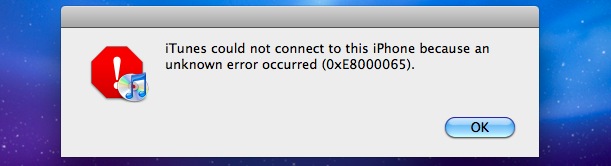
“iTunes could not connect to this iPhone because an unknown error occurred (0xE8000065)”
Ahhh! That’s the message I got earlier when trying to connect my iPhone to my iMac, something I haven’t seen before. I searched around a bit online and found out that this is not a Mac OS X specific problem, many people running Windows XP and Windows 7 encounter the same error. While I couldn’t find a definitive answer as to what causes it, I have my own speculation: power issues.
Many of the complaints and descriptions regarding the error describe swapping around USB connections and ports to resolve the issue, and I think this helps to corroborate my suspicion with power management. With this is mind, here’s how I got the ‘unknown error’ to go away and finally connect my iMac to my iPhone again: I just let the iPhone charge more. The battery had been very low, and I have auto-sync enabled, so I imagine the iPhone just didn’t have an adequate charge to maintain a connection.
Now again, all of this is just pure speculation based on my experience and reading other peoples encounters with the same problem. So if you’re running into this “0xE8000065” error with iTunes and your iPhone (also some people report problems on their iPod Touch…) try the following to troubleshoot:
* Change the USB port the iPhone is connected to the computer with
* Let the iPhone charge sufficiently before trying to access it through iTunes
* Turn the iPhone on and off
If it’s persistant, you could even try resetting the PMU/SMC controller on the Mac.
Anyway, if you encounter this error hopefully these tips work to resolve it for you as well, let me know!
Would you prefer to use the keyboard to speed up navigation around your Mac? That’s what the Full Keyboard Access setting allows for. Using a Keyboard option, you can have the Tab Key able to switch between dialog buttons, fields, screen items, controls, and anything else in a dialog box within Mac OS X. This can greatly enhance the speed at which you use your Mac, but it’s a feature that Apple has never chosen to enable by default. Additionally, tab key navigation can be a very helpful setting for accessibility purposes, since it’s often easier to leave your hands on the keyboard than move around a mouse or trackpad.
While everyone continues to wait for an official Hulu app for the iPhone/iPod Touch/iPad/whatever, you can beat them to the punch and get Hulu content on your iPhone now for free, using Snow Leopard!
This is a pretty crafty approach and it requires several things:
* Mac OS X 10.6 Snow Leopard installed
* Latest version of QuickTime Player (with Screen Recording support)
* Hulu Desktop client for Mac (for easy full-screen mode)
* The audio recording utility called SoundFlower (so you can record system audio while a screencast is going on)
In case you hadn’t guessed it yet, after you’ve met the above installation requirements, you basically just set your audio output device to SoundFlower, launch the Hulu app and get your show queued up, then from within QuickTime Player you start a new screen recording and start playing the Hulu show… afterwards simply go through the saved screencast and trim out the desktop stuff you don’t want, and then save the file as iPhone format… crafty huh?
Want to go to MacWorld Expo 2011 for free? Me too! The expo is from January 27th to the 29th of 2011 in San Francisco, California. You can sign up online for a free expo pass to the MacWorld exhibit until March 8th of this year, so if you think you can make it, register now!
If you haven’t backed up with Time Machine in a while, the latest backup status will change to ‘Delayed’ and the menubar icon will have an exclamation mark in it reminding you to backup soon.
There can be a variety of reasons the backups become delayed, and if you’re curious why this happens we’ll go through the most common reasons on a Mac, and of course how you can resolve the problem.
Preview is one of my favorite Mac apps, but recently Preview.app was refusing to open some image files for what seemed like no reason. I wasn’t even able to drag the image file onto the Preview icon to open it, which is usually something that works if the Open menu doesn’t. I know the images are fine because they open fine in other Mac apps, in Windows, and even in Photoshop, suggesting Preview is just acting weird and needs a little kick in the pants to get working, and this is just the trick to do that…
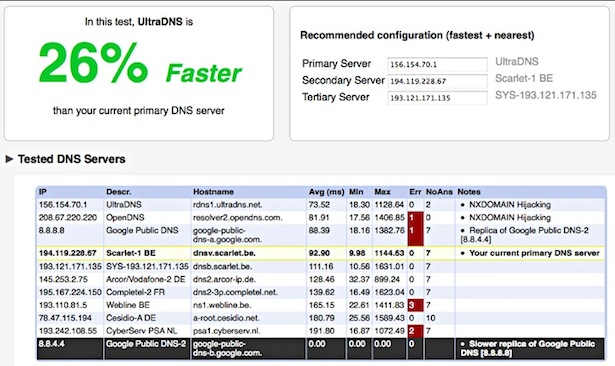
There’s no shortage of DNS Server options out there, with Google DNS, OpenDNS, your own ISP’s, and the gazillion of others available to use. The question remains though, which of these DNS servers is going to be fastest for you? And how do you know which is fastest? That’s where NameBench comes in.
NameBench is a free application that will run a set of benchmarks based on your web browsing history and tcpdump, and will report back the fastest domain name server(s) for you to use. In some cases, switching to the suggested domain name server can be a considerably speed increase, with noticeably faster page loads, making this a very worthwhile tool to try. It’ll run in Mac OS X, Windows, and Linux, but of course we’re focusing on the Mac here. Read more »
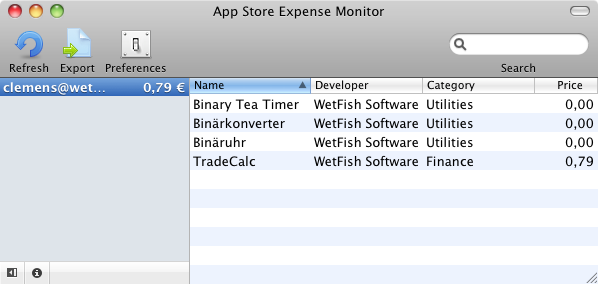
Appropriately named App Store Expense Monitor does exactly what it’s name implies, it tallies up your App Store spending on iPhone, iPad, and iPod Touch apps and gives you a grand total. Read more »
The iPad sure is getting a lot of attention. If you’re pondering developing for the device, or you’re just curious in general, here are some specs on the iPad’s display:
* the 9.7″ iPad display has a screen resolution of 1024×768 pixels
* the display’s pixel density is 132 pixels per inch (ppi), slightly less than the iPhone 3GS 163ppi screen.
Remember that iPhone 4 has a higher resolution that comes closer to the iPad display, this should make moving apps between the two more fluid, and more attractive.
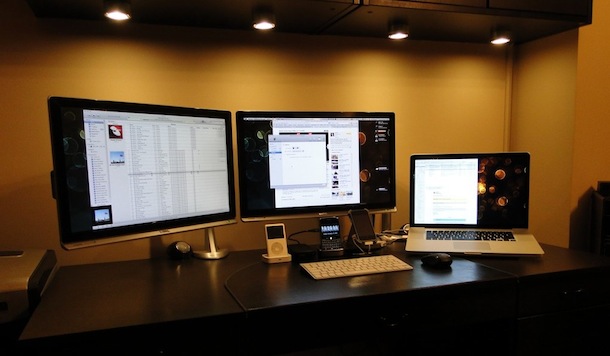
Here’s another sweet dual monitor setup with a MacBook Pro, this time with 22″ displays (and lacking the super cool city view in the background of the previous one).
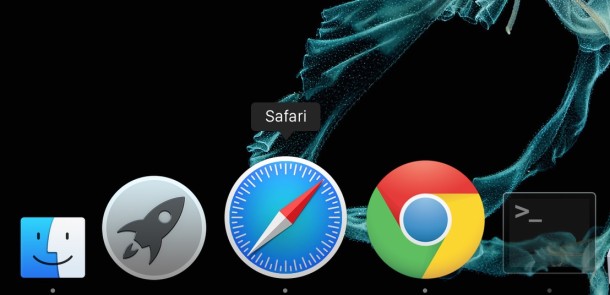
The bouncing Dock icons are a nice GUI feature that let you know an app is launching on the Mac, but for some people those little bouncing icons are just really annoying. Additionally, Dock icons will bounce to notify you that an alert is active in the app, or the app needs your attention.
If you’re not a fan of the bouncing dock icons on a Mac, you can disable all Dock bouncing activity, including on app launch and the Dock icon bounce notifications in Mac OS X by using the command line.
Mac OS X simplified the font smoothing settings (anti-aliasing) for Mac OS and all apps running within it, but for some the change is unwelcome. If you feel like your screen looks different, or that fonts look a little unusual and text looks different too, it probably does, and the change can be very profound on certain LCD displays.
Want to find out how to see all startup and login app launches and scripts on a Mac? This article will walk through that process. Gone are the days of Mac OS System 9 where all startup items were sitting nicely in a system folder labeled ‘Startup’, now with the Unix undercore of Mac OS X things are a bit more complicated, with some startup and login scripts and apps launching beyond the easily accessible ‘Login Items’ preference pane.
We’ll review where these startup, login, and auto-launch agents, plists, daemons, and applications may reside in Mac OS X. This can be helpful for troubleshooting, privacy, and security reasons.

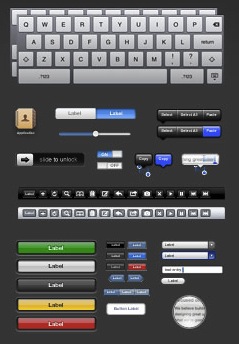 If you plan on developing or designing for the iPad this could be very valuable to you, the folks over at teehan+lax have created a fantastic PSD file of the iPad’s GUI elements, all arranged quite well.
 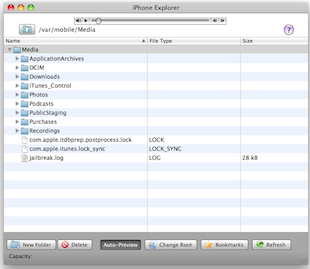 You can use your iPhone as an external USB flash drive using this (currently) free software from myPodApps. Called iPhone Explorer, it’s a simple and lightweight program that lets you browse through your iPhone through it’s interface which works pretty well as a file manager. You can rename, create, delete, drag and drop, both files and folders on the iPhone using this app.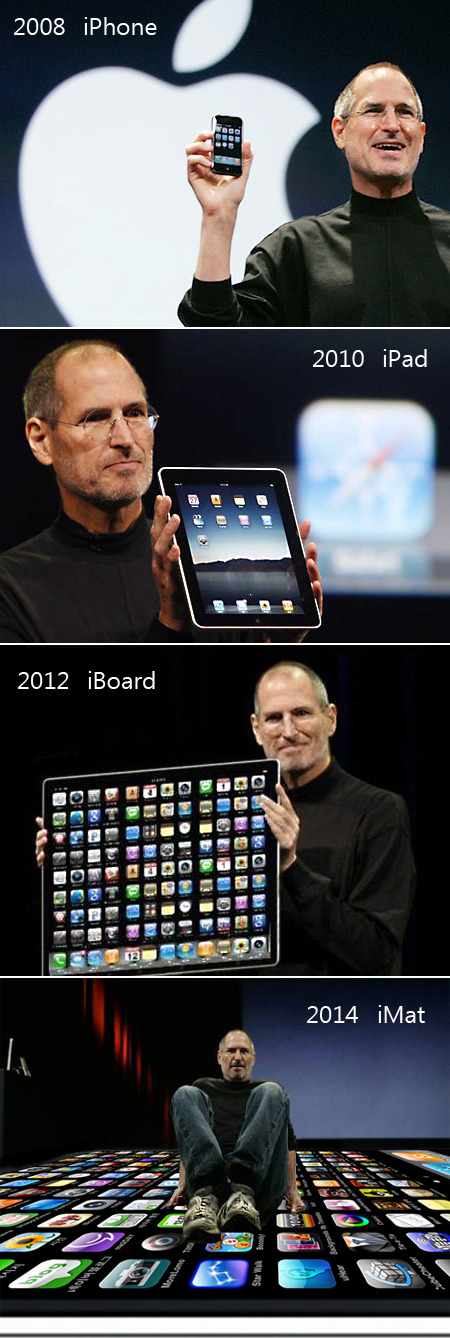

 Would you prefer to use the keyboard to speed up navigation around your Mac? That’s what the Full Keyboard Access setting allows for. Using a Keyboard option, you can have the Tab Key able to switch between dialog buttons, fields, screen items, controls, and anything else in a dialog box within Mac OS X. This can greatly enhance the speed at which you use your Mac, but it’s a feature that Apple has never chosen to enable by default. Additionally, tab key navigation can be a very helpful setting for accessibility purposes, since it’s often easier to leave your hands on the keyboard than move around a mouse or trackpad.
 While everyone continues to wait for an official Hulu app for the iPhone/iPod Touch/iPad/whatever, you can beat them to the punch and get Hulu content on your iPhone now for free, using Snow Leopard!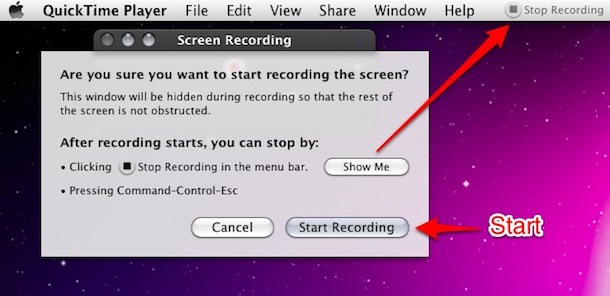



 The iPad sure is getting a lot of attention. If you’re pondering developing for the device, or you’re just curious in general, here are some specs on the iPad’s display:
 Mac OS X simplified the font smoothing settings (anti-aliasing) for Mac OS and all apps running within it, but for some the change is unwelcome. If you feel like your screen looks different, or that fonts look a little unusual and text looks different too, it probably does, and the change can be very profound on certain LCD displays.



