Preview is one of my favorite Mac apps, but recently Preview.app was refusing to open some image files for what seemed like no reason. I wasn’t even able to drag the image file onto the Preview icon to open it, which is usually something that works if the Open menu doesn’t. I know the images are fine because they open fine in other Mac apps, in Windows, and even in Photoshop, suggesting Preview is just acting weird and needs a little kick in the pants to get working, and this is just the trick to do that…
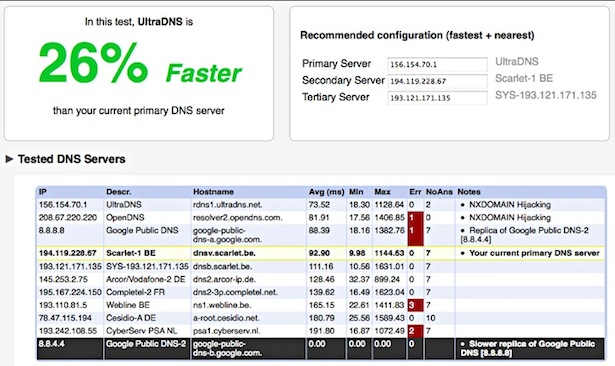
There’s no shortage of DNS Server options out there, with Google DNS, OpenDNS, your own ISP’s, and the gazillion of others available to use. The question remains though, which of these DNS servers is going to be fastest for you? And how do you know which is fastest? That’s where NameBench comes in.
NameBench is a free application that will run a set of benchmarks based on your web browsing history and tcpdump, and will report back the fastest domain name server(s) for you to use. In some cases, switching to the suggested domain name server can be a considerably speed increase, with noticeably faster page loads, making this a very worthwhile tool to try. It’ll run in Mac OS X, Windows, and Linux, but of course we’re focusing on the Mac here. Read more »
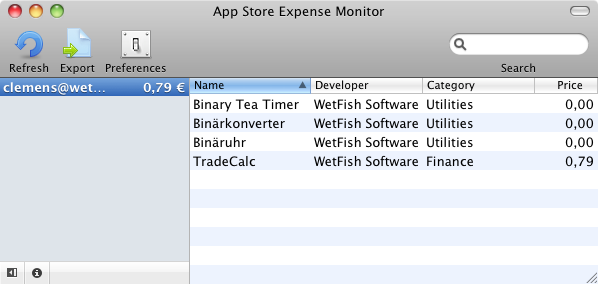
Appropriately named App Store Expense Monitor does exactly what it’s name implies, it tallies up your App Store spending on iPhone, iPad, and iPod Touch apps and gives you a grand total. Read more »
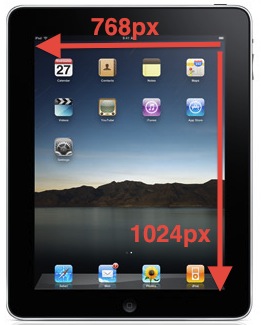
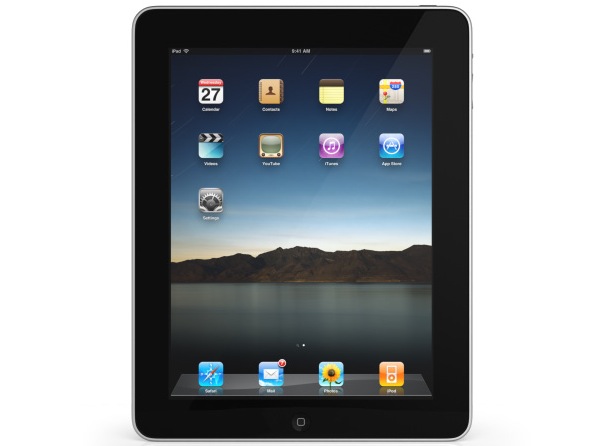
The iPad sure is getting a lot of attention. If you’re pondering developing for the device, or you’re just curious in general, here are some specs on the iPad’s display:
* the 9.7″ iPad display has a screen resolution of 1024×768 pixels
* the display’s pixel density is 132 pixels per inch (ppi), slightly less than the iPhone 3GS 163ppi screen.
Remember that iPhone 4 has a higher resolution that comes closer to the iPad display, this should make moving apps between the two more fluid, and more attractive.
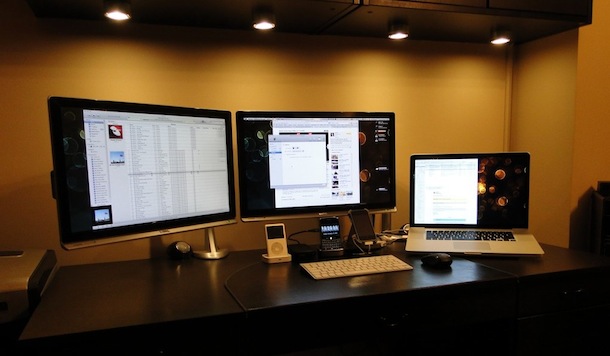
Here’s another sweet dual monitor setup with a MacBook Pro, this time with 22″ displays (and lacking the super cool city view in the background of the previous one).
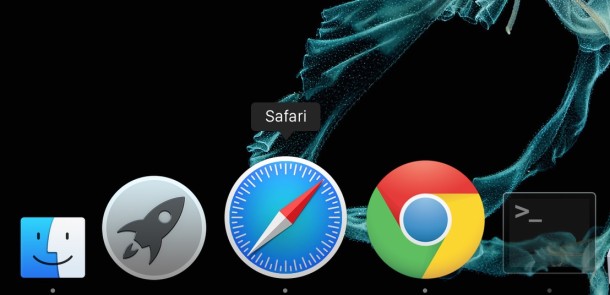
The bouncing Dock icons are a nice GUI feature that let you know an app is launching on the Mac, but for some people those little bouncing icons are just really annoying. Additionally, Dock icons will bounce to notify you that an alert is active in the app, or the app needs your attention.
If you’re not a fan of the bouncing dock icons on a Mac, you can disable all Dock bouncing activity, including on app launch and the Dock icon bounce notifications in Mac OS X by using the command line.
Mac OS X simplified the font smoothing settings (anti-aliasing) for Mac OS and all apps running within it, but for some the change is unwelcome. If you feel like your screen looks different, or that fonts look a little unusual and text looks different too, it probably does, and the change can be very profound on certain LCD displays.
Want to find out how to see all startup and login app launches and scripts on a Mac? This article will walk through that process. Gone are the days of Mac OS System 9 where all startup items were sitting nicely in a system folder labeled ‘Startup’, now with the Unix undercore of Mac OS X things are a bit more complicated, with some startup and login scripts and apps launching beyond the easily accessible ‘Login Items’ preference pane.
We’ll review where these startup, login, and auto-launch agents, plists, daemons, and applications may reside in Mac OS X. This can be helpful for troubleshooting, privacy, and security reasons.
TTYtter is a rather fun command line based Twitter client. Written in Perl, it’s got all the essential ingredients needed for basic Twitter needs without ever leaving a Terminal window.
Running TTYtter is easy enough, it just needs your login information and off it goes. You can either run it through perl with: perl /path/to/ttytter.pl -user=username:password
or make the script executable: chmod +x ttytter.pl
and run as usual: ./ttytter -user:username
Note: if you don’t want to specify a password at the command prompt (security reasons, personal preference, against your marital vows, whatever) just leave it out and specify a username, the TTYtter client will ask for your password once executed.
Typing anything and hitting return will tweet that immediately, those who follow the OS X Daily Twitter stream probably saw my nonsense tweets last night as I played with the script. The actual command structure will be familiar to IRC users, commands are executed with / then the command, /help brings up help and commands, /quit exits the program, /refresh displays all new tweets, /replies shows replies to your tweets, etc.
If you’re anything like me you’re curious about the beautiful background picture featured on the iPad displays in all the press photos of the original iPad, so I dug around a bit and got some answers about this now widely distributed amazing photograph that was shown as the wallpaper on the first iPad.
The now famous image is titled “Pyramid Lake (at Night)” and is a 2004 photo by photographer Richard Misrach, taken at Pyramid Lake in Nevada.
The Story Behind the Original iPad Default Wallpaper
ArtInfo.com has a pretty good story on the nice picture and Apple’s decision to use it, apparently at the last minute without the artist even knowing himself:
“I was in bed watching Inglorious Bastards when I got a call from Jeffrey FraenkeL, my dealer in San Francisco, and he said, ‘Do you know what’s going on live here?'”
…”The funny thing is that I don’t even have a contract with them yet, so they must have decided on it at the eleventh hour,” Misrach says. “I’m sure they’ll send me one quickly now. But I’m very happy, I’m sure it’s fine, and the terms are good.”
That sounds like Apple’s legendary secrecy at it’s finest, even down to it’s licensing of images. I’m sure Richard Misrach is going to have many more fans and licensing deals in the near future, as Apple has catapulted his work onto the world stage.
According to the photographer, this is the first time he has licensed an image for commercial use in his 40-year career–a deal he agreed to because he’s a fan of the company. ‘What’s funny is that for years I actually used the photo as my own screensaver,” Misrach says. “So I guess they know what they’re doing.”
Apple certainly does have an eye for pleasing imagery, but I haven’t been able to dig up a high resolution image of the picture to use as a desktop. I’m sure in time one will appear with at least the resolution of the iPad at 1024×768.
And apparently we aren’t the only people curious about this stunning image, NPR also wanted to know the story behind it too!
Update: OS X Daily reader Deadmilkman posted this picture in the comments, it comes pretty close to being a high res version of the iPad background picture. If you look carefully it’s actually the smaller picture just repeated, reflected against each other, and smoothed together with Photoshop, but it looks pretty nice nonetheless.
Changing the location of your home directory is pretty easy in Mac OS X, and it can be desired for a variety of situations to store a home folder elsewhere on a Mac, or even on another drive. This is valid and works the same in all versions of OS X.
Facebook opened Facebook Chat up to third party instant message clients by using the Jabber protocol, which means you can now use Facebook Chat seamlessly from inside iChat. That means if you have a Mac with iChat, you can easily talk to your Facebook friends without being logged into the Facebook site, and instead communicate through the iChat app to send messages. Cool huh? Yes, yes it is.
Let’s learn how to set up Facebook chat with iChat, it only takes a few moments.
If you’re a developer (or anyone else) you may quickly get fed up with the Crash Reporter Dialogue box that pops up when an app melts down and crashes in Mac OS X. If you’re pestered by the crash reporter dialog window, then you can quickly turn the window on and off with a defaults command string.
Do note that turning off the Crash Reporter dialog window has no effect on crash reports, which are still visible in system logs and the Console app. It simply stops the window appearing in the Mac OS X GUI.
Mac OS has come a long ways since System 1.0, and there’s no better way to see just how far we’ve come than to look at screenshots. From the earliest years to the latest versions, it’s a journey that is rather remarkable over three decades of development and refinement.
We’ve included some of the great pictures below from earliest versions of Mac OS to now. Then, Francesco Mugnai went further, having compiled quite a comprehensive collection of screenshots that chronicles the evolution of the Mac operating system, it’s a fun walk through time, so check it out if you like to reminisce about the good old days of SE/30’s and LCII’s!
Are you wondering if your Mac is 64-bit architecture or 32-bit architecture? Well you might not be alone. The good news is it’s pretty easy to determine what CPU architecture your Mac is using.
You can either focus on the model year of the Mac, or the CPU architecture and processor chip itself. The most precise measure will be focusing on the CPU.
At its core, the file and folder explorer of OS X known as Finder is essentially an application like any other on the Mac. Accordingly, users can quit the Mac OS X Finder in a few different ways which we’ll cover here, but perhaps the fastest way is to just launch the Terminal app and use the killall command, which is located in /Applications/Utilities/, once the Terminal is open just type or paste the following string at the command line:
killall Finder
Hit the Return key and this will kill the Finder process, which will then automatically relaunch as a fresh new Finder process. This is a common trick to force many defaults commands to take effect, and it can be a valuable troubleshooting technique if the Finder is misbehaving for one reason or another, or just outright crashing. Once the Finder has exited, the Terminal app does not need to stay open and can be quit as usual.
If the command line isn’t your thing, you can also try the Force Quit approach, which is achieved entirely through the more user-friendly GUI. Read more »
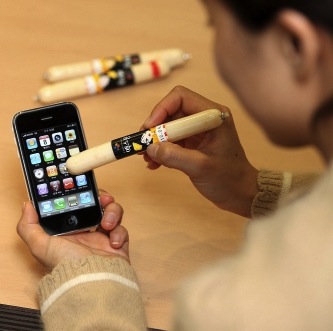
Have an iPhone? Like to use gloves to keep your hands warm in the winter? Annoyed that you have to take your gloves off to use the iPhone? Keep those gloves on, because there’s a really goofy solution that has surfaced out of South Korea!
Yes indeed, innovative Korean iPhone users are driving a 40% increase in snack sausage sales because they’ve figured out the little meat sticks can be used as an iPhone stylus in cold weather… no really. Micro sausages are actually effective to use as a stylus on the touch screen, apparently. And no, we haven’t had a chance to actually try this out. Read more »



 The iPad sure is getting a lot of attention. If you’re pondering developing for the device, or you’re just curious in general, here are some specs on the iPad’s display: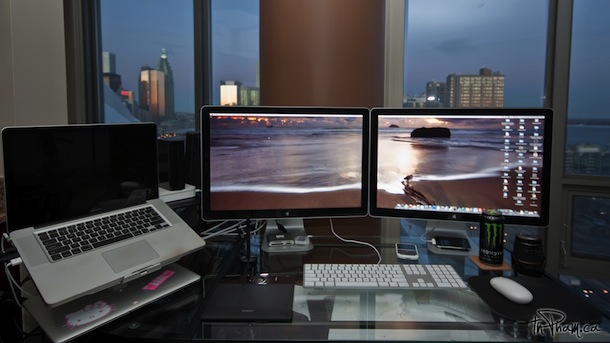
 Mac OS X simplified the font smoothing settings (anti-aliasing) for Mac OS and all apps running within it, but for some the change is unwelcome. If you feel like your screen looks different, or that fonts look a little unusual and text looks different too, it probably does, and the change can be very profound on certain LCD displays.
  Want to find out how to see all startup and login app launches and scripts on a Mac? This article will walk through that process. Gone are the days of Mac OS System 9 where all startup items were sitting nicely in a system folder labeled ‘Startup’, now with the Unix undercore of Mac OS X things are a bit more complicated, with some startup and login scripts and apps launching beyond the easily accessible ‘Login Items’ preference pane.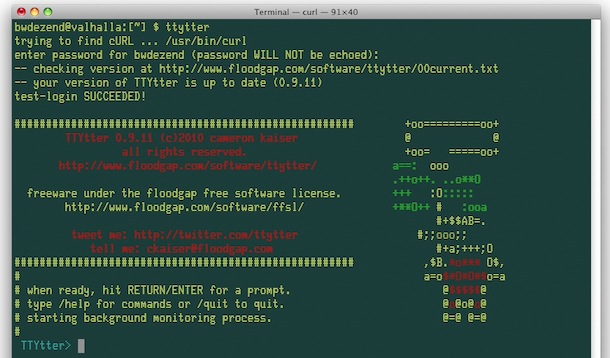


 Let’s learn how to set up Facebook chat with iChat, it only takes a few moments.
 If you’re a developer (or anyone else) you may quickly get fed up with the Crash Reporter Dialogue box that pops up when an app melts down and crashes in Mac OS X. If you’re pestered by the crash reporter dialog window, then you can quickly turn the window on and off with a defaults command string.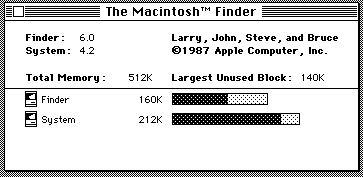
 At its core, the file and folder explorer of OS X known as Finder is essentially an application like any other on the Mac. Accordingly, users can quit the Mac OS X Finder in a few different ways which we’ll cover here, but perhaps the fastest way is to just launch the Terminal app and use the killall command, which is located in /Applications/Utilities/, once the Terminal is open just type or paste the following string at the command line: