iPad

Search iPad

The iPad Potty! The Worst iPad Accessory Ever Made? Or the Best?

Jan 10, 2013 - 11 Comments
iPad toilet

This lovely colorful plastic toilet is also an iPad stand, and that means you can now finally potty train a child (or yourself, no judgment here!) with the help of a convenient iPad-toilet combo. I don’t know about you, but I have far more questions than answers about this thing. Is there an app that … Read More

How to Find Archived eMails & Move Them Back to Inbox in iOS

Jan 8, 2013 - 13 Comments
Find archived email in iOS

Moving email around between inboxes in the iOS Mail app is easy, and perhaps sometimes it’s too easy, because accidentally moving or archiving mail messages seems to be an ongoing issue for many. In fact, one of the most frequently asked questions I get from newcomers to the iPhone or iPad is “where did my … Read More

3 Simple iPhone Tips That Make You Smarter

Jan 7, 2013 - 5 Comments
iPhone brain, get smarter with your iPhone

Your iPhone is a smartphone, and if it isn’t making you smarter as well then you just aren’t using the devices included features to it’s full potential. Here are three super simple tips that let your iPhone make you smarter, these will be perfect for educators, learners, students, or really, just about anyone – unless … Read More

Improve Find My iPhone By Locking Down Location Services

Jan 4, 2013 - 16 Comments
Lock Down Location Services

Find My iPhone and Find My iPad are security features that make it simple to locate lost iOS devices by tracking them on maps through GPS. A potential problem is that after a device has been lost, or perhaps more accurately, after a device has been stolen, GPS or Find My iPhone can be turned … Read More

Set a Unique Alert Tone for New Mail Messages from VIP List in iOS

Jan 2, 2013 - 6 Comments
Set VIP Mail Alerts in iOS

Managing slews of email can be one of the most challenging and time consuming parts of ones day, but with the help of VIP lists in iOS and OS X you can help to weed through some of the nonsense by simply having defined persons get precedent over others. On the desktop side of things, … Read More

The Top iOS, iPhone, and iPad Tip Collections of 2012

Dec 31, 2012 - 1 Comment
Best of 2012 iOS tip collections for iPad, iPhone, and iPod touch

2012 is at it’s end, and just like with our favorite Mac tip collections of the year, OSXDaily.com is looking back and gathering some of the most useful multi-trick collection posts for iOS, iPhone, iPad, and iPod touch too. Again, we are aiming to give you the absolute most bang for your reading buck here … Read More

Write & Send a Complete Email with Siri Faster Than Ever

Dec 30, 2012 - 6 Comments
Write and send a complete email with Siri

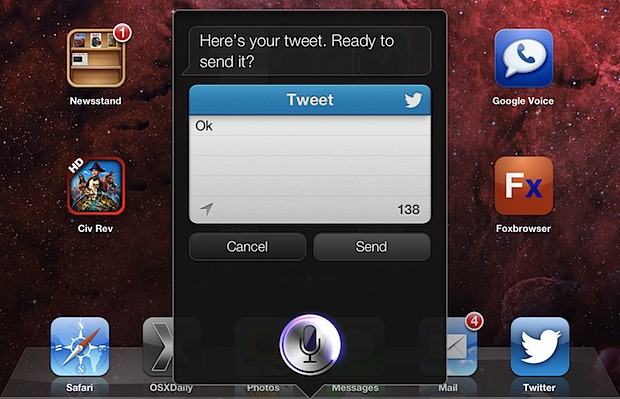
If you’ve sent emails out with Siri before, you have probably noticed that Siri will often respond to the initial email request with an inquiry about what the mail subject or body should contain, making you respond with another phrase and continue a back-and-forth dialog with Siri until the to, subject, and message fields are … Read More

How to Get Emoji Definitions on iPhone & iPad Quickly

Dec 28, 2012 - 5 Comments
Define Emoji in iOS with Speak

Did someone send an Emoji to your iPhone, iPod, or iPad and you have not the faintest of clues as to what it’s supposed to mean? With the vast array of emoji icons out there, you’re not alone, but there’s an excellent little-known feature that uses iOS text-to-speech to give a precise definition of the … Read More

Connect & Use an External Wireless Keyboard with iPhone or iPod touch

Dec 26, 2012 - 4 Comments
iPhone syncing with an external keyboard

External wireless keyboards can be connected to and used with iPhones and iPod touches through Bluetooth. This can help when typing anything of length, particularly if you’re not as fast a typer with the virtual keyboard, and it allows you to create an immediate (albeit tiny) workstation just about anywhere. There’s also a very nice … Read More

2 Simple Tips to Get to Websites Faster in iOS

Dec 21, 2012 - 8 Comments
Show more web TLD's in iOS Safari

Have you ever wished you could visit certain websites faster while you’re on the go? Maybe you know a specific website you want to get to, but you don’t visit the site enough to have a bookmark for it on the home screen. Or maybe you’d rather just type as little as possible on the … Read More

Stay Sane with Multiple Email Accounts on an iPhone by Using Different Apps

Dec 20, 2012 - 12 Comments
Multiple email accounts on iPhone as managed with different apps

Many of us juggle multiple email accounts these days, one for work, one for personal, one for various web signups, and whatever else. While you can easily configure the default iOS Mail app to manage multiple accounts and inboxes and flip between them yourself, another approach is to separate the mail accounts completely by using … Read More

Fix the iMessage “Waiting for Activation” Error on iPhone, iPad

Dec 20, 2012 - 19 Comments
iMessage waiting for activation

Are you seeing a “Waiting for activation” error when trying to use iMessage on iPhone or iPad? Despite setting up iMessage properly, some users occasionally encounter a “Waiting for Activation” error with iMessage, usually either upon updating to a new version of iOS or getting a new device and configuring iMessage for the first time. … Read More

iOS 6.0.2 Released with Wi-Fi Fix for iPhone 5 & iPad Mini [Download Links]

Dec 18, 2012 - 11 Comments
iOS 6.0.2 download available now, fixes Wi-Fi problem with iPhone 5 and iPad Mini

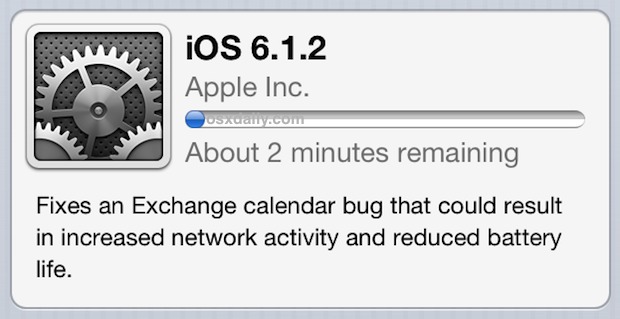
Apple has released iOS 6.0.2, a minor version release with a major fix aimed at iPhone 5 and iPad Mini users who have experienced problematic wi-fi connections with the devices. The changelog for the 6.0.2 update says the update includes improvements and bug fixes, but only lists “Fixes a bug that could impact Wi-Fi” in … Read More

Add Bold, Underline, & Italics to Stylize Text in iOS Mail

Dec 15, 2012 - 6 Comments
Style text in iOS Mail

Stylizing text with bold, underline, or italics in the iOS Mail app is easily done with the same tap-and-hold contextual menu that also allows you to select text, block quote, and insert photos. To access the text styling menu: Tap and hold on any text in Mail app, choose “Select” and adjust the sliders to … Read More

Add Phonetic Spelling to Contact Names to Improve Siri’s Pronunciation

Dec 14, 2012 - 9 Comments
Add phonetic spelling to names to improve pronunciation with Siri

Siri doubles as a great hands-free helper with some extremely useful voice commands, but sometimes Siri can really mangle pronunciation of names that aren’t outright obvious. If you’re finding that Siri routinely either mispronounces a name or doesn’t understand a request regarding a certain contact, try adding special phonetic spelling fields to the troubled contacts: … Read More

Send Apps as Gifts & Schedule Delivery Dates from the App Store

Dec 13, 2012 - Leave a Comment
Gift apps

The ability to gift apps has long been around in the App Store, but it briefly disappeared before making a reappearance again with an additional great new feature. As 9to5mac noticed, you can now schedule deliver dates for the gifted apps, allowing them to be automatically delivered at a certain set date in the future. … Read More

Ignore Unwanted Text Messages by Showing Notifications from Contacts Only

Dec 12, 2012 - 4 Comments
Show iMessage alert notifications from Contacts list only

Nobody likes unwanted text messages, whether it’s one of those mass spammy texts that everyone seems to inexplicably receive at random, or the group text from a friend of a cousins sisters friend that you sort of once kind of knew on Facebook years ago. Really if you think about it, there’s a good chance … Read More

Reply to Email Smarter By Quoting Selected Text in iOS Mail

Dec 11, 2012 - 2 Comments
Reply to selected text on an iPhone with Mail

We’ve all been there, part of an extraordinarily length email thread and there’s really only a small portion of it that’s necessary to respond to, but without the proper context the reply may not seem complete or even inappropriate. Rather than quoting the entire email and explaining the response, use smart quotes to reply only … Read More

Subscribe to OSXDaily

Subscribe to RSS Subscribe to Twitter Feed Follow on Facebook Subscribe to eMail Updates

Tips & Tricks

News

iPhone / iPad

Mac

Troubleshooting

Shop on Amazon to help support this site