macOS Sierra 10.12.1 Beta 3 Released by Apple
Apple has released macOS Sierra 10.12.1 beta 3, the new build arrives as 16B2338c.
For the vast majority of Mac users, macOS Sierra is a nice upgrade that goes without a hitch. For a small number of users, macOS Sierra presents a unique variety of problems that are impervious to all troubleshooting attempts, even reinstalling Sierra or a clean install. If you fall into the latter camp, or just … Read More
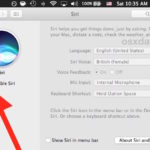
Want to hide the Siri menu icon but still have Siri enabled on the Mac? This approach offers a way to reduce menubar clutter on a Mac, while still retaining the Siri assistant functionality and each of its useful commands. With the Siri menu bar icon hidden, you can still access Siri on the Mac … Read More
Now that macOS Sierra has Siri built directly into the Mac operating system, you’re probably wondering what exactly you can do with the handy virtual assistant on your computer. It turns out that Siri has many abilities unique to the Mac, which you can’t perform on an iPhone or iPad with the virtual assistant. Of … Read More
Gatekeeper in MacOS is now stricter than ever, defaulting to only allow options for apps downloaded from either the App Store or the App Store and identified developers. Advanced Mac users may wish to allow a third option, which is the ability to open and allow apps downloaded from anywhere in macOS Ventura, macOS Monterey, … Read More
Apple has released the second beta version of macOS Sierra 10.12.1. The new beta build arrives as 16B2333a and is available now to users participating in the beta testing programs.
Some advanced Mac users may like to perform a clean install of macOS Sierra, which is essentially the process of erasing a hard drive and then starting fresh with a new clean installation of macOS Sierra 10.12. After the clean install is complete, a separate backup of any necessary files is manually transferred back over … Read More
Some Mac users like creating a bootable USB install drive for macOS Sierra, which offers for a way to easily update multiple machines, perform clean installs, and to have just as a backup Mac OS Sierra installer should the need arise. This walkthrough will demonstrate the exact steps necessary to create a boot installer drive … Read More
Some Mac users are reporting wi-fi difficulties after updating to macOS Sierra 10.12. The most common wireless networking problems seem to be either randomly dropping wi-fi connections after updating to macOS Sierra, or an unusually slow or delayed wi-fi experience after updating a Mac to Sierra 10.12. We’ll walk through some some-tested troubleshooting steps to … Read More
macOS Sierra has many new features and enhancements, some of which are significant and others that are more minor yet still nice to have. We’ve picked a handful of features new to macOS Sierra that you’re sure to enjoy and actually use, read on and check them out.
When you connect an iPhone or iPad to a computer with iTunes and an iOS software update is available, you will be notified with a pop-up that tells you a new version of iOS is available and asks if you want to update to the new version of iOS system software. Additionally, if you click … Read More
The Preview app on Mac opens PDF files and image documents, and also allows for the easiest way to search PDF files for contextual term matches on a Mac. Even better, Preview can search in PDF files for matches across multiple pages, and it actually highlights each match in bright yellow making it remarkably easy … Read More
Mac users who come from a unix background may appreciate knowing how to implement the equivalent to the Unix “tree” command in macOS and Mac OS X. There are actually a few different ways to show a folder tree in the Terminal of Mac OS X, we’ll cover an easy tree equivalent achieved through an … Read More
The macOS Sierra GM Candidate build is available to download and install now for all Mac users who are participating in either the Public Beta or Developer Beta testing programs.
Apple has announced the official release date of macOS Sierra will be Tuesday, September 20. All users with a Mac compatible with macOS Sierra will be able to download and install the update free of charge.
Ever wished you could make a dialog alert pop-up on the Mac by way of the Terminal? Well it turns out that you can with the always useful osascript command, which allows execution of AppleScript from the Terminal. For those who spend a lot of time at the command line of MacOS, this can be … Read More
Macs with access to a printer capable of printing double sided can print any document as a two-sided print, meaning that each page of the document will go on the front and back of the piece of paper, kind of like a book. This is a popular printing method for many situations, whether it’s manuscripts, … Read More
Resizing a picture changes the resolution of the image, either increasing or decreasing it as desired by the user. On the Mac, one of the simplest ways to resize a photo is using the bundled Preview application, which is available in all versions of macOS and Mac OS X.