tips

Search tips

What Shell Am I Using? Here’s How To Find Out

Sep 25, 2009 - 5 Comments

Ever wondered what shell you are using at the command line? It’s not unusual to want or need to know which shell is running, and though you may hear this question many times, the answer could be different for every user, thus the easiest thing to do is to issue a terminal command which determines … Read More


Stop Flash from Automatically Loading in Safari with ClickToFlash

Sep 24, 2009 - 8 Comments

I love the web, I hate Flash. I know this isn’t always a popular opinion, but for me it causes a lot of problems. It’s a slow bloated resource hog that makes browsing the web painful, loud, and obnoxious. Really the only time I actually want to use it is on video sharing sites like … Read More

Access and Mount an SMB Share via Command Line

Sep 24, 2009 - 4 Comments
Mac Terminal icon

Do you need to access and mount an SMB share from the command line on a Mac? You may be used to connecting to Windows PC from the Mac networking features to mount a Windows share on Mac, but you can also connect to Samba shares from the Terminal too. This article will show several … Read More

How to Hide All Desktop Icons in Mac OS X

Sep 23, 2009 - 58 Comments
Desktop icons disabled in OS X

Want to hide all desktop icons on a Mac? Desktop icon clutter can really impact workflow by overwhelming you with files and just too much stuff to look at. Inevitably, it can be hard to avoid since a lot of apps download things to the Desktop by default, we save things there, screenshots go there, … Read More

Disable Bonjour by Turning Off mDNSResponder

Sep 15, 2009 - 11 Comments
Terminal in macOS

Bonjour is a great service that runs in the background of your Mac to auto-discover network resources, that is, it’s great until mDNSResponder goes haywire. I was recently in a very creatively crafted network environment that made Bonjour absolutely freak out and tax my CPU with a million processes, so I opted to just disable … Read More

Use a Quick and Dirty Stopwatch via the Mac Terminal

Sep 12, 2009 - 2 Comments
terminal

Need a super easy and simple Stopwatch on the Mac, but don’t want to download anything like a third party app or utility? Look no further than the command line. You can create an instant quick and dirty stopwatch via the Mac OS X (or linux) command line by launching the Terminal app and typing … Read More

iPhone Backup Location for Mac & Windows

Sep 11, 2009 - 96 Comments

If you’ve looking for the location of your iPhone Backup files in the file system of a computer, then you’ll be pleased to know they’re easy to find even if a bit hidden. Whether you use Mac OS X or Windows, the iPhone backup process is basically the same; iTunes backs up all of your … Read More

How to Burn an ISO on your Mac

Sep 11, 2009 - 8 Comments

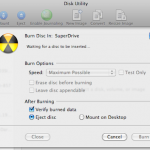
Burning an ISO in Mac OS X is very easy thanks to the built-in Disk Utility application that is included from Apple on every Mac. With Disk Utility being bundled with Macs directly from Apple, it also has the huge added bonus of being free, and although there are plenty of paid options out there, … Read More

Eject a Stuck Disk from your Mac DVD Super Drive

Aug 28, 2009 - 78 Comments

A friend of mine that is new to Macs couldn’t figure out how to get a CD to eject, after some frustration he then complained that his MacBook doesn’t have the paperclip hole to forcibly eject a disc from the superdrive. After some discussion I realized he’s probably not alone in his confusion of how … Read More

15 Useful Keyboard Shortcuts for QuickTime

Aug 23, 2009 - 11 Comments

Apple’s QuickTime is the go-to Mac OS X app for video playback, but there’s more to QuickTime Player than meets the eye. You can rewind and fast-forward movies, increase the audio level beyond the slider limit, and even scrub frame by frame through the movie like you can in Final Cut Pro! Check out these … Read More

The Fastest Way to Email a Picture in Mac OS X

Aug 22, 2009 - 1 Comment
Quickly email a picture from Mac OS X

The fastest way to email a picture to someone in Mac OS X is also one of the easiest, and it should be very familiar to most Mac users in that it’s action is remarkably simple.

No Undo Button on the iPhone & iPod Touch? Instead, Use Shaking Motions

Aug 21, 2009 - 2 Comments

The iPhone doesn’t have an Undo button, which is something that many of us have wondered about and wished for for quite some time. But that doesn’t mean you can’t perform an undo or redo task on your iPhone, but what you do is perform a shaking motion with the iPhone or iPod touch in … Read More

Limit Connection Bandwidth with SpeedLimit

Aug 19, 2009 - Leave a Comment
Find Wi-Fi Connection Speed in Network Utility for Mac OS X

Do you need to limit your internet speed for testing? Maybe put a cap on your transfer and download speeds for simulation of slower connections? SpeedLimit is an open source project that allows you to do that.

Preview Not Saving JPG Rotation? Use Exif Data to Fix Rotated Image Display

Aug 14, 2009 - 4 Comments

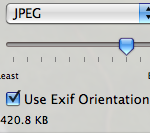
I was driving myself up the wall recently trying to figure out why the Mac Preview.app would not save my image rotations when I exported a picture from Preview in OS X, so in looking for a solution I stumbled onto our friend MurphyMac‘s site and found a solution! Basically after you have rotated the … Read More

Hide any File or Folder by Making it Invisible to the Mac OS X Finder with setfile

Aug 11, 2009 - 18 Comments

If you ever want to hide a file or folder, you can quickly make it invisible with a command line utility called setfile. This is a really cool tip that should be particularly useful to those who share their mac with other people.

How to Rearrange the Menu Bar Icons in the Mac OS X Menu Bar

Aug 11, 2009 - 7 Comments
Finder

The Mac menu bar contains icons for things like the status indicators and toggles of various apps, including a clock, date, time, battery, wi-fi status, sound and volume levels, displays, Time Machine backup status, user account, Spotlight, a Notifications toggle, and much more. There’s a lot of data and status details in those menu bar … Read More

Make Your Own Custom iPhone Ringtone For Free

Aug 8, 2009 - 105 Comments
Convert just about any Video or Audio to an iPhone Ringtone

The iPhone, iPhone accessories, and iPhone ringtones are all the rage right now, so why not make your own iPhone ringtone? With a Mac or Windows PC it’s pretty straightforward using iTunes, follow these 10 steps and you can easily create your own iPhone Ringtone from whatever song you want. Note that songs with DRM … Read More

Get All DHCP Info with ipconfig Quickly

Aug 6, 2009 - 3 Comments

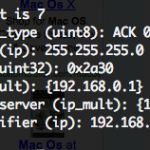
If you’ve ever needed to troubleshoot a network or internet connection, you know how frustrating it can be (particularly when you’re on techsupport with various broadband providers). This quick tip can make the job a little easier on yourself by retrieving all relevant DHCP information, like DHCP server IP, client, subnet mask, router, DNS servers, … Read More

Subscribe to OSXDaily

Subscribe to RSS Subscribe to Twitter Feed Follow on Facebook Subscribe to eMail Updates

Tips & Tricks

News

iPhone / iPad

Mac

Troubleshooting

Shop on Amazon to help support this site