Troubleshooting

Search Troubleshooting

Fix the “Cannot Connect to App Store” Error Message in Mac App Store

Apr 4, 2011 - 48 Comments

If you’re trying to access the Mac App Store and you are getting the “Cannot Connect to App Store” error, you can typically resolve the issue with a few simple troubleshooting steps. This article will walk through some simple solutions to reconnect to the Mac App Store.

Boot into Mac OS X Verbose Mode

Mar 31, 2011 - 4 Comments

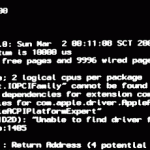
Booting a Mac with Verbose Mode can be a helpful troubleshooting trick for some obscure situations where users are trying to determine what is going wrong with a Mac during the system boot process. Just as it sounds, verbose mode is verbose, meaning it lists everything going on behind the scenes, and you’ll watch as … Read More

LetterBox for Mac OS X 10.6.7 Fixed

Mar 22, 2011 - 6 Comments

LetterBox is a very popular plugin for Mac OS X Mail.app that gives you a nice widescreen interface. Unfortunately it seems like every other Mac OS X system update screws up LetterBox compatibility, and 10.6.7 is no different. Thankfully the LetterBox developer is quick to react, and a fixed version for Mac OS X 10.6.7 … Read More

How to Reformat an iPad

Mar 15, 2011 - 20 Comments
iPad Pro

Want to erase and reformat an iPad? If you recently upgraded to a new iPad and you’re either selling or passing along your old iPad, you’ll want to reformat the iPad before sending it off to live with it’s new owner so that none of your personal stuff is on the device. There are two … Read More

Fix “The required file cannot be found” syncing error after iOS 4.3 Update

Mar 9, 2011 - 30 Comments

Some of us who have downloaded iOS 4.3 and updated their iPhones and iPads have run into a strange syncing error that vaguely states “The required file cannot be found.” If this has happened to you, you’re not alone, and thankfully there’s a fix of sorts. Fix “required file cannot be found” iOS 4.3 syncing … Read More

iPhone & iPod Water Damage Sensor Locations

Feb 8, 2011 - 12 Comments

If your iPhone or iPod has been acting strangely or not working, it’s worth checking the “Liquid Contact Indicator” locations as shown in the image above from Apple, this may give you a hint of what’s wrong with your hardware. If the sensors shown in the pictures are red, you may have water damage. I … Read More

Fix Terminal Gibberish with reset Command in OS X

Jan 10, 2011 - 1 Comment
Terminal in macOS

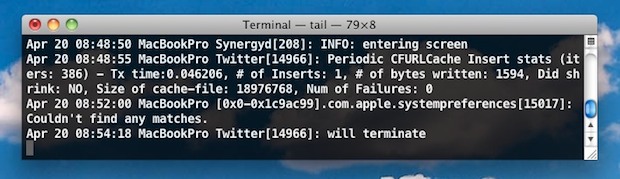
If you’ve ever accidentally used cat on a binary file, you’ll have seen the gibberish that results and how it can totally screw up your Terminal window with loads of weird characters. Of course there are many other ways to bork up your command line prompt which seems to become unrecoverable through the typical clear … Read More

Fix Mac App Store Error @@errorNum@@

Jan 9, 2011 - 3 Comments

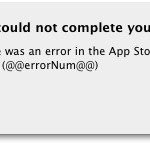
I launched the Mac App Store today and when trying to download an app I was hit with a strange error saying my request could not be completed, here’s the exact message: “We could not complete your request. There was an error in the App Store. Please try again later. (@@errorNum@@)” The “@@errorNum@@” looks a … Read More

How to Uninstall Flash from a Mac

Jan 9, 2011 - 13 Comments

Want to remove and uninstall Flash Player from a Mac? Some users install Flash but later decide they do not want the app and plugin on their Mac, thus will want to remove it. Adobe Flash Player is known to cause a slew of issues, slowdowns, battery drain, crashes, and other problems for Mac OS … Read More

How to Enter iPhone Recovery Mode with iPhone 6s, 6s Plus, 6, 6 Plus, iPhone SE, 5s, 5, 4s, 4, etc

Jan 8, 2011 - 72 Comments
iPhone Plus

Sometimes things go wrong and you need to put your iPhone into Recovery Mode to restore it and get it working again. It turns out that Recovery Mode is what your iPhone goes into when you are doing a standard iOS upgrade or restore anyway, but you may want to put your iPhone into recovery … Read More

Fix Mac App Store Error 100

Jan 6, 2011 - 10 Comments

I just downloaded Mac OS X 10.6.6 and launched the Mac App Store to get out some apps. When trying to download an app I was hit with this error message: “We could not complete your App Store request. An unknown error occured (100). There was an error in the App Store. Please try again … Read More

Save credentials when printing with Active Directory from a Mac

Dec 24, 2010 - Leave a Comment

Setting your Mac up to print to a Windows print server with Active Directory is pretty straight forward, but it’s really annoying that your network credentials aren’t stored which causes the login popup screen to display. Looking for a solution to this, I came across a post at TheAppleBlog, and the author had the exact … Read More

How to Set a Static IP Address on a Mac

Dec 17, 2010 - 8 Comments

If you want to set your Mac to always have the same IP address (also known as a static IP address), you can easily configure this to be set in the Network settings of OS X. This can be valid for both wi-fi networks and wired ethernet networks, and it can also be set under … Read More

Disable the Sudden Motion Sensor on a Mac

Dec 16, 2010 - 6 Comments

The Sudden Motion Sensor is designed to protect your Macs hard drive in the event of a computer being dropped or an unusually strong vibration. Essentially what it does is park the hard drive head when movement is detected, which prevents it from potentially scooting across the disk surface and scratching or otherwise damaging the … Read More

Forgot a Wireless Password? Here’s How to Recover Wi-Fi Router Passwords on Mac

Dec 10, 2010 - 41 Comments

If you have ever forgotten a wireless router password, whether it’s your own network or another, you certainly aren’t alone. Typically you just have to enter the password once, save it to your keychain, and you can forget about it, right? Well that’s only true until you actually do need the password again, whether it’s … Read More

How to Download iOS Updates Without iTunes

Dec 9, 2010 - 39 Comments

You can download any iOS software updates for iPad, iPhone, and iPod touch without using iTunes. There are actually two ways to do this, the first is using the iOS device itself but there are caveats and limitations with that, and then there is the traditional method of downloading the update files directly from Apple … Read More

iTunes Playlists Disappeared? Recover Missing iTunes Playlists Easily

Dec 7, 2010 - 65 Comments

If you have updated iTunes or moved your iTunes music library you may find that your song playlists seem to have disappeared. The good news is they aren’t actually missing, iTunes just isn’t finding them. There is no bad news, because you can recover the playlists rather easily, here’s how: Recover missing iTunes playlists This … Read More

Fix Error 3194 from iTunes During iPhone Restore

Dec 6, 2010 - 524 Comments
iTunes icon

Error 3194 in iTunes will usually prevent an iPhone, iPad, or iPod from being able to successfully restore. Typically Error 3194 will show up when iTunes is not able to communicate with Apple servers. If you run into Error 3194 in iTunes when trying to restore your iPhone, iPad, or iPod touch, you might be … Read More

Subscribe to OSXDaily

Subscribe to RSS Subscribe to Twitter Feed Follow on Facebook Subscribe to eMail Updates

Tips & Tricks

News

iPhone / iPad

Mac

Troubleshooting

Shop on Amazon to help support this site