
Enable hidden Quick Look feature for folder content previews
Oct 4, 2009 - 3 Comments
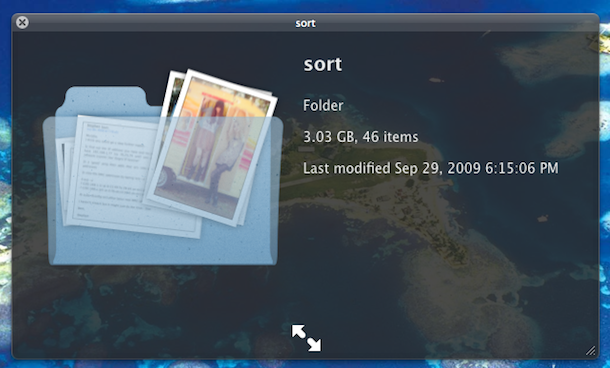
You can see a visual preview of a folders contents by enabling a hidden Quick Look feature. This is a rather nice eye candy improvement but I’m not sure that it’s use goes much further beyond that, see the above screenshot and try it out yourself to judge. To enable the Quick Look X-Ray folders, launch the Terminal and type:
defaults write com.apple.finder QLEnableXRayFolders 1
You may need to kill the Finder for the changes to take affect, although in Mac OS X 10.6 the next time I used Quick Look the feature was enabled.
to disable the Quick Look X-Ray folders, type this:
defaults write com.apple.finder QLEnableXRayFolders 0
[ via MacOSXHints ]






Doesn’t work anymore under Lion (OS X 10.7)
Also works in Leopard :)
[…] OS X Daily Twitter […]