
Screensaver not working in Mac OS X? Fix ScreenSaverEngine.app launch problems
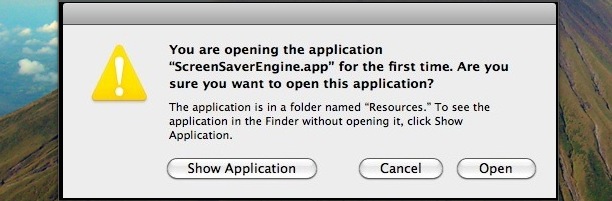
“You are opening the application ScreenSaverEngine.app for the first time. Are you sure you want to open this application?”
My Mac’s screensaver was officially not working. That’s the odd message I got out of the blue today, which is rather peculiar since ScreenSaverEngine.app has been activated many times considering it is what drives the screensaver in Mac OS X! I set out to resolve this peculiar problem and found a solution (note this was only tested in Mac OS X 10.6 Snow Leopard).
Fix problem with ScreenSaverEngine.app to get screensaver working again
* Launch the Terminal and enter the following command all onto one line:
cd /System/Library/Frameworks/CoreServices.framework/Frameworks/LaunchServices.framework/Support
* Now enter the following at the command line:
sudo ./lsregister -r -apps local,system,user
* You will be asked for your Admin password since you are using the sudo command to execute the lsregister command, enter it
* After a few seconds you will see: ThrottleProcessIO: throttling disk i/o and then you will be returned to the Terminal, which you can now close.
* Try initiating the ScreenSaver again, it should work (use a hot corner to test)
If you’re curious, the lsregister script that was executed rebuilt the LaunchServices database, and since ScreenSaverEngine.app is part of this functionality, it seems to do the trick. I found this solution by digging around in the Apple Discussion Forums but I realize that messing around in the Terminal can be perplexing for many Mac users, so you may want to just try a simple reboot beforehand.
I don’t have any explanation as to why my screensaver suddenly stopped working, I haven’t installed any updates or new apps recently, and my Mac hasn’t been rebooted in 9 days (you can check your Mac’s uptime with the terminal). It’s a bit of a mystery to me as to what caused it, but the above fix worked and my screensaver is working as usual, all without rebooting my Mac!






It seems like we had the exact same problem under similar circumstances; I also hadn’t installed any updates or apps, hadn’t rebooted in days, and suddenly I started getting this weird error. Your solution seems to solved the problem though, so thanks!
I began experiencing this problem after the Microsoft Silverlight plugin to Firefox crashed my Mac.
Tried disabling screen sharing in system preferences before executing the terminal commands, and it seems to do the trick for my little minimac. Before that, the “Dunc syndrome” above applied (hot corner, after 4 seconds the screen saver stopped).
I tried the solution and it worked great, thank you.
I have the same problem, tried the terminal deal and it didn’t work. Im still tryin for another solution….what else can i do? help! i can’t stand not havin a workin screensaver!
Wow, you are a godson, I was actually having trouble with a screensaver shortcut I created with services and this fixed the problem perfectly, thank you for saving me some time and effort.
Thanks! This worked great.
Now…..anyone know of any good fixes for screen burn-in? Apple official website says to leave screen on (w/o screensaver) showing white screen with lowest backlighting, but it still seems really bad.
I tried this but I still have the same problem whenever I use a hot corner or whenever the screensaver kicks in on its own. After 4 seconds it stops. ANy other suggestions?
Same problem here and at the same date than Suzanne. I also use screen sharing and never had any SS problem before. I have tried the Terminal cmd from above but was not able to get the final step to register. The only update I had was the iTune PING I think. Suggestions are welcomed. Thx
I believe this is related to the use of screen sharing (for anyone else who encounters this issue and finds your article as I did). It appears there has been more discussion about it in the Apple forums and interestingly, I was using screen sharing last night for about four hours. Even after rebooting today, suddenly this error appears. FWIW.
Thanks for this tip, the randomly “breaking” screensaver was driving me nuts, and led me to reboot to solve the problem. Question: would rebuilding the Launch Services database with a utility such as Onyx or Cocktail give the same result? I’m no stranger to Terminal, but if I can achieve the same result with fewer clicks and keystrokes, I’ll be a happy camper.