
Access Recent Photos by Swiping Left from iPhone Camera App
 Do you want to view the recent picture(s) you just took with your iPhone camera? Rather than closing out of the Camera app and then launching into the Photos app and then Camera Roll, you can go another route directly from the Camera app!
To view recently snapped pictures you have taken on the iPhone, iPad, or iPod touch immediately from Camera app, without having to open other apps in iOS, just do the following:
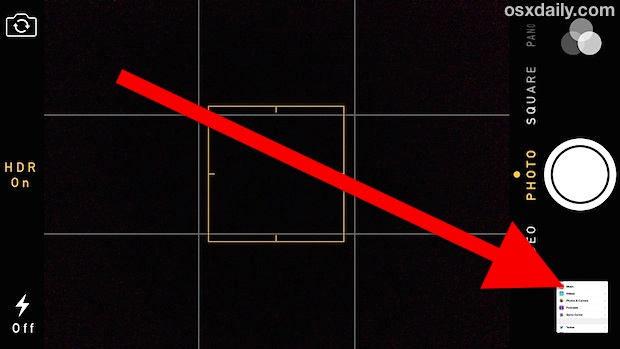
- Tap on the little image thumbnail image in the corner of Camera app
- This opens a photo viewer like Photos app, but within Camera app and is limited to only the recently taken pictures
- View more pictures with a swipe left gesture from within that Camera section to reveal all photos contained within the camera roll that were from the photo session – old photos will not be accessible here
You can continuously flip through, and the standard photo options are available too, from sending as MMS or email to deleting the image.
This works a bit different in older versions of iOS vs new versions of iOS: in older versions of iPhone software you can just swipe left right from the Camera app to access Camera Roll.
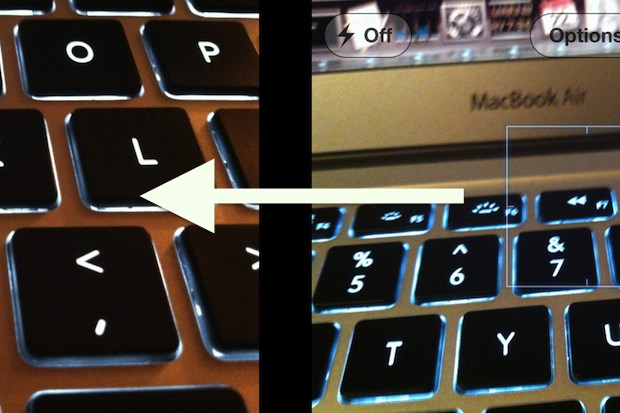
That gesture doesn’t work in new versions of Camera app though because the new versions use gestures to switch between video, photos, square, panoramic, and slow-motion camera capture. But once you’re in the camera roll, the gesture to flip between pictures works the same.






Judie, this “swipe” works from within the camera app and since your using an iPod unless your using a 4th gen iPod you don’t have a cam so the swipe won’t work.
When I swipe to the RIGHT I get a screen that says my iPod is locked. But in my “settings” the lock is off. How do I unlock to use this feature?
swipe right
Indeed, the photo is very misleading.
Left -> Right
Very poor photo choice too. Confusing.
I concur with the other guys … it’s SWIPE RIGHT :-)
It’s swipe to the right!
I think bartek is correct, I think you meant swipe towards the right.
WP7 copycats
I think you mean ‘swipe right’? :)