Fix Safari Crashing on iPad and iOS 5

We’ve been made aware of some ongoing issues with apps crashing constantly on iPads running iOS 5, both iPad and iPad 2 are impacted with Safari being particularly sensitive and seemingly crashing anytime javascript or a video loads and sometimes with just general web browsing. At worst, Safari won’t even launch and crashes immediately, and often the application instability goes beyond Safari and impacts nearly all applications as well. First we’ll focus on resolving the Safari crashes, but if you’re having issues with multiple apps crashing you may want to jump down and go straight for a clean reinstallation of iOS 5.
Troubleshooting Tips for Safari Crashes on iPad & iOS 5
If the majority of crashes are centered around Safari, use these troubleshooting tips and see if the problem is resolved:
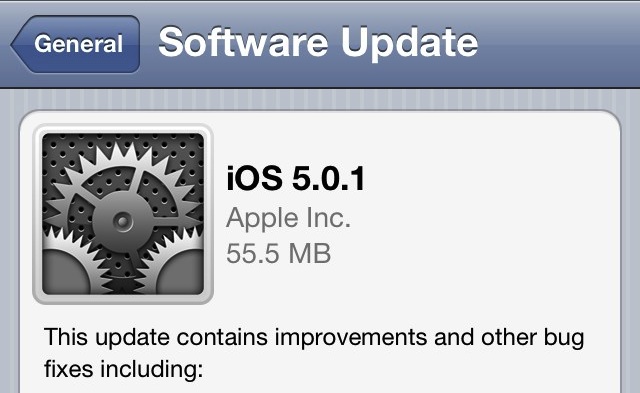
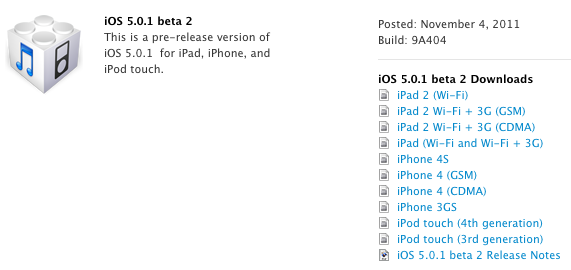
- Update to iOS 5.0.1 either manually, through iTunes, or using OTA
- Disable iCloud Bookmark Syncing: Tap on Settings > General > iCloud > switch Bookmark syncing to OFF
- Clear & Disable Autofill: Settings > Safari > Autofill > Clear All and then turn everything to “OFF”
- Clear Safari history and cookies: Tap on Settings > Safari > Clear History, Clear Cookies and Data
- Clear Safari stored data: Tap Settings > Safari > Advanced > Website Data > Remova All Website Data
Try using Safari again, for many users the above solutions help to prevent the crashing. If not, these secondary options may work as well:
- Disable iCloud Completely: Tap on Settings > General > iCloud > switch all to OFF
- Disable Javascript: Tap on Settings > Safari > Javascript > OFF
Yes, it’s annoying to not have iCloud or Javascript, but it’s more annoying to not be able to use Safari. If the above tips aren’t working, or if you need javascript, then the next idea is to manually erase and reinstall iOS 5.0.1 on the iPad, but not restore from a backup.
Performing a Clean iOS 5 Install on iPad
This is the most drastic approach because it will remove all data from the iPad, and the key for this to work is to not restore from a backup. In other words, you will lose all data on the device and have to manually setup things like iMessage again and then re-download apps and content from the iOS App Store.
Update to iOS 5.0.1 before continuing, but you already did this in the first troubleshooting step though, right?
- Connect the iPad to a computer and launch iTunes
- Find the iPad in iTunes device list and click on the “Summary” tab
- Click on “Restore” under the Version section, and click “Don’t Back Up” when asked
- Let iTunes restore the iPad, this will wipe all content and reinstall iOS 5.0.1
- When finished, you will see the familiar ‘Connect to iTunes’ screen, do not restore from a backup, instead choose to “Set Up As New”

Note: Some Apple Store Geniuses are performing the clean install of iOS 5 from DFU mode. You are welcome to try that, although after reading through several threads on Apple’s Discussion Boards it does not seem to make a difference whether the device is restored from DFU or not, it’s more important to avoid the prior backup as it may contain corrupted data causing the crashes.
If you continue to have issues, there’s a slim chance of a hardware problem and contacting Apple may be the best bet. It’s also possible there are some lingering bugs in iOS 5 that impact only the iPad, and an update will resolve them with iOS 5.0.2 or iOS 5.1 whenever they come out. iOS 5.1 is currently available to developers as a beta, and is expected to be released to the public alongside iPad 3 in March.


The A5 jailbreak tool Greenpois0n Absinthe has been updated to version 0.3, the third release is relatively minor but includes a few bug fixes and adds support for Linux. As before and as the name implies, the app focuses on jailbreaking A5 based hardware only, meaning the iPhone 4S and iPad 2, both of which must be running iOS 5.
The Greenpois0n Absinthe A5 jailbreak utility for iPhone 4S and iPad 2 on iOS 5 has been updated to version 0.2, and now includes a Windows release alongside the Mac OS X version.
The newly released and highly anticipated 
The hotly anticipated jailbreak for iPhone 4S and iPad 2 is finally here, providing an untethered jailbreak for either A5-based device running iOS 5.0.1. Put together by the Chronic Dev Team who are known for making Greenpois0n, the utility is called Absinthe A5 and it is hot off the presses.
The highly anticipated jailbreak for iPhone 4S and iPad 2 running iOS 5.0.1 is coming as soon as next week, according to a recent tweet from the hacker pod2g, who is working on the project. The
By using AirPlay and the video mirroring feature, you can broadcast live images / video from your iPhone’s camera directly to an Apple TV on the same network.