Subscribe to OSXDaily

Subscribe to RSS Subscribe to Twitter Feed Follow on Facebook Subscribe to eMail Updates

OSXDaily on Facebook

OSXDaily on Google+

Shop at Amazon

Ad

Shared on Facebook

Search Mac OS X 10.8

Mac OS X 10.8

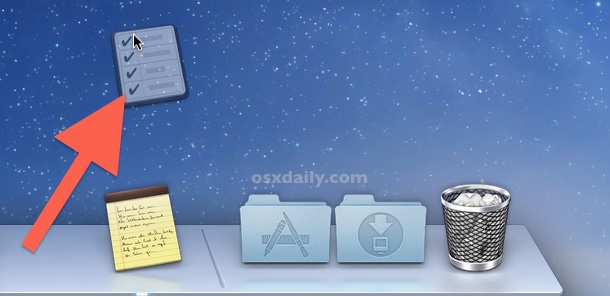
Set Location Based Reminders in OS X Mountain Lion

Sep 4, 2012 - 10 Comments

Want to be notified of a reminder when you arrive at a specific place? Or maybe reminded to do something when you leave a location? You can do both of these from OS X Mountain Lion onward with the Reminders app, much like you can in the iOS world. Because the reminders sync through iCloud, … Read More

Share Videos to FaceBook, YouTube, & Vimeo from QuickTime Player in OS X

Sep 3, 2012 - 3 Comments

The OS X social sharing features new to Mountain Lion let you quickly publish images and videos to a variety of places, and using Share Sheets within QuickTime Player you can even publish videos directly to YouTube, Vimeo, and Facebook, right from the app. Hover over any video opened in QuickTime Player and click the … Read More

Control Which Apps Can Access Contacts Information in OS X Mountain Lion

Sep 3, 2012 - 1 Comment

If you’re running OS X Mountain Lion you’ve probably noticed that when apps attempt to access your Contacts list you will get an alert like “Application would like to access your contacts”, giving you the ability to allow or deny access. The apps that make the Contacts requests then get stored in a privacy list, … Read More

Start an Apache Web Server in Mac OS X Mountain Lion

Sep 2, 2012 - 29 Comments

The Sharing preference panel options were changed a bit in OS X Mountain Lion, and while things like Internet Sharing remain, the Web Sharing preference panel was removed. The Apache web server remains bundled with Mac OS X though, but you’ll need to turn to the command line to enable the web server. Additionally, you’ll … Read More

Play Chess Online Against Friends or Random Opponents in OS X Mountain Lion

Sep 1, 2012 - 1 Comment

You can now play Chess over the internet with friends or random opponents with the help of GameCenter. If you already have a GameCenter account from the iOS world you don’t need to do much, but if you’re new to Gamecenter just be sure to have iCloud set up first and then follow these quick … Read More

Change the Software Update Frequency in OS X Mountain Lion

Aug 30, 2012 - 7 Comments

OS X Mountain Lion automatically checks for software updates once a week, and a notification pops up if you have updates available. But unlike previous versions of Mac OS X, there is no pulldown menu in System Preferences to change how often system updates are checked for, so if you want to adjust the update … Read More

Change the Font Size of Messages in Mac OS X

Aug 30, 2012 - 1 Comment

Messages app Preferences in OS X defaults to greying out the “Set Font…” option, a peculiar choice considering a fair amount of people like to change the font size of their instant messages to make it easier to read. That doesn’t mean you can’t change the text size though, and there’s a simple solution that … Read More

Put Dashboard Widgets into Folders

Aug 28, 2012 - Leave a Comment

Dashboard got a user interface overhaul with OS X Mountain Lion and it now more closely resembles, surprise surprise, iOS and OS X’s very own Launchpad. You’ll find the new look when you go to add a widget to the Dashboard, and just like iOS you can now arrange all those widgets into Folders to … Read More

Move a File to iCloud from a Mac with OS X Mountain Lion

Aug 28, 2012 - 4 Comments

From Mountain Lion onward, OS X now lets you move files directly into iCloud from your Mac, these files can then be opened on any other Mac or iOS device set up with the same iCloud account. Not all apps support the feature yet, but here’s how to do it with the apps that are … Read More

Enable “Save As” in OS X Mountain Lion

Aug 27, 2012 - 24 Comments

OS X Mountain Lion finally brings back the much-loved “Save As” feature that was removed from Lion. It’s slightly hidden though, and there’s a few quirks with it, but we’ll show you how to access “Save As” and even better, how to have it always be visible by enabling a reasonable keyboard shortcut to use … Read More