Mac OS

Mac OS, Mac OS X, or macOS, is the operating system that resides on Apple’s desktop and portable computer lineup. Built upon a Unix core, it is easy to use yet highly advanced, extremely stable, and an excellent OS for productivity and creation. Browse through our articles or use the search feature to look for something specific that is pertinent to the Mac operating system.

Search Mac OS

Make your Mac Kid Friendly

Jul 16, 2010 - 2 Comments
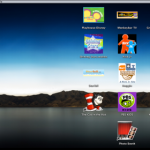
If you have young kids there’s a couple things you can do to make your Mac even more friendly and easy to use for them. The focus should be on simplifying the user experience by reducing anything that’s confusing or distracting. Here are my favorite tricks for making the Mac experience extra friendly for young … Read More


SNES Emulator for Mac

Jul 15, 2010 - 11 Comments

SNES9x is a full featured SNES emulator for Mac that lets you do all sorts of things, including using an external game pad, customized controls, enter cheat codes and Game Genie codes directly into the game, create freeze states (ie: saving anytime anywhere), export movies of gameplay, and so much more. It’s been out a … Read More

Open the Current Finder Window in the Terminal with cdto

Jul 15, 2010 - 6 Comments

Need to access the current Finder directory immediately within the Terminal? While newer Mac OS X versions have an option to enable “New Terminal at Folder” in Services, prior releases do not, so instead you can get cdto, it’s one of those must-have apps for anyone who’s constantly switching between the command line and the … Read More

Where to Manually Download Software Updates for Mac

Jul 14, 2010 - 3 Comments

You can manually download software updates that are available for Mac and OS X, without having to go to the Mac App Store Updates section, or without running Software Update. This is helpful for many reasons, but it’s particularly nice if you’re troubleshooting or need to bring updates to a computer that is not connected … Read More

Compare Two Directories Contents on a Mac Using diff

Jul 12, 2010 - 6 Comments

If you want to see the difference between two folders on a Mac, or compare two directories contents, you can easily do so with the help of the powerful diff command. This tutorial will show you how to compare two directories, and the contents of those directories, by using the Terminal. This command line approach … Read More

Take a screen capture from the command line

Jul 11, 2010 - 3 Comments

Taking screenshots from the command line is made easy, thanks to a utility included in Mac OS X called screencapture. Here’s how to use it: screencapture test.jpg The screen capture will then appear in the directory that the command was executed. There are more advanced features to the screencapture utility though, here’s a few examples. … Read More

Transfer Photos from iPhone to Computer

Jul 10, 2010 - 280 Comments

You can easily transfer Photos from your iPhone to your computer, and the process is very similar whether you are on a Mac or PC. The Mac treats the iPhone like a digital camera, and Windows can treat the iPhone as either a digital camera or a file system, depending on how the photos are … Read More

Use iPhone, iPad, or iPod as a USB flash hard disk drive in Mac OS X

Jul 9, 2010 - 9 Comments

Want to use your iPad, iPhone, or iPod as a mounted USB flash disk? No sweat, thanks to this nifty program from MacroPlant. It’s called Phone Disk, and it’s actually free to download until September 1st, so get it sooner than later. Here are the features of the app: Open, copy, and save files directly … Read More

How to Stop Skype from Starting Automatically on a Mac

Jul 7, 2010 - 8 Comments

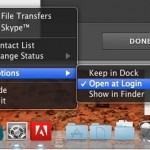
Skype launches itself automatically on either user login or system boot of Mac OS X. This is either helpful or annoying, depending on your needs. If you wish to stop Skype from opening itself automatically in OS X, you can do so easily using the methods outlined below.

Test Wireless Signal Strength from Command Line of Mac OS X

Jul 7, 2010 - 6 Comments
Monitor Wi-Fi Signal Strength from Command Line of Mac OS X

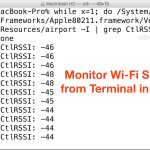
If you’re trying to tweak a wireless router to get the best signal, being able to continuously measure the wi-fi signal strength while you toy with the antennas, placement, and whatever else on the network is really valuable. While most users are best served by using the Mac Wi-Fi Diagnostics app to monitor signal strength … Read More

Turn Spotlight into an Application Launcher Only in Mac OS X

Jul 6, 2010 - 4 Comments

You can easily turn OS X’s wonderful Spotlight search engine into only an application launcher for Mac apps by adjusting the Spotlight search settings that are found within System Preferences.

How to Resize a Window That is Too Big or Off Screen in Mac OS

Jul 5, 2010 - 70 Comments

There are times when you will find a windows sizing controls have been rendered inaccessible, the most likely cause is from changing the Mac’s resolution by hooking it up and then disconnecting it from an external display, however I have also seen poorly written javascripts resize windows to outrageous proportions as well. Additionally, sometimes a … Read More

How to Adjust Display Brightness on Mac Precisely

Jul 1, 2010 - 8 Comments

If you need to adjust the brightness of a Mac display precisely, you can turn to two different tricks that offer precision control on just how bright a Macs screen is.

Set Spotlight Search Priorities in Mac OS X

Jun 30, 2010 - 4 Comments

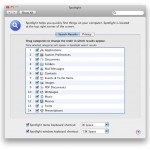
You can easily adjust the search priorities in Spotlight so that other items are listed first in the Mac OS X Spotlight search results. For example, you could adjust the priorities so that files and documents are listed above apps, or so that images are shown above everything else. There are a ton of options … Read More

Change the Font Size of Text in Safari on Mac with Keyboard Shortcuts

Jun 29, 2010 - 3 Comments
Change the Font Size of Safari on a Mac

If you want to make reading a web page a bit easier on the Mac with Safari, you can issue some simple keyboard shortcuts to change the displayed font and text size on a page. To increase the Safari web browsers readable text size, hit the Command key and + key (plus key, it’s located … Read More

Customize the Mac Finder Window Background

Jun 28, 2010 - 22 Comments

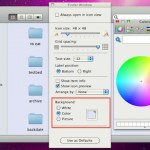
Did you know that you can customize the backgrounds of any Finder windows in Mac OS X? This is a nnice way to customize the appearance of your Mac a bit, and you can either choose images or colors, or go with the default setting of a simple white background. In the screenshot above, the … Read More

Stop Link Spam from appearing in Copy/Paste from certain websites

Jun 28, 2010 - 2 Comments

You know what’s really annoying? When you go to certain websites, copy some text from them, and go to paste elsewhere and it gives you something like this: Basically, it’s an “iPhone without a screen,” is how Engadget hears it. Oh — and it will cost only $99, supposedly. Read more: http://techcrunch.com/2010/05/28/new-apple-tv/#ixzz0pH6qJPa4 You wanted to … Read More

Disable the Internal Microphone on your Mac

Jun 25, 2010 - 36 Comments
Disable Microphone on Mac

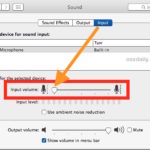
All Macs have a microphone included in them, but if you want to disable the internal microphone on your Mac, you can do so through a variety of methods. We’ll cover the two easiest approaches to turning off the microphone; reducing the input volume so that no sound is picked up by the microphone, and … Read More

Subscribe to OSXDaily

Subscribe to RSS Subscribe to Twitter Feed Follow on Facebook Subscribe to eMail Updates

Tips & Tricks

News

iPhone / iPad

Mac

Troubleshooting

Shop on Amazon to help support this site