Remove a System Preference Pane in Mac OS X
Aug 2, 2010 - 1 Comment

If you have added any third party system preference panels to the Mac, you can easily remove them if you no longer have a need for that system preference panel.

Mac OS, Mac OS X, or macOS, is the operating system that resides on Apple’s desktop and portable computer lineup. Built upon a Unix core, it is easy to use yet highly advanced, extremely stable, and an excellent OS for productivity and creation. Browse through our articles or use the search feature to look for something specific that is pertinent to the Mac operating system.
If you have added any third party system preference panels to the Mac, you can easily remove them if you no longer have a need for that system preference panel.
Scrolling with momentum is a feature that is included with some MacBook Pro trackpads (and MacBooks thanks to a recent software update from Apple). The behavior is very much like the iPad or iPhone, when you are scrolling through anything you can give the trackpad a swipe and the speed of your gesture will determine … Read More

Apple is working on a “revolutionary” new Mac OS X 10.7 feature, according to a new job posting on Apple.com: We are looking for a senior software engineer to help us create a revolutionary new feature in the very foundations of Mac OS X. We have something truly revolutionary and really exciting in progress and … Read More

Long ago in a time far far away, OK really it was just prior to Mac OS X, there used to be a Trash icon on the Desktop. Yup, earlier versions of Mac OS didn’t have a Dock at all, and the Trash was just another item on the desktop, sitting in the bottom right … Read More

Apple has launched their official Safari Extensions Gallery, at this time it features 100 extensions out of the roughly 300 out in the wild. All of the extensions on Apple’s gallery have been digitally signed and sandboxed so you don’t have to worry about security problems like some of the Firefox extensions have had in … Read More

RTS fans around the world are having a party today; Starcraft 2 is out for both Mac and Windows, and you can download the game now directly from Blizzard or pick it up from various retailers. The game costs $60 regardless of whether you get the digital distribution/download or if you opt for the physical … Read More
Modern versions of Mac OS have a feature for MacBook Pro, MacBook Air, and MacBook that will report to you the condition of your battery, as shown through the battery menubar item. Usually charging messages are shown there, but there are two other messages you may see in that menu, and they are “Replace Now” … Read More
Did you accidentally ignore a Software Update in MacOS or Mac OS X and now you need to install it on a Mac? Perhaps you were putting off a specific update for one reason or another, and now it’s time to install that ignored or hidden update again onto Mac OS X. Fortunately, getting the … Read More

If you use FileVault and QuickLook on a Mac you may want to know that the combination of the two may leak some sensitive information from encrypted volumes. Reader Jack R. sent in the following tip, explaining the situation further: When FileVault and QuickLook are used concurrently, information about what files are stored on the … Read More
Using Text Substitution, you can easily write any special character or symbol like ™ or ® just by typing something like TM or (r). It can also be used to expand long phrases or particular words by typing shorter abbreviations, for example you could type “myeml” to instantly type out an email address, and it … Read More

A report based on patent findings shows the continued interest of an ad supported operating system that may be in the works at Apple. AppleInsider shows several of the patents mockups demonstrating a desktop operating system that looks very much like Mac OS X, except there are advertisement features included in it. Perhaps the most … Read More

The countdown to the Starcraft 2 release date closes in, July 27 is less than a week away and it’ll be available for Mac and PC users. This is really exciting for RTS fans like myself, and I’m especially happy that Blizzard is going for a concurrent release for both Windows and Mac OS platforms. … Read More
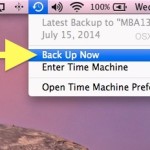
Letting Time Machine run on a routine backup schedule is important for all Macs, but there also times where you’ll want to initiate a backup yourself, like before installing system updates or major Mac OS X upgrades. If you find yourself needing to initiate a manual Time Machine backup, you’ll be happy to know it … Read More

These are the Mac system requirements for running Starcraft 2: Minimum Starcraft 2 System Requirements for Mac These are the baseline specs that you’ll need to run the game, if you are near the lower end of the settings here you probably won’t have great performance. Mac OS X 10.5.8, 10.6.2 or newer Intel Processor … Read More
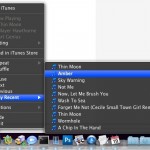
You may have known that you can navigate around music, skip songs, go backward to prior songs, pause, and mute music, all from the iTunes Dock icon, but did you know that the iTunes dock item in OS X also includes a list of the ten most recently played songs? To access the recent songs … Read More

The Nintendo 64 was another great console that had many great games, and you can relive many of the gaming experiences of the N64 by getting an emulator for Mac OS X. The N64 Emulator I use in Mac OS X is called SixtyForce, it opens and plays N64 ROM’s quite well and allows you … Read More
Have you ever put your Mac to sleep, only to find it awake seemingly on it’s own when you return to the machine? I’ve run into this mystery of a randomly waking Mac a few times, and with a few terminal commands you can help track down what caused your Mac to wake from sleep. … Read More
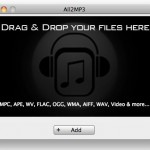
If you need to convert FLAC to MP3 in Mac OS X for free, the best way to do so is using a utility called All2MP3*. It’s super easy to use with drag & drop conversion tools and total simplicity, just grab the app and follow along with this tutorial and you’ll have converted your … Read More