How to Use Mentions in Messages for iPhone & iPad

If you regularly use iMessages with group conversations, you’ll likely appreciate the Mentions feature that is part of Messages on iPhone and iPad.

If you regularly use iMessages with group conversations, you’ll likely appreciate the Mentions feature that is part of Messages on iPhone and iPad.

Is someone bothering you by constantly trying to call you on FaceTime? Regardless of whether it’s a random phone number of it’s someone in your contacts, you can easily block these callers on your iPhone and iPad.

If you’re a regular iMessage user, you may have come across a situation where you’d like to reply to a specific message sent from somebody, and have it be obvious that is the message you are responding to. This is where inline replies come in, which allow you to specify a message you are replying to from Messages on iPhone and iPad.

Apple has released the third beta versions of iOS 14.7, iPadOS 14.7, macOS Big Sur 11.5, watchOS 7.6, and tvOS 14.7.
These ongoing beta releases for current generation system software are separate from the concurrent beta program for the next major versions of operating systems, which includes iOS 15, iPadOS 15, macOS Monterey 12, watchOS 8, and tvOS 15.

Do you want to install some apps to iOS or iPadOS that are not available on the Apple App Store? Perhaps you want an emulator, or a torrent client on your iPhone or iPad? If so, you will need to rely on a third party store called AltStore that lets you sideload apps on to your iPhone and iPad with just your Apple ID.

Apple has released iOS 12.5.4 with important security fixes for older iPhone and iPad models.
The iOS 12.5.4 update is available for devices that are not capable of running later iOS and iPadOS versions, including the latest iOS 14.6 and iPadOS 14.6 release.
Specifically, iOS 12.5.4 is available for iPhone 5s, iPhone 6, iPhone 6 Plus, iPad Air, iPad mini 2, iPad mini 3, and iPod touch 6th generation. Other devices will not find an update available.

Do you receive a lot of messages from multiple people on your iPhone or iPad? Do you frequently message back and forth with a few people in particular? If so, you may find the pinning feature of Messages to be useful, which allows you to pin a message thread or contact to the top of the Messages app in iOS and iPadOS.

You may have noticed the snazzy new wallpaper adorning the new M1 iPad Pro lineup. Wouldn’t you like to enjoy these wallpapers, even if you don’t have that device? Well, you can.

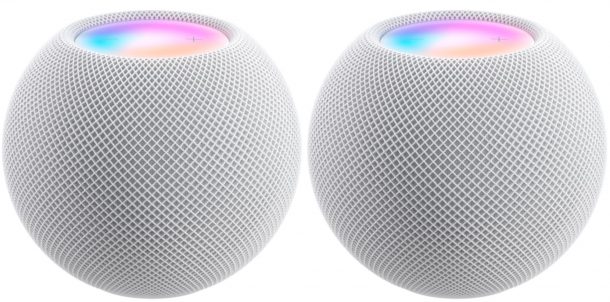
If you recently purchased a HomePod or HomePod Mini, you may remember how you didn’t have the option to even connect to a Wi-Fi network while setting up the device. Accordingly, you may be surprised to know that the HomePod wi-fi network can in fact be changed, albeit to a limited extent.

When you launch Safari on a Mac, by default the first thing that you see is the start page. The Safari start page can be customized to better suit your needs, and adding your most visited or favorite websites is one great way to improve the Safari start page experience.

If you own an iPhone 11, iPhone 11 Pro, or iPhone 11 Pro Max, and you’ve noticed less than ideal battery health for your device, this article is just for you. The good news is that there’s nothing wrong with your iPhone. And with newer iOS versions, you can recalibrate the battery for these devices.

Are you traveling overseas with your MacBook? Or perhaps, you’re moving to a different country for college or work? In that case, you may want to change your Mac’s region settings. Thankfully, this is quite easy to do.

Do you own an Apple TV and you’re wondering if it will support tvOS 15, the next major software update for your device?

MacOS Monterey includes some snazzy looking default wallpapers of purple-ish abstracted scenery. Looks nice, right?
But you don’t have to download or run macOS Monterey beta just to get the default wallpapers, you can just grab the wallpaper images and spruce up your Mac, iPhone, iPad, Android, or Windows PC with that Monterey style.
Click on either thumbnail below to launch the full size compressed image in a new browser window.

Are you a Mac user and you forget your iCloud password, thereby losing access to your Apple ID account? There’s no need to panic, because you can easily reset your iCloud password right from your macOS system within a matter of seconds.

Wondering which Apple Watch models support watchOS 8? WatchOS 8 features a new mindfulness app, new sleep tracking features, new workouts like Tai Chi and Pilates, a redesigned Photos app, improvements to Messages, and more, so it’s understandable if you’d want to run it on your Apple Watch.
If you’re curious if your particular Apple Watch model will support the upcoming watchOS 8 update, then check out the official supported devices list below.

Want the iOS 15 default wallpapers? Do you find the iOS and iPadOS 15 default wallpaper to appeal to you? You can enjoy it now.
The default wallpapers for iOS 15 and iPadOS 15 are an abstract blur of colors, available in both dark mode and light mode versions.
Whether you have an iOS 15 compatible iPhone or iPad or not, you can still download and use the iOS 15 and iPadOS 15 default wallpapers, and you don’t even need to install the beta onto your device. Instead, just grab the images from below.

Did you know that you can set your Apple Watch to automatically erase all its data if someone’s trying to break into it? Fortunately, this is pretty is easy to do and all you need is just a few seconds to enable this optional feature. Much like you can set iPhone to automatically erase on failed passcode entries, you can setup the same feature on Apple Watch too.