How to Use Maps in Globe View on Mac
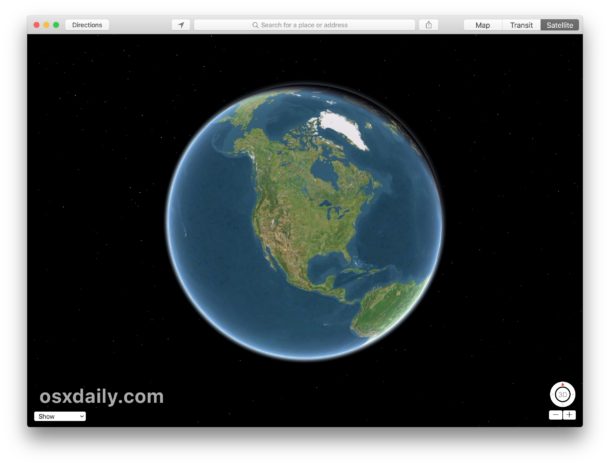
Have you ever wanted a little digital globe you could interact with, spinning the Earth around to see the continents, oceans, and features of our planet? If so, you’ll be happy to discover that the Maps app on the Mac has a hidden globe view that allows you to interact with and spin planet Earth as a virtual globe.
The hidden globe view in Maps can be a great feature for obvious geography reasons, whether it’s for informational, exploration, educational uses, just having a little fun, or any other reason you’d like to reference a globe. Even more interesting is that Maps Globe view uses satellite data to show the Earth surface relative to the sun, making both day time and night time views visible depending on the time of day. The whole Globe view is quite interesting and fun to play with.
Read on to learn how to access Globe view in the Maps application for Mac.
Read more »