
Undo an Accidental “Don’t Trust” Computer Tap with iOS Devices
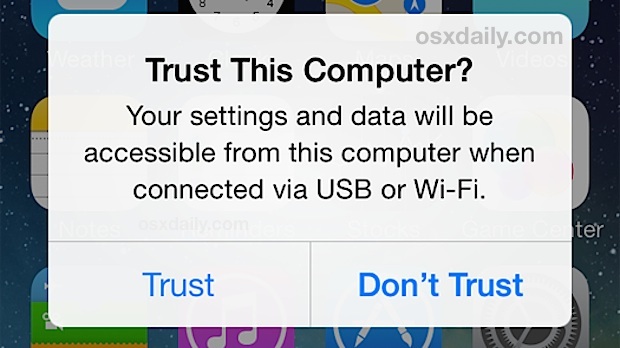
Every time you connect an iPhone, iPad, or iPod touch to a new computer, you’ll get a “Trust This Computer?” alert dialog popping up. If you’ve updated iTunes or reset an iOS device to factory settings, sometimes you’ll even see this Trust dialog box on a computer you’ve already chosen to trust from that device. Most people want to tap on “Trust”, but if you accidentally tap on “Don’t Trust” instead, the device disappears and it’s no longer accessible from iTunes on that computer, right? Wrong, you just need to trigger the dialog again so that you can trust the device.
It’s usually fairly easy to undo the “Don’t Trust” action and regain access to iOS devices, so if you find that you’ve accidentally tapped it – oops – here’s what you can do to “Trust” that computer again and be able to sync the device as intended.
Read more »





 The EXT file system (short for Extended File System) and it’s family members of EXT2, EXT3, and EXT4, are the file systems used by Linux and Raspberry Pi. Mac users who work with multiple platforms may notice that OS X is unable to mount EXT partitions on its own, and thus anyone wishing to mount and read EXT drives and other file systems will need to rely on a third party utility.
  Though the



 A fair amount of Mac users have ditched the “All My Files” default Finder window option by setting
 When you think of sending out text messages you probably



