How to Block Access to Adult Content & Websites on iPhone & iPad
Dec 12, 2013 - 16 Comments
 Apple has long included various means of placing parental controls and filtering for content available on the iPhone, iPad, and iPod touch, but up until recent iOS updates there was not a simple method of blocking web-based adult content and material in Safari. That has changed with new iOS releases, which makes it extremely easy to prevent access to adult themed web sites and general content that is deemed inappropriate for youth.
The web restrictions are very easy to toggle on and off and access to them is password restricted, which makes it perfect to quickly turn on before handing an iOS device off to a youngin’ for unsupervised use.
By Paul Horowitz - iPad, iPhone, Tips & Tricks - 16 Comments
 Many urbanites and city dwellers get about by walking, the oldest form of transportation in existence. If you’re one of us who often gets about a concrete jungle by propelling your legs in a forwardly direction, you’ll be pleased to know that the popular mapping applications in iOS have you covered. Both the default Maps app from Apple and Google Maps offer walking directions, though using each is slightly different.

 iTunes Radio is an excellent free streaming music service that arrived to the iOS Music app with the 7.0 update. For those unfamiliar with Radio, you can create a station from any artist or genre, and enjoy an endless stream of great songs, both new and familiar. If you’re a music fan, it’s easily one of the best new features of iOS, and it’s actually fairly social too, because you can easily share an iTunes Radio Station with anyone through Messages, email, Twitter, or Facebook, with just a few taps.

 Get a funny picture or movie sent to your iPhone or iPad that you want to send along and share with someone else? Messages app allows you to easily create new image and media messages directly from an existing message thread, without having to use the traditional forward feature. This makes sharing images, funny videos, amusing
 It’s a fairly widespread complaint that iOS 7 can feel sluggish running on the oldest supported iPad and iPhone hardware, but
 Update: iOS Calendar apps List View has been changed significantly from iOS 7.1 onward,
 The
The 

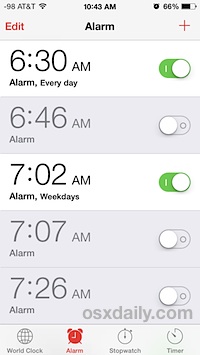 Many of us have an iPhone sit on our nightstand to use as a primary alarm clock. But over time, with schedule changes, early flights to catch,