
New Mac Pro Release Set for December, Price Starts at $2999
Oct 22, 2013 - Leave a Comment
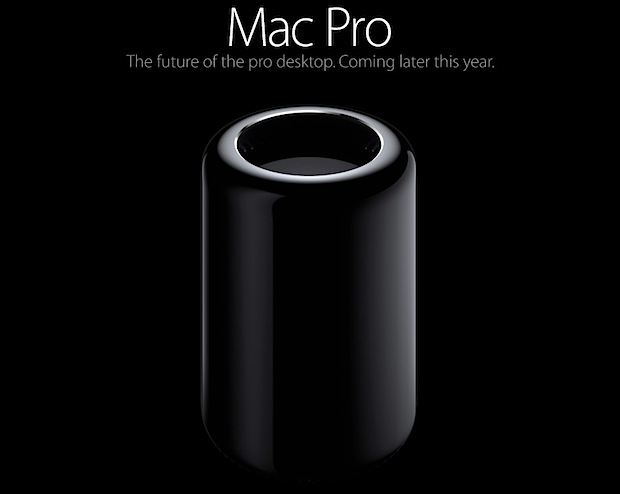
Apple has announced the features, hardware specs, release date, and pricing details for the highly anticipated new Mac Pro. The new Mac Pro won’t come cheap, but the machine is an absolute beast of a workhorse aimed at the professional market. The base hardware configuration is as follows:
- Intel Xeon E5 CPU’s 3.7GHz Quad Core base, up to 12 cores as optional upgrade
- Up to 30MB of L3 Cache
- 12GB RAM on base mode, up to 64GB of RAM
- Dual workstation AMD FirePro GPU’s with 2GB VRAM each, up to 12GB of VRAM
- All SSD Flash based storage, 128GB, with up to 1TB of optional flash storage
- Supports up to three 4k displays
- Ships with OS X Mavericks
- Price starts at $2999
- Release set for December
All of that is fit in a tiny enclosure that runs very quietly, apparently producing the same fan noise as a Mac Mini. Also interesting to some will be that the new Mac Pro is built entirely in the USA.
Unlike the immediate release of OS X Mavericks and the MacBook Pro updates, the Mac Pro will arrive later in the year sometime in December. A precise release date was not named.
You can read more about the new Mac Pro at Apple.com.
By Paul Horowitz - News - Leave a Comment
 You can show the precise last time a specific file was opened, an app was launched, or folder was accessed on a Mac, and the information is visible directly in the OS X Finder. There are actually two simple ways to see this file access information, and both are equally useful though as you’ll see they’re best used for slightly different purposes.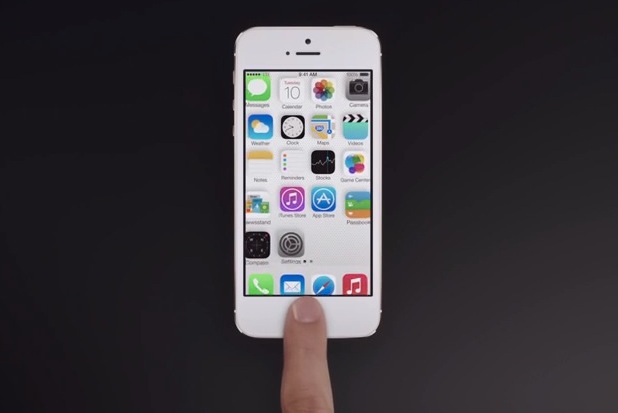


 The iPhone now displays a small contact photo thumbnail alongside contacts in the “Favorites” section of the phone app. This certainly looks nice if you have a lot of custom pictures set for contacts, but having a bunch of goofy contact photos can look unprofessional in some environments, and for users without a contact photo it will make a boring thumbnail based on their initials. Perhaps most problematic is the annoying side effect of truncating longer names, which is shown in the screen shot below.
 Getting comfortable with the command line is often just a matter of learning a few command tricks and finding uses for them, and we’re going to offer six handy tricks that you’re almost certain to find some use out of regardless of your skill level in the Terminal.



 Spotlight is the wildly useful search feature built into Mac OS X (and iOS) that is accessible by hitting Command+Spacebar. It can seemingly find and do everything, but did you know it also includes basic file system functionality? Using some little known tricks, you can copy and cut files directly from Spotlight, letting you easily make duplicates of buried hard to find files, or even move a file from some deep path location to an easier to access location, like the Desktop. This is done using the handy
  Personal Hotspot lets you share a devices cellular data connection with other devices or computers by turning a device into a wi-fi router, and it’s easily one of the better features of the iPhone and cellular iPad models (and Android phones for that matter). The
  One of the most commonly used command line tools is ‘cd’, which stands for change directory, and as you probably know is used to navigate directories and switch between one folder or another within the file system. For those just learning and starting to familiarize themselves with the Terminal and command line, here are five tricks for the otherwise simple ‘cd’ command that are guaranteed to make your life easier at the command prompt.



