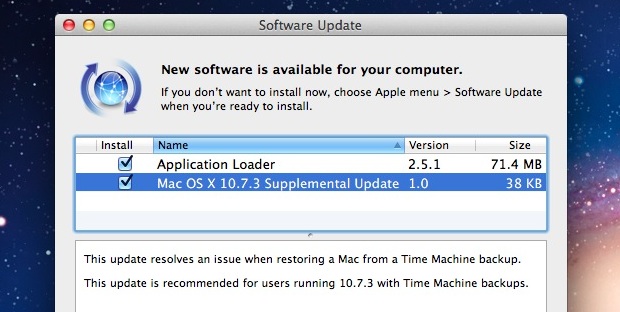
Apple has released a supplemental update to Mac OS X 10.7.3 to address a potential issue with restoring from Time Machine backups.
The update can be found from Software Update via the Apple menu or downloaded directly from Apple. Installing the update does not require a reboot.
Despite being a minor update, it is good maintenance practice to keep Mac OS X software up to date and it’s recommended to download for all OS X Lion users who rely on Time Machine for backing up their Macs.
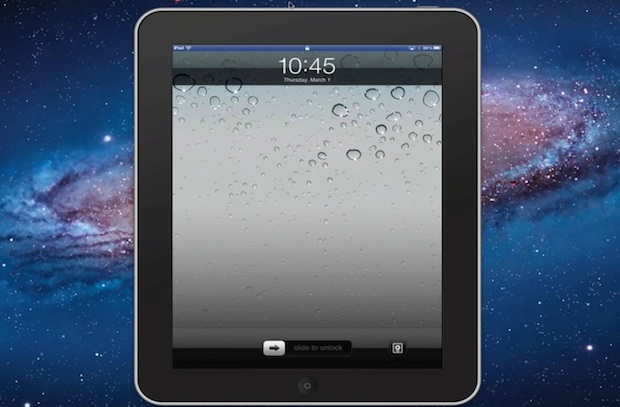
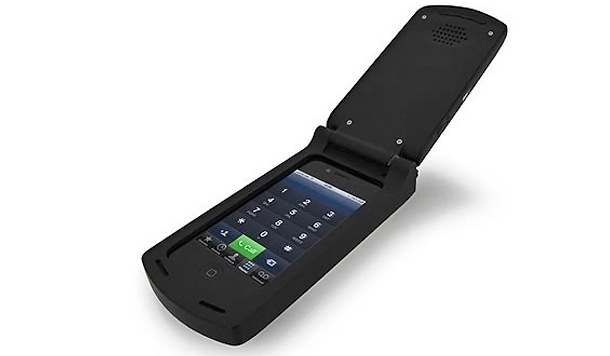
Remember the old flip phones? Of course you do, they were huge and ugly and half of them wouldn’t fit in a pocket even when folded up, but oh were they cutting edge in 1998.
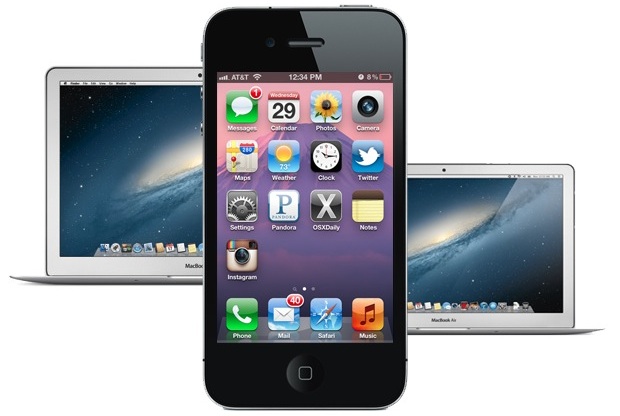
Soon you’ll be able to have that same terrible user experience with the iPhone. From the company who brought you the ridiculous 80’s block iPhone case comes a late 1990’s early 2000’s giant flip-phone case for the iPhone. It’s both hideous and hilarious, and it will certainly be popular in that laughably retro stupid way.
Unfortunately it’s not available quite yet, we’ll all have to wait until later in the year to grab the flip case for about $24, so put it on your Christmas list. Read more »
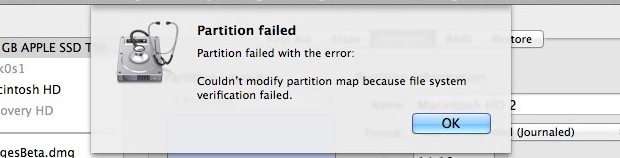
If you have attempted to partition a drive from Mac OS X and received a “Partition failed” message with the error “Couldn’t modify partition map because file system verification failed.” you can fix the problem with the file system check command line utility.
To issue the file system check and repair function properly, you’ll need to boot into Single User Mode as well. This walkthrough will demonstrate the necessary steps to resolve the partition failed error by running a file system command from Mac Single User mode.
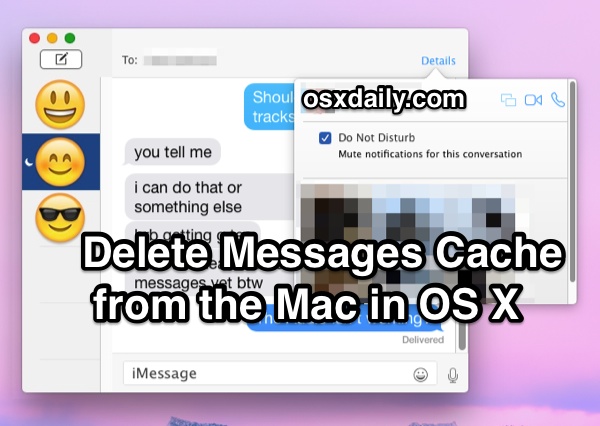
The Messages app for Mac keeps track of all chat history through iMessage and SMS, providing you with a lengthy record of conversations in an easily reviewable and scrollable chat log. Unlike iOS, there isn’t an in-app method to delete the chat history in Mac OS X, and though you can close a window it doesn’t necessarily remove all data, logs, caches, or associations with a specific chat, and those caches are still stored on the Mac.
Instead, if you wish to clear out the chat log history in Messages app for Mac OS X, you will have to turn to the Finder or command line if you want to trash your message history on the Mac. This is not difficult, it’s just a matter of removing a few files as detailed below.
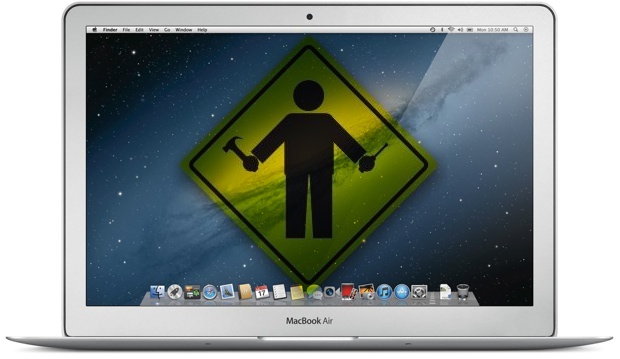
Macs are notoriously trouble-free and easy to maintain, but that doesn’t mean you should ignore system maintenance entirely. Here are four simple Mac maintenance tips that will help you keep your Mac in tip-top shape, running at its best.
Turning on the iPhone camera grid makes it easier to take better pictures by offering a simple visual grid guide to improve photo composition. We’ll show you how to enable the grid on iPhone camera, and also how to use the grid to compose photos.
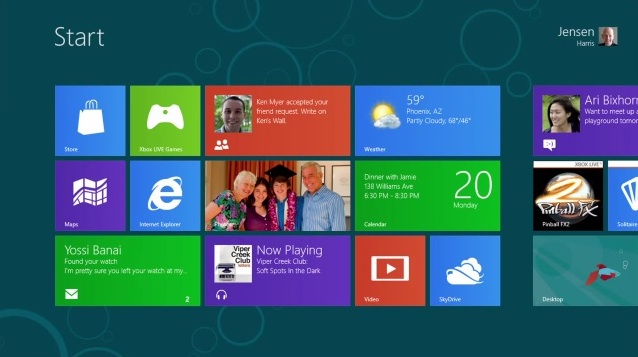
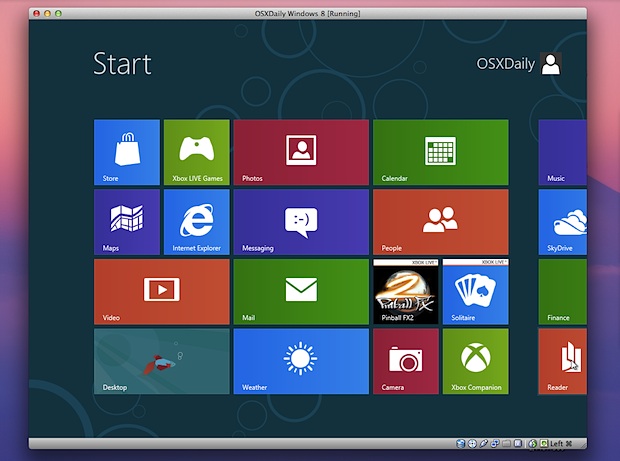
You probably know by now that Windows 8 Consumer Preview was released recently. This is what Microsoft is betting their future on, combining their traditional desktop experience with the all new tiled Metro interface, aimed at tablets and portable computers.
Thanks to virtualization, anyone can try Windows 8 easily right on top of their current operating system. This makes it easy to both install and also remove later when you’re done with it. While this article is intended for Mac users, VirtualBox will run in Linux, Solaris, and Windows as well, so you can take this to just about any platform.
Everything is free and there is little risk to trying this out. If you’ve been curious about Windows 8 this is the easiest way to get direct experience with it. Here’s what you’ll need to get started: Read more »
Ever wonder what an iOS developers home office looks like? This great Mac setup should give you an idea. Coming to us from Henry in Florida, this setup is used primarily for iOS development and photography. There’s a lot of great Apple hardware here, including:
2011 MacBook Air i7 with 256GB SSD
2008 Mac Pro with 2 Xeon Quad-Core CPU’s, 16GB RAM, and 2 3TB hard drives
2011 Mac Mini Server
27″ Thunderbolt Display attached to the MacBook Air
30″ Apple Cinema Display connected to Mac Pro
iPad 2
iPad 1 3G
Original iPhone, iPhone 3GS, iPhone 4S, and two iPhone 4’s
Logitech Mac Keyboard
There’s a Magic Trackpad and Magic Mouse in there too, and the MacBook Air looks to be on an mStand from Rain Design.
If you’re wondering why so many iPhones and iPads are necessary, keep in mind developers need a handful of devices around to test for compatibility and to find obscure bugs that only pop up in certain versions of iOS.
Great Mac setup Henry!
Send us pictures of your Apple & Mac hardware setups! Email them to osxdailycom@gmail.com and include some brief details on the hardware and what you use it for.
The iPad 3 will be priced the same as existing iPad 2 models, even though it is expected to have a significantly improved Retina display, a more powerful processor and graphics capabilities, and 4G LTE connectivity. This unsurprising report comes from 9to5mac, who cites a traditionally reliable source who even provided model numbers of the next-generation iPad. This means pricing for iPad 3 will be as follows:
Wi-Fi Models
16GB – $499
32GB – $599
64GB – $699
Cellular 3G / 4G LTE (?) Models
16GB – $629
32GB – $729
64GB – $829
9to5mac also mentions that some countries with a stronger currency will actually see prices for the iPad 3 go down slightly, though those countries and the final sale prices are not yet known.
While Apple rarely increases the price of products, there was a brief rumor passed around that pricing for the next gen iPad would be slightly higher to accommodate for increased production costs. That sounded unlikely to begin with, and now it appears even less likely.
The model numbers for iPad 3 are alleged to be as follows:
MC705LL/A – J1 GOOD A-USA
MC706LL/A – J1 BETTER A-USA
MC707LL/A – J1 BEST A-USA
MD328LL/A – J1 GOOD B- USA
MD329LL/A – J1 BETTER B-USA
MD330LL/A – J1 BEST-B-USA
MD366LL/A – J2A GOOD A-USA
MD367LL/A – J2A BETTER A-USA
MD368LL/A – J2A BEST A-USA
MD369LL/A – J2A GOOD B-USA
MD370LL/A – J2A BETTER B-USA
MD371LL/A – J2A BEST B-USA
J1 is said to be Wi-Fi and J2 are said to be cellular connected models. Presumably there are two of each to account for the iPad being available in both black and white colors.
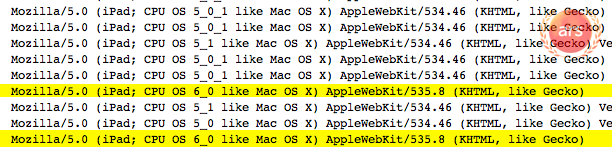
iOS 6 running on an iPad is beginning to make appearances in web logs, indicating that Apple is working on a future release of their mobile operating system. Virtually nothing is known about iOS 6 at this time, but it should come as no surprise that Apple is working on versions of iOS beyond the current iOS 5.1 beta.
The iOS 6 server log entries were first noticed by ArsTechnica, who narrowed down the origin of the iOS 6 user agents to Cupertino, California, the home of Apple Inc. Similar finds have become a somewhat reliable method of discovering future Apple OS releases prior to announcement, as demonstrated by with OS X 10.8 last October and OS X 10.7 a full year before its debut. This doesn’t indicate that iOS 6 will be released anytime soon however, though speculation suggests we could see an iOS 6 beta as soon as WWDC 2012.
Of course, it’s always possible that Apple will surprise everyone and skip iOS 5.1 completely in favor of iOS 6, but that seems unlikely given the current version of iOS is 5.0.1. The public version of iOS 5.1 is widely believed to debut as a free update alongside the launch of iPad 3 next week on March 7.
It is worth pointing out that spoofing user agents is ridiculously easy. For example, the string below will spoof a similar iOS 6 and iPad user agent to the target server of osxdaily.com, change the URL at the end to something else if you wish to fool others.
curl -A "Mozilla/5.0 (iPad; CPU OS 6_0 like Mac OS X; en-us) AppleWebKit/535.8 (KHTML, like Gecko) Version/5.3.5 Mobile/8J2 Safari/535.8" https://osxdaily.com
That wouldn’t change your geographical location though, so you may need to book a flight to Cupertino if you really want to trick someone.
Can’t wait for OS X Mountain Lion to be released this summer? You can get many of the features of the next generation Mac OS X version right now. Whether you are running OS X Lion or to an extent, OS X Snow Leopard, read on to find out how to get everything from notifications, note syncing, synced reminders, iMessages, the simplified Safari UI, Twitter integration, AirPlay mirroring, and much more.
Do you need to force quit an unresponsive Mac app? Is your Mac seeing the infamously dreaded spinning beachball of death? Is an app failing to respond to any input? Maybe you have an errant process or two? When any of the above happens, you’ll probably want to forcibly quit the application in question, and that’s what we’ll cover with this walkthrough, showing you how to force quit apps on a Mac with seven different methods.
Whatever your skill level with Mac, you’ll find a way to forcibly exit out of an app. Read on to learn more!
A MAC address is a unique identification number assigned to network interfaces, these can be attached to physical hardware like NIC and Wi-Fi cards or assigned to virtual machines. On some occasions, you’ll need to change a MAC address to another ID.
We’ve received a few questions about this recently because the process of changing (sometimes called spoofing) these addresses has changed slightly from version to version in Mac OS X. With that in mind, we will show you how to change a MAC address in the latest versions of OS X 10.7, 10.8 Mountain Lion, and 10.9 OS X Mavericks, and OS X 10.10 Yosemite.
Launch the Terminal found within /Applications/Utilities/ to get started. Read more »
CAPS LOCK is a either loved or hated, but regardless of the variety of opinions on capitalizing every single letter typed out, it can sometimes be just outright necessary. If you find yourself needing to use caps lock on an iPhone, iPad, or iPod touch, it’s really easy to turn on and turn off, and you can do it from just about anywhere.
By far the easiest way to sync an iPhone to a new Mac or Windows PC is to transfer all iPhone files and backups from the old computer to the new one. The necessary data is stored in several different locations, and we’ll cover what files and where they go for both Mac OS X and Windows. Read more »
Deleting a group of emails in iOS Mail is fairly straight forward, it entails manually selecting each specific email you want to delete, and then relocating them to the Trash.
This process of deleting multiple emails is the same on Mail app for iPhone, iPad, and iPod touch. We’ll cover the exact steps to take.
Microsoft released Windows 8 Consumer Preview today, a pre-release version of their next generation operating system. Windows 8 incorporates the touch-centric Metro interface while still maintaining access to the standard Windows file system and desktop, effectively merging their tablet UI and desktop UI into a single operating system. This is obviously a different approach than Apple took while keeping separate iOS and OS X, but nonetheless Microsoft is bent on this strategy to compete with Apple’s offerings and the wildly successful iPad.
To be fair, Windows 8 is actually a pretty decent OS with some innovative ideas, and with the freely available Consumer Preview anyone can download an ISO and install it themselves to give it a whirl. If you’re curious what’s been cooking in Redmond Washington, running Windows 8 yourself is the best way to find out. Dust off that PC and run it natively, or you can try installing it on a Mac with Boot Camp or run it within VirtualBox or VMWare. Here are the general system requirements before getting started:
Windows 8 System Requirements
1 GHz CPU or faster
1GB of RAM or higher
16GB hard disk space
DirectX 9 GPU or better
Internet access
Touch-screen to support multitouch features
If you have hardware that meets the requirements (you probably do), download an ISO and start installing, the links below point directly to Microsoft servers.
Download Windows 8 Consumer Preview ISO
The product key for both versions is: DNJXJ-7XBW8-2378T-X22TX-BKG7J
Don’t want to bother with downloading and installing a beta OS that you may not spend much time on? Check out the two videos below to see Windows 8 in action instead.



 from Rain Design.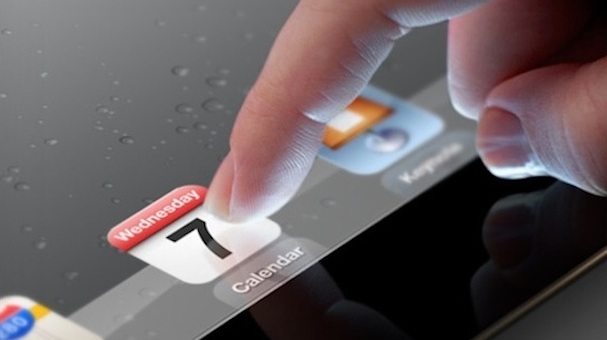

 Do you need to force quit an unresponsive Mac app? Is your Mac seeing the infamously dreaded spinning beachball of death? Is an app failing to respond to any input? Maybe you have an errant process or two? When any of the above happens, you’ll probably want to forcibly quit the application in question, and that’s what we’ll cover with this walkthrough, showing you how to force quit apps on a Mac with seven different methods.