Mac OS X 10.7.3 Combo Silently Updated?
Apple looks to have quietly updated the troubled Mac OS X 10.7.3 Updater, first noticed by several of our readers and confirmed by OSXDaily. No official change was announced and there is no revised version number provided by Apple’s Support page, but presumably the new build addresses any potential installation problems or CUI errors that occurred for some users with the original release of OS X 10.7.3 earlier this week.
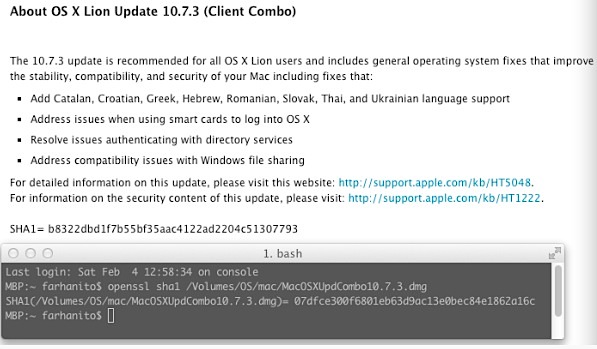
The original OS X 10.7.3 Combo Updater .dmg has the SHA1 checksum of: 07dfce300f6801eb63d9ac13e0bec84e1862a16c
The revised OS X 10.7.3 Combo Updater .dmg has a SHA1 checksum of: b8322dbd1f7b55bf35aac4122ad2204c51307793

Apple has updated the SHA1 on the combo updaters support page to reflect the change, and they are also now redirecting download links from the original OS X 10.7.3 Client Updater to the revised OS X 10.7.3 Combo Updater.
The file size of the new update is also slightly larger, as shown by apprentice who compared the two in our comments (old version first, revised version second):
SHA1= 07dfce300f6801eb63d9ac13e0bec84e1862a16c
Version: 10.7.3
Post Date: February 01, 2012
Download ID: DL1484
License: Update
File Size: 1.2 GBSHA1= b8322dbd1f7b55bf35aac4122ad2204c51307793
Version: 10.7.3
Post Date: February 01, 2012
Download ID: DL1484
License: Update
File Size: 1.26 GB
OS X 10.7.3 Build 11D50b vs 11D50
There are also mixed reports that installing from the new Combo Updater changes the OS X 10.7.3 build number fro 11D50 to 11D50b on some Macs. This does not appear to be the case on all Macs though, and some retain the 11D50 build even when the new update has been used, suggesting the original installation issues and CUI errors may have only impacted certain Mac models to begin with.
If you updated to 10.7.3 without any problems, you likely do not need to download the new version. If you held off on the OS X 10.7.3 Update due to the reported problems, you are probably safe to update now, although you should perform a Time Machine backup before proceeding just in case.
Thanks to all who sent this in
 All Macs with OS X Mavericks, Yosemite, Lion, Mountain Lion, have a bootable Recovery partition that can be accessed in case of system problems, allowing you to troubleshoot, restore from Time Machine backups, and even reinstall Mac OS X. There are two ways to reach Recovery mode on a Mac:


 Spotlight is generally very good at keeping a valid index of a drives contents up to date, but if you’ve recently restored a drive or had to delete the Spotlight index for one reason or another, you may need to reindex the drive manually. This is
 Every Mac owner should be using Time Machine, it’s by far the easiest and most painless backup solution, running in the background and allowing for easy recovery of files or the entire operating system should something go wrong

 The Absinthe Greenpoison jailbreak utility for A5 based iOS hardware has been updated to version 0.4, fixing several bugs and adding support for PPC Mac users and those running Mac OS X 10.5 on either Intel or PPC platforms.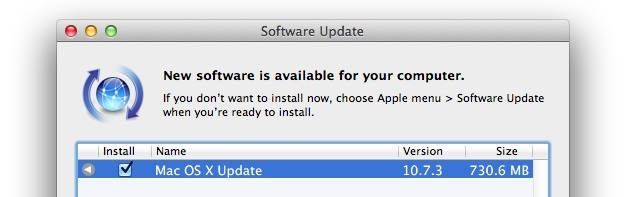

 To get the most out of an iPhone you’ll obviously want to have internet access, but for those who live in regions where wi-fi access is ubiquitous, you can potentially save some money on a monthly cell phone bill by not having a data plan.

 are ridiculously cool in a super geeky way.
  .
.