Command Line

Search Command Line

Convert DOCX to DOC for Free with your Mac

Sep 22, 2010 - 21 Comments

If you need to convert a .docx file to .doc, don’t pay for one of the many conversion sites or utilities out there. Your Mac has the ability to handle the file conversion entirely on it’s own already built in, and it’s completely free, no downloads or third party software is required. To convert the … Read More


Use Tab to Auto-Complete Paths at Go To Folder Screen in Mac OS X

Sep 15, 2010 - 6 Comments
Finder icon on the Mac

You can use the tab key to auto-complete paths within Go To Folder on the Mac, a particularly handy trick to keep in mind the next time you’re navigating directory paths on the Mac. Tab key auto-completion is a feature that many command line users are familiar with, particularly those with a unix and linux … Read More

Start, Stop, and Restart Windows Services from Mac OS X

Sep 8, 2010 - Leave a Comment

Mac OS X includes Samba support by default, which allows for communication between OS X and Windows PC hardware. SMB is what enables simple Mac to Windows file sharing, but you can also go further and utilize the command line of OS X or Linux to remotely monitor, start, and stop services running on Windows … Read More

Change your Mac Hostname via Terminal

Sep 6, 2010 - 31 Comments

Need to change the hostname of a Mac? For most people if you want to change your Mac computer name you just do it through the Sharing system preference, it’s quick and very easy. For those of us that are more geekishly inclined, we like to do things through the Terminal. This tutorial will show … Read More

Set IP Address from the Mac Command Line

Sep 1, 2010 - 23 Comments

The quickest way to set your IP address from the command line is to use the versatile and powerful ipconfig utility, which is bundled directly with Mac OS X. We’ll show you how to set an IP address with ipconfig by retrieving one from a DHCP server, and also demonstrate how to set a specific … Read More

Check the PATH of your Mac with echo $PATH

Aug 31, 2010 - 1 Comment

Anytime that you run a command through the Terminal directly by a command name like ls or dscacheutil, your Mac is looking through a series of directories for that command to exist. This list of directories is called the PATH, and it’s a carry over from the unix underpinnings of Mac OS X. As you … Read More

Print a random tweet from the command line

Aug 27, 2010 - Leave a Comment

By pasting the following small function into your .profile, you’ll be able to print random tweets from any Twitter feed:

10 Good Unix Command Line Usage Habits and Tips

Aug 24, 2010 - 4 Comments

If you use the command line frequently, chances are you may have some bad command line habits. IBM’s DeveloperWorks site has posted 10 good UNIX usage habit tips, some of them are just pretty handy tricks in general and if you’re new to the Mac OS X Terminal, you’ll probably learn something since practically all … Read More

How to Use Twitter from the Command Line

Aug 23, 2010 - 5 Comments

Often overlooked, the Terminal can be used to accomplish all sorts of fun stuff. Something that you may find handy, is the ability to Tweet using built in Mac OS X command line utilities like curl. Yes, curl! Now of course this is not a full featured Twitter client by any means, but if you … Read More

Install Watch Command on Mac OS X

Aug 22, 2010 - 17 Comments

If there was one command I would really complain about not being on Mac OS X, it would be “watch”. Watch is one of those great pieces of software that is tiny and completely out of the way, but when needed it will be a life saver. We’re going to show you three different ways … Read More

How to Merge Directories in Mac OS X with ditto

Aug 12, 2010 - 6 Comments
Terminal in macOS

If you have two directories you need joined together, you can either drag and drop everything together, use the ‘mv’ command to move files manually, or, as we’ll show here, you can quickly merge any two directories within Mac OS X by using the command line tool ditto or ‘cp’. The command line is generally … Read More

Repair Disk Permissions from the Command Line in Mac OS X

Aug 10, 2010 - 11 Comments
Use Disk Utility to erase free space on a Mac hard drive

In some situations, you may need to repair a Macs disk permissions but be unable to access the Disk Utility app, perhaps due to remote management or because of a problem with something in OS X. Fortunately there’s another method you can use to repair disk permissions in Mac OS X, accessible through the command … Read More

Get your LAN IP Address in Mac OS X

Aug 8, 2010 - 7 Comments

Anytime you are connected to a local area network (LAN) you’ll be assigned an IP address for that network, and often it’s important to know what this IP address is. There are two quick ways to get your LAN IP address in Mac OS X, one is more user friendly using the GUI, and the … Read More

Combine ping and traceroute with MTR

Aug 5, 2010 - 1 Comment

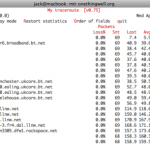
I came across an excellent alternative to the command line ‘ping’ and ‘traceroute’ tools recently. It’s a utility called mtr, which combines the statistics and prints their functionality into a single network diagnostic tool, reporting details on the network connection between your host machine and whatever the destination host is, determining the address of each … Read More

IPFW GUI front end for Mac OS X: WaterRoof

Aug 4, 2010 - 1 Comment

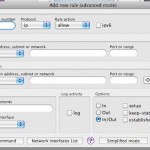
The Mac firewall has long been based on IPFW, a robust and strong software firewall that comes form the unix world. But managing IPFW usually requires digging around in the command line, so as I was recently looking around for a Mac OS X GUI to IPFW, I came across WaterRoof. If you’re looking for … Read More

List All Third Party Kernel Extensions in Mac OS X

Aug 3, 2010 - 7 Comments
Terminal

If you’re troubleshooting a Mac machine with some particularly odd issues that routine measures don’t seem to be resolving, it can be helpful to list what kernel extensions are activated, particularly third party kexts loaded in OS X. Determining what kernel extensions are loaded and running in Mac OS X is rather easy, and using … Read More

Find Out Type and Model of LCD Panel in an iMac, MacBook, MacBook Pro, etc

Jul 28, 2010 - 15 Comments

You can find out what the manufacturer, model number, and type of LCD panel you have in any of your Macs, including the iMac, MacBook Air, MacBook, or any model MacBook Pro by using a fairly complex looking terminal command. If you’re unfamiliar with the command line, just copy and paste the line below into … Read More

Run the Last Executed Command as Root with sudo !!

Jul 20, 2010 - 1 Comment
Terminal

Have you ever tried to run a command line tool to discover that you don’t have the necessary privileges to use it? Or perhaps the command itself actually requires root access to run at all? You’ll typically experience this with a ‘permission denied’ type of error message in terminal. Rather then type out the entire … Read More

Subscribe to OSXDaily

Subscribe to RSS Subscribe to Twitter Feed Follow on Facebook Subscribe to eMail Updates

Tips & Tricks

News

iPhone / iPad

Mac

Troubleshooting

Shop on Amazon to help support this site