Mac Setups: Stand-up Mac Workstation
Here’s something you don’t see everyday: a stand up workstation featuring a MacBook Pro attached to two dual vertically orientated monitors. [ Image is below since it’s huge ]
If you have ever forgotten a wireless router password, whether it’s your own network or another, you certainly aren’t alone. Typically you just have to enter the password once, save it to your keychain, and you can forget about it, right? Well that’s only true until you actually do need the password again, whether it’s … Read More
You can set Safari in Mac OS X or Windows to always open new windows into new tabs instead. In fact, new versions of Safari default to a variation of this behavior, but older versions need Safari to manually be set to open new windows as tabs, but with a little adjustment you can make … Read More
The dreaded desktop icon clutter, if you’re working like crazy, downloading and saving a lot of files, it’s pretty easy to flip to your Mac desktop to discover it just littered with icons. Taking the time to tidy up all the files on your desktop can distract you from your workflow and, well, it’s just … Read More
Anytime you update your iPhone, iPod touch, or iPad, via a Mac or PC and using Finder or iTunes, you will get a new IPSW file that is downloaded to an iOS or iPadOS updates folder. Knowing where these IPSW firmware files are located can be helpful when troubleshooting, and when accessing an IPSW for … Read More
There are a few ways to properly eject a disk on a Mac, the first and perhaps the easiest method is to use the Disk Eject Key which is located in the upper right hand corner of a Mac keyboard (it looks like the image to the right). The disc eject key applies to all … Read More
You can fine tune how Mac OS X handles archives with a secret preference pane. There’s quite a few features tucked away in the Archives preference pane, including the ability to delete the archive after it’s expanded, reveal the expanded items in the Finder, and of course the same features for compressing files too. These … Read More
Dolphin is probably the best Gamecube and Wii Emulator for Mac that exists, it’s open source and somewhat regularly updated so you won’t be stuck high and dry like the old GameCube Gcube emulator. Dolphin supports playing both Wii and Gamecube discs and downloadable games, and it has your typical emulator features like save states, … Read More
AirPrint is definitely one of the more convenient features of iOS and thanks to a new tool you can turn any printer connected to your Mac or Windows PC into an AirPrint compatible printer. The utility is called AirPrint Hacktivator and it’s very easy to use. Read on to learn how you can make any … Read More
This is a handy Finder tip for those who like to use the Column View of the OS X file manager: you can zoom into the Mac OS X Finder Column View Preview panes. Here’s how this works using either a key modifier or multitouch trackpad:
Your Mac includes a pretty good video player called QuickTime Player, but by default QuickTime won’t play some of the more unique codecs like DivX. You can enable full DivX support by downloading a free QuickTime Player plugin called Perian. Using QuickTime as a Free DiVX Player on the Mac Here’s how to get QuickTime … Read More
Here’s an awesome setup that really makes the best use of available hardware. On the left, a desktop Hackintosh powers the dual 22″ LG monitors, while an older lampshade iMac runs Linux on the right.
Amazon is offering some huge discounts on the latest version of Microsoft Office 2011 for Mac, the Home and Student edition are offered at a full 26% discount at the moment, which saves you $41 on the family pack of three licenses and $31 off the single license. These are by far the cheapest prices … Read More
Just in time for the holidays, Civilization 5 for Mac has been released and is now available for purchase! Civ 5 has been one of the years most hotly anticipated gaming titles to come to the Mac platform, and it’s here at least.
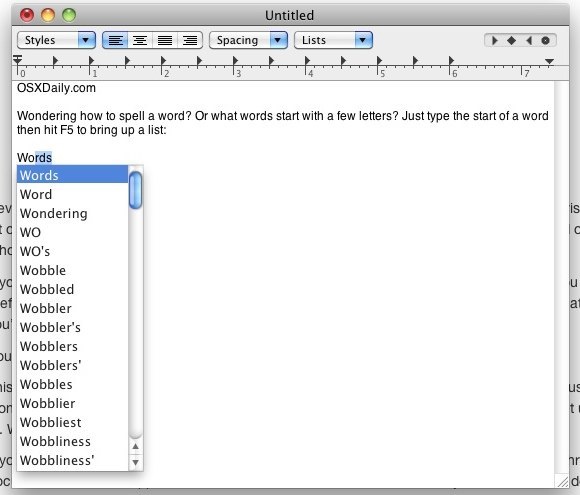
This is a really cool trick that is not well known; many documents are a bit interactive in the Finder of Mac OS X, without ever having to open the file in another application, or even having to use Quick Look. In this case, a PDF file that is multiple pages long can be flipped … Read More
Facebook is a great way to stay connected to people and has plenty of benefits, but that’s not why we’re here, we’re here to block access to Facebook. Why? Well, there are many reasons to block the site, companies often block the site to prevent employees from accessing it on company time, and parents may … Read More
Microsoft has released Windows Phone 7 Connector for Mac, an app that allows any Windows Phone device to sync with a Mac, allowing for copying of movies, music, pictures, podcasts and the other data you’d like to sync to a Windows Phone from OS X. The app is technically in beta but it seems to … Read More
If only the Mac OS X Dashboard weather widget could tell us the weather in distant galaxies far, far away from famous science fiction movies… wouldn’t that be nice? If you enjoy Star Wars, you’ll probably enjoy these images from Cristian Kit Paul, a graphic designer who also must be a Mac user and Star … Read More