How to Add & Delete Calendars on Mac
Did you know that you can have multiple calendars, for different purposes? The Mac Calendar app makes it easy to help manage your schedule by adding and deleting calendars.
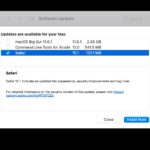
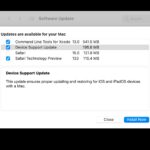
Apple has released macOS Big Sur 11.6 for all Mac users running the Big Sur operating system, the update includes important security fixes for Mac, and is therefore recommended for all users to install. Additionally, Mac users running Catalina and Mojave will find security updates available for their Macs, labeled as Safari 14.1.2 and Security … Read More
Did you know that you can share your purchases and subscriptions with other Apple users? As long as you’re on a supported plan, Apple will allow you to share your subscriptions with up to five people at the same time. This is made possible with the help of Family Sharing. You can easily add and … Read More
Bonsai is an interesting free app that allows you to summon a web browser anywhere on the Mac by keystroke. It’s intended for researchers and programmers, but due to the convenience of an instant web browser accessible from anywhere, it may have utility for other users too.
Did you know that your Mac is capable of reading highlighted text out loud? This is a feature that could come in handy for many reasons, whether you prefer to have some particular text read, for accessibility reasons, if you’re focusing on something else, for dramatic effect, or myriad other purposes.
Looking for a way to quickly annotate images and screenshots on your Mac, right from the Finder? Sure you could use Preview, or a third party app, but thanks to Markup it’s also a feature that is available natively in macOS Finder. Markup is also pretty easy to access and has all the basic tools … Read More
Do you listen to a lot of music on your Mac when you’re browsing, working on your documents, or doing anything else? In that case, you may be interested in learning about the Music app’s automatic downloads feature that allows you to store your songs locally for offline listening.
If you want to change your MAC address in macOS Monterey or Big Sur, you can use the traditional method to spoof a MAC address, or you can use a slightly easier approach by using a command line tool called spoof-mac. We’ll be covering the mac-spoof method here, which relies on HomeBrew.
Do you want to use a different Apple ID specifically for iMessage from your Mac? This is actually pretty easy to do in macOS, though using multiple Apple ID’s is really not recommended.
If you’re the kind of Mac user who personalizes their computer a lot, you may also be interested in changing the way Siri sounds when she replies to your voice commands. This is something that wasn’t possible until recently.
If you are attempting to open apps downloaded from the web or elsewhere on modern versions of macOS like Big Sur, you may see an error message that says something like ‘”AppName.app” can’t be opened because it was not downloaded from the App Store.’ Below that warning also states “Your security preferences allow installation of … Read More
Trying to start a Mac from a boot disk but it’s not working? And you’re sure you created the boot drive properly? There may be a few different reasons for this.
Do you want to make changes to a file or document without affecting the original file? In that case, you might be interested taking advantage of Stationery Pad to easily create file templates on your Mac.
If you’re an Apple TV+ subscriber who downloads episodes of your favorite TV shows for watching offline, you may have occasionally noticed that they’re not in the best video quality possible. However, this is something that can be fixed or adjusted easily on the Mac.
Are you not happy with the text size of your subtitles while watching movies and TV shows on your Mac? Don’t worry. Regardless of what app you’re using to watch video content, you can change your subtitle font size within a matter of seconds in macOS.
Do you use Google Chrome as the default browser on your Mac? In that case, you may have several bookmarks to access certain webpages quickly. But, what if we told you there’s a faster and easier way to access your Chrome bookmarks, and you can add them directly to your Dock for quick launching?
Dark mode is an aesthetic feature is included with all modern versions of macOS from Mojave onward. The dark color scheme works systemwide including the apps installed on your Mac, and other than changing the appearance dramatically, it may help to reduce eyestrain in lower light environments too.
Do you use Quick Actions to perform certain tasks on your Mac with just a simple click? If so, do you want to add more Quick Actions? Or, perhaps you want to delete a custom quick action that you created? Adding and removing Quick Actions is pretty easy to do on a Mac.