How to Show Invisible Files in Transmit for Mac
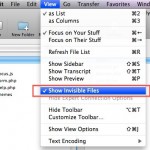
If you are trying to view invisible files through the Mac sFTP / FTP client Transmit, stop looking around in the Preferences and View Options because it won’t be there.
So you called Apple’s main number at 1-800-692-7753 (1-800-MY-APPLE) and you’re getting lost in a maze of automated menus with a robot who attempts to direct your call, sometimes successfully and sometimes not. Wouldn’t it be nice to talk to a real human being who can help, rather than a phone robot? If you’re frustrated … Read More
If your Mac has a SuperDrive or Disc drive, you can boot the Mac from any bootable DVD or CD by using a special keyboard shortcut. The bootable disc can be an OS X system restore disc, an OS X installation disc, or even a third party OS disc like Linux.
Is a DVD or CD stuck in your MacBook or MacBook Pro? Having a disk jammed in your Mac is really frustrating, but you can usually get it out by using a few different tricks. The methods outlined below are for when a disc is truly stuck in the Mac. Eject a stuck CD/DVD from … Read More
Target Disk Mode is a very handy feature available to use with Mac’s that have Thunderbolt or Firewire ports, and it allows you to use one Mac as an external drive on another host machine. This incredibly useful feature makes troubleshooting, installations, large file transfers, and critical backups extremely easy and very fast. Before beginning, … Read More
This is an unusual iTunes error that you shouldn’t see too often: The update “iTunes” can’t be saved. The file “iTunesAccess.tar” couldn’t be found on the server “swcdn.apple.com”.
I was recently asked to do some maintenance work on a relatives iMac, and one of their chief complaints was the speed of Photo Booth, the fun application that takes pictures and distorts them with your iSight. Upon inspection of the machine, I found that Photo Booth was running extremely slow, launching the application would … Read More
“Ahhhh my Mac isn’t working! I need to reset the SMC!” You have tried rebooting, you’ve reset the PRAM, you’ve done it all, but your Mac is still behaving strangely. What next? In certain circumstances, resetting your Mac System Management Controller (SMC) can be a solution. This is sometimes necessary to restore normal lower level … Read More
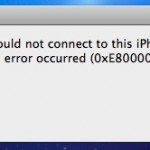
“iTunes could not connect to this iPhone because an unknown error occurred (0xE8000065)” Ahhh! That’s the message I got earlier when trying to connect my iPhone to my iMac, something I haven’t seen before. I searched around a bit online and found out that this is not a Mac OS X specific problem, many people … Read More
If you haven’t backed up with Time Machine in a while, the latest backup status will change to ‘Delayed’ and the menubar icon will have an exclamation mark in it reminding you to backup soon. There can be a variety of reasons the backups become delayed, and if you’re curious why this happens we’ll go … Read More
Preview is one of my favorite Mac apps, but recently Preview.app was refusing to open some image files for what seemed like no reason. I wasn’t even able to drag the image file onto the Preview icon to open it, which is usually something that works if the Open menu doesn’t. I know the images … Read More
Want to find out how to see all startup and login app launches and scripts on a Mac? This article will walk through that process. Gone are the days of Mac OS System 9 where all startup items were sitting nicely in a system folder labeled ‘Startup’, now with the Unix undercore of Mac OS … Read More
The application Finder.app can’t be opened. -10810 I ran into the unpleasant 10810 error code recently and couldn’t find any workaround without a reboot. From what I’ve gathered by searching around on the web, Error 10810 occurs when the Launch Services framework has some sort of meltdown, causing the Mac OS X Kernel to run … Read More
Tye Campbell wrote to us with the following question: “Do you guys know how to take apart an iPhone? Specifically the 3G model, I can’t find any way to get to the display and I’d like to do my own screen replacement since mine is cracked but I have another one available to me from … Read More
If you’re ever wondering how long your Mac has been turned on and running for, you can discover exactly how long the computer has been on since last boot with two different methods available in OS X. Let’s learn a bit more about discovering how long a Mac has been left turned on for, and … Read More
Have you ever had an iPhone experience cellular data problems? Maybe the iPhone has an inability to connect to a cellular network, or some other cellular connection issue occurs that makes it unable to send and receive data or even calls. If an iPhone is experiencing cellular connectivity and cellular data issues or problems, you … Read More
If you’ve ever accidentally deleted pictures from your digital cameras memory card, you’re not alone. That feeling of dread when you forever lose photographic evidence of memories and experiences in digital form can sometimes be resolved though – so don’t freak out quite yet! Using an excellent free tool called Exif UnTrasher, Mac OS X … Read More
Mac’s are amazingly reliable and have few problems, but it’s not incredibly unusual to run into problems connecting to a wireless network. If you’re having problems connecting your Mac wirelessly to an Airport or other WiFi router, check out this guide and try out these troubleshooting tips to fix your wireless internet connection. Mac Wireless … Read More