
Quickly clear entered text from the Spotlight menu with Command-Delete
Dec 6, 2009 - 4 Comments
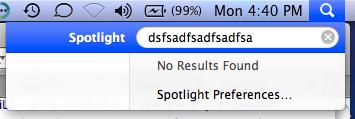 You can quickly clear all of the text from the Spotlight menu without closing the window by hitting Command-Delete, I discovered the use in this after my cat walked across my keyboard entering in a lengthy mishmash string of characters. Try it out!






oh for consistency across applications when it comes to keyboard shortcuts ;-)
Option Delete works in Firefox.
I’m an Emacs user so I prefer Control-A Control-K does the job too.
I tried already some time ago (for me more logical) esc-button and it does the same.