Disable the “Backup of …” Pages & iWork Files from Showing in the Mac OS X Finder

Sep 29, 2011 - 6 Comments
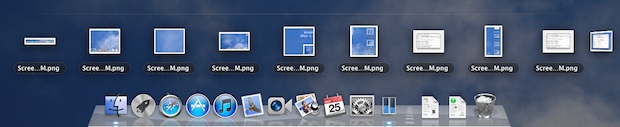
Disable backup of Pages files in the Finder

The iWork suite under Mac OS X 10.7 includes a rather peculiar default option that backs up every files prior version that you are working on, as a separate file in the same folder. Instead of the backups only being accessible from Versions, this spills out into the Finder, where a file called “Document.pages” will … Read More

Start an FTP or SFTP Server in Mac OS X

Sep 29, 2011 - 30 Comments
FTP Server missing in OS X Lion, but you can enable it anyway

If you’ve visited the Sharing Preference panel in the newer versions of Mac OS X you may have noticed there is no longer the direct option to enable an FTP server to share files and folders. Well, at least there isn’t an obvious option, but the FTP and SFTP server function does still exist, the … Read More

Comparing the iPad 2 vs Kindle Fire vs Nook Color

Sep 28, 2011 - 41 Comments
Kindle Fire vs iPad 2 vs Nook

If you’re anxious to compare the new Kindle Fire tablet to the iPad 2, or even the Nook Color, than this handy chart from The Verge makes it nice and easy. What obviously stands out here is that the iPad 2 dominates every conceivable spec in the chart, minus the higher price point of course. … Read More

Check Download Speed from iTunes & the App Store

Sep 28, 2011 - 5 Comments
Check download speed from iTunes App Store

Want to check the download speed of something you’re getting from iTunes or the iOS App Store? No sweat, you can check not only the progress of the download, but also see the transfer speed of what is being downloaded from iTunes. From the sidebar of iTunes, click on Store, then go to “Downloads” This … Read More

Control What Apps Restore Windows in OS X Lion with RestoreMeNot

Sep 27, 2011 - 7 Comments
RestoreMeNot controls specific apps to restore or not in OS X Lion

OS X Lion’s Restore function is what causes app windows to re-open after you’ve relaunched an app, and people seem to either love it or hate it. Sure you can turn it off completely, but that’s a bit overkill if you only don’t want certain apps to restore their windows, and still want resume to … Read More

Reverse Horizontal Scrolling in Mac OS X

Sep 26, 2011 - 9 Comments
Reverse Horizontal Scrolling to be Natural in Mac OS X

Reverse scrolling, better known as ‘natural scrolling’ for OS X Lion users, is when the content on screen follows your finger movements, just like iOS. This is activated by default for vertical scrolling, but what about horizontal? Oddly enough, scrolling left and right maintains the old style scrolling behavior, moving the content away from your … Read More

Keyboard Illumination Locked? It’s the Light Sensor

Sep 22, 2011 - 66 Comments
Keyboard Illumination Lock icon

Can’t turn on your MacBook Pro or Air’s keyboard backlighting? No it’s probably not broken, it’s most likely the light sensor. If the ambient light sensor on MacBook Pro and MacBook Air models detects too much light, the keyboard illumination will disable itself and refuse to turn on, showing the above locked image instead. You … Read More

iPad Vending Machines?!

Sep 22, 2011 - 11 Comments
iPad vending machine

Would you buy an iPad from a vending machine? Never thought about it? Me neither, but pushing aside the old iPod vending machines that have been around a while comes an all new iProduct vending machine, this time including iPad 2. Of course there are also iPod touches, shuffles, AppleCare, and assorted other tech products, … Read More

Fix the “iTunes Library.itl” Cannot Be Read Version Error When Downgrading iTunes

Sep 22, 2011 - 30 Comments
Fix iTunes Library.itl Error

We recently showed you how to delete iTunes and uninstall iTunes from Mac OS X, which is typically done for the purposes of downgrading iTunes to a previous version. If you’ve done this and you are now encountering an error about “iTunes Library.itl” not being readable due to it’s creation by a newer version of … Read More

Stop Desktop Icons from Changing Positions After Reboot in Mac OS X

Sep 21, 2011 - 28 Comments
Stop icon position from changing after a reboot in Mac OS X

If you spend time customizing the desktop icon placement, it can be pretty annoying to discover that after each restart of Mac OS X, the icons seem to take on a mind of their own and rearrange themselves, usually changing their position so that they are all aligned to the far right of the Mac … Read More

Stop Safari Auto-Refreshing Web Pages in Mac OS X Lion

Sep 20, 2011 - 21 Comments
Stop Safari from Auto Reloading Web Pages in OS X Lion

A new addition to Safari 5.1 in Mac OS X 10.7 is that web pages auto-refresh if they are left inactive for a period of time. The feature can seem unnecessary and even annoying, but there’s no clear preference option to disable reloading of pages. Thankfully, Stormcloud (via DaringFireball) shows us how to stop this … Read More

Convert Upper Case to Lower Case Text (and Vice Versa) on Mac

Sep 19, 2011 - 16 Comments
Convert Upper Case to Lower Case Text from Anywhere

We all know it’s pretty annoying to reading text that is ALL IN UPPERCASE CAPS, but fortunately with the help of text transformation tools, we can instantly convert that obnoxious uppercase text into lowercase caps (or vice versa, if you really want to…).

Backup the Address Book in Mac OS X

Sep 19, 2011 - 8 Comments
Backup Address Book in Mac OS X

Whether you just use OS X’s Mail.app on a Mac, or an iPhone, iPad, or iPod touch, the Address Book in Mac OS X stores a lot of vital information that you don’t want to lose. If you’re going to be making any changes to how you sync this data, adjustments to where and how … Read More

18 Ridiculously Huge Things That Apple is Worth More Than

Sep 18, 2011 - 16 Comments
Apple money

Apple stock surpassed $400 a share again last Friday, bringing their market cap to $371.30 billion. That $371,300,000,000 is worth more than each of the following things: All 32 Eurozone Banks The Entire Economy of Singapore All of the Illegal Drugs in the World Total U.S. Corporate Income Tax for 2011 The GDP of Denmark … Read More

Portal is Free to Download til Sept 20 for Mac OS X & Windows… in Honor of Education

Sep 16, 2011 - 8 Comments
Portal is a free download for Mac and PC

Just in time for some weekend fun, you can download the wildly popular physics-puzzle-shooter game Portal for free from Steam until September 20. Download Portal from Steam by going here and clicking the big green “Install Game” button Portal runs in both Mac OS X and Windows, and once it’s in your Steam account you … Read More

Use Special Characters & Emoji Directly in the Finder of Mac OS X

Sep 16, 2011 - 3 Comments
Access Special Characters & Emoji from the Finder in Mac OS X Lion

If you want to quickly style your folders or Launchpad with Emoji, you can access the Special Characters panel directly from the Finder in Mac OS X and then drag or enter those special characters or emojis into the folder or file names.

Style Folders in Mac OS X with Emoji Icons

Sep 15, 2011 - 7 Comments
Emoji folders in Mac OS X

Thanks to the inclusion of Emoji in Mac OS X, you can now customize the appearance of Finder items by inserting Emoji characters into file and folder names. This offers yet another way to customize the appearance of a Mac OS desktop, and it can provide an easy visual identifier for file and folder names … Read More

How to Get Default Gateway Address in Mac OS X

Sep 15, 2011 - 16 Comments
Get Router IP Address from Mac OS X

If you find yourself needing to know what the default gateway address is for a Mac, you can uncover this information in a few ways from OS X. For those who aren’t familiar, the gateway address is the IP of whatever modem, router, or switch the computer is using the access the internet, hence, it’s … Read More

Subscribe to OSXDaily

Subscribe to RSS Subscribe to Twitter Feed Follow on Facebook Subscribe to eMail Updates

Tips & Tricks

News

iPhone / iPad

Mac

Troubleshooting

Shop on Amazon to help support this site