A jailbreak for iOS 7.1.1 has been released by a called Pangu. The untethered jailbreak tool supports just about any device capable of running iOS 7.1.1, including most new iPhone, iPad, and iPod touch models. The jailbreak is currently only available for Windows, with a Mac OS X version apparently in the works and due out soon.
You can customize the menu bar clock that appears in the upper right corner of your Mac to include more than just the current time, and one of the more useful things to add is the current date. This is particularly helpful in OS X because unless you have the Calendar app open all the time, you have to actually click on the clock to pull down into the menu to see the date and day of the week on Mac.
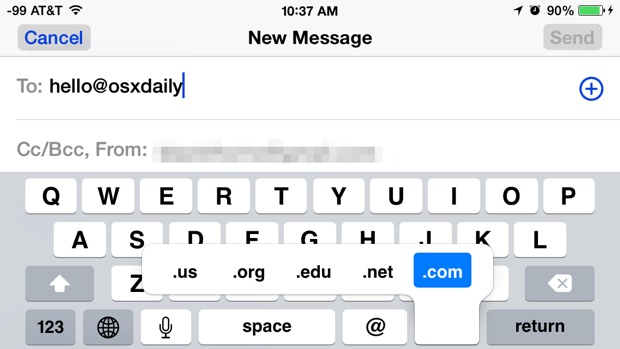
Did you know the quick access TLD trick in iOS expands into Mail app for quickly typing email addresses too? If you didn’t, you’re certainly not alone, and though many iPhone and iPad users are familiar with the Safari TLD shortcuts accessible on the iOS keyboard, not as many seem to know that this expands to the Mail application as well. To be clear, the TLD shortcuts we’re talking about automatically type out a Top Level Domain, like .com, .net, .org, .edu, and .us.
My iPhone 5 camera completely stopped working recently, and appeared to stay that way despite forced resets, killing camera apps, and every other traditional troubleshooting trick in the book. What do I mean by stopped working? I mean the Camera app loads, but the camera viewfinder shows nothing at all just a black screen, and other apps that’d tap into the iPhone camera also fail to function entirely. Instagram throws an “Error: Error Launching the camera. Please try again.” alert message, while most other apps just show a blank screen.
Most iPhone and iPad users know that you can tap and hold onto any text within iOS to select it, then by using the little draggable bars, you can adjust the size of the text selection rather easily too. While this is great for selecting a single word, a sentence, and even a small block of text, it’s not so great for choosing to highlight large groups of words like a lengthy paragraph, or just a generally large block of text. But not to worry, it turns out that iOS has a much better way of selecting large text blocks in one fell swoop, and it uses an easy to remember tap gesture that seems to be so little known that it’d almost qualify as a secret.
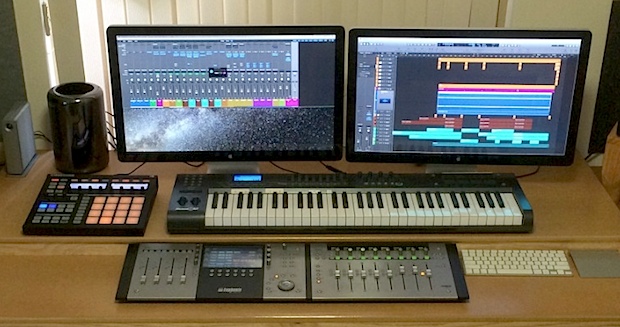
This weeks featured Mac workstation comes to us from Darren, a professional music producer with a great custom desk setup. Let’s check out the details:
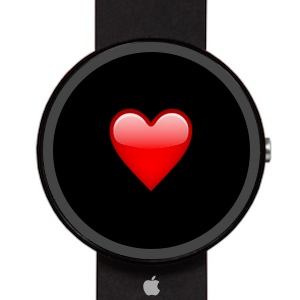
Apple’s upcoming smartwatch will include multiple health sensors and come in variety of screen sizes, according to a new report from the Wall Street Journal. Specifically, “The new wrist device from Apple will include more than 10 sensors including ones to track health and fitness” according to WSJ.
Nearly all web browsers default to keeping a list of recent searches which are easily retrievable as part of the browser history. Safari shows this recent search list when the URL bar is clicked into with the cursor, revealing the 10 most recent web search terms or phrases.
That recent search list can be convenient as it makes quick retrieval of prior search items easy, allowing for a quick return to past results without digging around in Safari’s history menus, but there are also times when you may not want that list to show anything at all, or at least want to clear out that recent search list in Safari for privacy purposes.
Apple will release a feature packed smartwatch this October, according to a new report from Reuters. Citing sources, Reuters says the smart watch will have a 2.5″ touch screen that is “slightly rectangular” with a face that protrudes slightly from it’s band in an “arched shape”. Additionally, the watch will apparently have wireless charging capabilities, and include a sensor that can detect the user’s pulse rate.
Mac users running OS X Yosemite Beta 2 can get a glimpse at the upcoming “dark mode” feature that was mentioned briefly during the Yosemite overview presentation during WWDC 2014. Essentially, dark mode turns many user interface elements of OS X Yosemite into significantly darker variations of themselves, swapping out whites and light grays for blacks and dark grays. With OS X 10.10 Developer Preview 2, this darkening effect is limited to menubar items and the Dock, but it’s possible the visual effect will reach the broader window coverage and theme of OS X Yosemite as well.
If you’re currently running the most recent version of OS X 10.10, you can try the incomplete dark mode effect out yourself by using a defaults write command.
Swipe down from the top of your iPhone screen and you’ll bring about Notification Center, a nice overview panel which shows a weather forecast, calendar events, commute time, and stocks and their performance on the day, amongst other gathered notifications. While you can customize what’s shown here by toggling switches within the Notification Settings, what’s less obvious is how to add or edit the specific stock symbols shown in the iPhone Notifications panel. That’s what we’re going to cover here.
Modern versions of iOS allow iPhone and LTE-enabled iPad users to control exactly which apps can use cellular data. Additionally, the settings control panel can help to make the decision easier to allow or disallow a specific apps cellular access by displaying how much cellular data a specific app is actually using.
This can be a valuable tool to use if a specific app is consuming more mobile bandwidth than it should, you don’t want an app to update when on cellular connections, or even if you’re simply trying to avoid going over a bandwidth cap imposed by a cellular network provider.
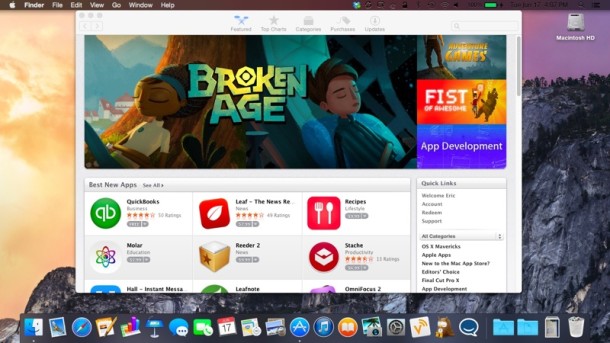
Apple has released OS X Yosemite Developer Preview 2 to Mac users running OS X 10.10 beta builds. The new build includes many bug fixes, feature enhancements, and additions to the beta release of OS X, and arrives versioned as 14A261i. The updated build is available to download through the Mac App Store, and Mac developers can log into the Mac Dev Center to find a promo code. Those registered with both developer programs from Apple will also find iOS 8 beta 2 to be available.
Apple has released iOS 8 beta 2 to developers, bringing bug fixes and feature improvements to the developer build of iPhone and iPad software. The second beta build arrives versioned as 12A4297e and is made available through the iOS Developer Center at Apple’s website, or as a quick Over-The-Air update for devices that are currently running the first iOS 8 beta.
Many Mac users use utilities to temporarily prevent their computer from sleeping, often relying on sleep corners, the third party tool called Caffeine, pmset, or more recently, the command line utility that is now bundled with OS X called caffeinate. By default, the Caffeine menubar item and the caffeinate command both will prevent sleep as long as they are individually activated for, very useful for desktop users while at a Mac, but not particularly useful if you’d like to have the OS X sleep function dependent on the completion of a specific process or task.
That’s what we’re going to cover here by using the command line, which is having process-dependent sleep prevention that only blocks the Mac sleep function while a specified command, task, or process is running or active, then when it’s finished, the computer will restore traditional sleep habits.
Cropping is an essential image editing function, helping to improve composition of a photo, to emphasize the focus of an image, or to reduce unnecessary parts of a picture. While many Mac users use third party tools to perform image cropping, no additional apps are needed to perform the task in OS X, because the bundled and under-appreciated Preview tool has crop functionality built right in to its editing toolset.

 A jailbreak for iOS 7.1.1 has been released by a called Pangu. The untethered jailbreak tool supports just about any device capable of running iOS 7.1.1, including most new iPhone, iPad, and iPod touch models. The jailbreak is currently only available for Windows, with a Mac OS X version apparently in the works and due out soon.
  You can customize the menu bar clock that appears in the upper right corner of your Mac to include more than just the current time, and one of the more useful things to add is the current date. This is particularly helpful in OS X because unless you have the Calendar app open all the time, you have to actually click on the clock to pull down into the menu to see the date and day of the week on Mac.
 My iPhone 5 camera completely stopped working recently, and appeared to stay that way despite forced resets, killing camera apps, and every other traditional troubleshooting trick in the book. What do I mean by stopped working? I mean the Camera app loads, but the camera viewfinder shows nothing at all just a black screen, and other apps that’d tap into the iPhone camera also fail to function entirely. Instagram throws an “Error: Error Launching the camera. Please try again.” alert message, while most other apps just show a blank screen.
 Apple’s upcoming smartwatch will include multiple health sensors and come in variety of screen sizes, according to a new report from the
  Nearly all web browsers default to keeping a list of recent searches which are easily retrievable as part of the browser history. Safari shows this recent search list when the URL bar is clicked into with the cursor, revealing the 10 most recent web search terms or phrases.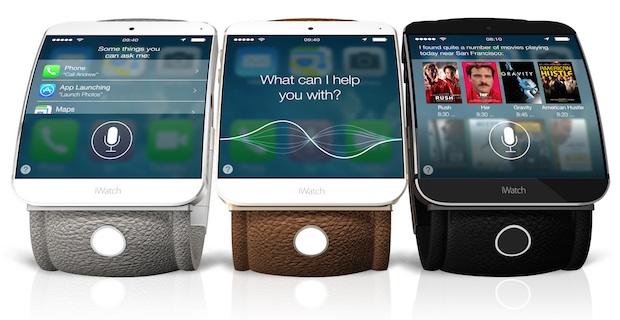


 Apple has released iOS 8 beta 2 to developers, bringing bug fixes and feature improvements to the developer build of iPhone and iPad software. The second beta build arrives versioned as 12A4297e and is made available through the iOS Developer Center at Apple’s website, or as a quick Over-The-Air update for devices that are currently running the first iOS 8 beta.
 Many Mac users use utilities to