
Change the Mac Startup Drive on Boot
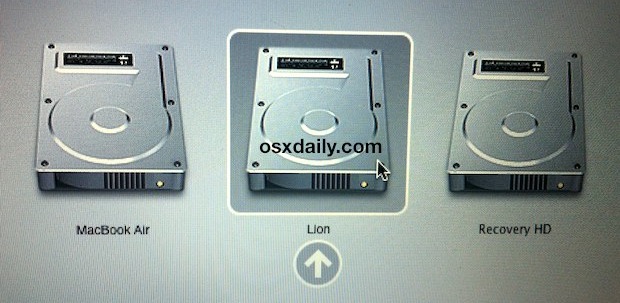
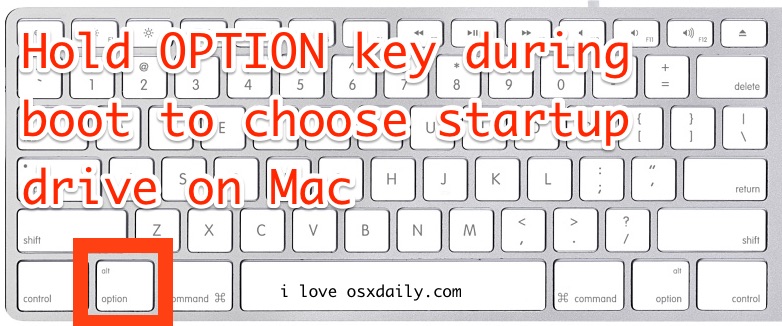
A Macs startup drive can be changed during system boot by holding down the OPTION key, start holding down Option the moment you hear the boot chime sound and while the screen is still black, this will bring up the boot drive manager.
From this startup boot disk menu, you can use the mouse or the arrow keys to select the drive or partition to boot from, and then either click or hit return to startup the Mac from the chosen boot volume.
How to Change Startup Drive on Boot for a Mac
The simplest way to access the Mac startup manager is by holding down the Option key during system start. You can initiate this process after the Mac has either rebooted or is starting up cold from being turned off.
Holding the Option key on system boot will bring up the startup drive menu on any Mac, that is how you change the boot volume on system start
This allows for a per-boot one time selection, and selecting a boot drive from this menu will not change your default boot drive. For future boots, you can either continue to hold down the Option key to access this menu, or you can change the default startup disk directly from System Preferences if you’re looking for something more permanent.
Once you hold down the Option key, you’ll be presented with the boot menu which shows all available boot drives either in the Mac or connected to the Mac:
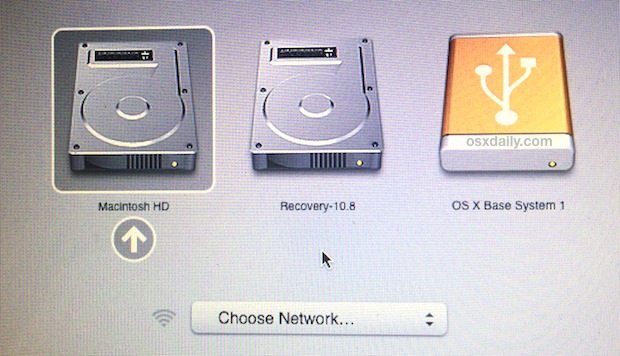
This should probably go without saying, but in order for the multi-boot startup menu to appear and work as intended, the Mac must have multiple bootable volumes. This can be the primary Macintosh HD partition and the Recovery partition, or the primary Mac HD partition, a secondary OS X installation, a bootable installer drive, an external drive, or any other boot volume.
We’ve used this many times to change boot OS versions with dual-boot configs, from macOS Mojave, High Sierra, MacOS Sierra, Mac OS X 10.11 El Capitan, 10.10, 10.6 to 10.7, 10.7 to 10.8, and 10.9 Mavericks. If interested you can read more about creating and booting between multiple OS X installations, check here for Lion & Snow Leopard, and here for dual boot configs for OS X Mavericks and 10.8 Mountain Lion, or even dual booting OS X El Capitan and Yosemite or Mavericks.






Hi there, I’ve partitioned my 2012 macbook, one half runs 10.8.5 and one half runs the latest Mac OS (can’t afford to upgrade some software but browsers don’t work well on the old OS anymore so this is my temp fix).
When I first got it up and running I’m pretty sure I was able to access the “Current OS” drive from the “Old OS” drive, and vice versa, but now I’ve noticed I can only access the “Old OS” from the “Current OS”. I’ve tried mounting it from the command line in terminal but that didn’t work. Maybe I’m crazy and I never could see the “Current OS” and that’s just not possible from 10.8.5? I dont see why not. Anyway, any help would be appreciated!
This doesn’t work. My startup is stuck on network startup. How do you fix this.
I got the 0> ok prompt do anyone know the command line to boot from hard disk
thanks
Abel you are wrong, this does work, anytime I boot from a different Mac startup drive I use OPTION key to do it. That is the only wait to change the Mac startup drive on boot. There is no other way to change the Mac startup drive. That means you personally are either doing something wrong, or you don’t have a boot disk. Just because you personally can’t get something to work does not mean it doesn’t work, that’s not the way it works.
Changing the Mac startup drive is a feature of the Mac, of course it works. Perform the action correctly, check your drive, etc. Don’t declare a feature doesn’t exist simply because you can’t figure it out, that’s not how life works.
on windows the option key is the alt key
[…] the Option key, then choose whichever partition you wish to start up from. You’ll notice the initial boot menu does not display the OS X version, which is why it’s important to name the partitions […]
This doesn’t work. My startup is stuck on network startup. How do you fix this.
my mark does not dispaly cd/dvd when i press the option key on start up
The Mac will show all boot volumes by holding the Option key on startup. But, your Mac must have a DVD drive in order to show a DVD drive as a boot option, and the DVD disc must be bootable. Macs haven’t had disc drives in quite a while, so all modern Macs do not have that ability without an external SuperDrive (Apple offers one for sale).
I set up the windows 7 on my Imac, and then it goes
win 7 without changing.How do I change OSX automatically?
Running OSX 10.8.2 and when I use the option key a lock pops up with a password field. I tried several passwords, but none worked. Has anybody else ran into this?
You can also set the startup drive in System Preferences > Startup Disk
You can switch it around any time but what you leave it set on becomes the default boot disk.
lol what a tips :p
Yes the new MacBookAir have an USB Key verry nice. But I dont see recovery Disk, I know this will include with Lion.
PS: atl at boot is not a Tips and Tricks but a feature… :/
I didn’t know the MacBook Air had a Recovery HD partition, I thought you only needed the USB key?