Subscribe to OSXDaily

Subscribe to RSS Subscribe to Twitter Feed Follow on Facebook Subscribe to eMail Updates

Shared on Facebook

Shop at Amazon

Ad

OSXDaily on Facebook

Search Jailbreak

Absinthe Jailbreak Updated to 0.4 with Bug Fixes & PPC Mac Support

Feb 1, 2012 - 51 Comments

Absinthe Greenpoison Jailbreak Tool for iOS 5.0.1 The Absinthe Greenpoison jailbreak utility for A5 based iOS hardware has been updated to version 0.4, fixing several bugs and adding support for PPC Mac users and those running Mac OS X 10.5 on either Intel or PPC platforms.

This version is aimed at new users, and if you already have the jailbreak installed on the iPad 2 or iPhone 4S there is no reason to re-do it with this version. However, a new version of the Corona tool was released as “corona 1.0-8″ and can be found on Cydia to resolve some of the the bugs that have persisted for some iOS 5 jailbreakers. Older Mac users should be pleased the new Abinsthe version supports them, and instructions to jailbreak the iPhone 4S or iPad 2 with iOS 5.0.1 remain the same regardless of device or host operating system.

The official changelog for 0.4 is short:

- Mac: added support for OSX 10.5, PPC and Intel CPU
- added consistency check on startup to make sure required files are in place
- Windows: fixed bug in payload generator that might cause a crash

Download Absinthe 0.4

Again, this is for iPhone 4S with iOS 5.0 or iOS 5.0.1, or iPad 2 with iOS 5.0.1. Other hardware requires the redsn0w jailbreak for iOS 5.0.1. All 5.0.1 jailbreaks are untethered at this point.

You Can Install Siri on iPad 2 with Spire

Jan 26, 2012 - 27 Comments

Siri on iPad 2

You can now run Siri directly on the iPad 2, thanks to the recent A5 jailbreak and a few third party tools. While Siri works as expected and will answer your questions and inquiries, getting this all put together isn’t exactly for the impatient and it’s a somewhat lengthy procedure with a fair amount of setup required. If you’re interested in this, here’s what you’ll need to get started:

Jailbreaking and installing Spire are the easy parts, it’s really the SiriProxy aspect that requires the most work. It’s also not without risk, as iDB tells us:

This could make your iPad kick into “iPhone mode” which makes your screen look funky, as everything is sized for iPhone. A quick respring should fix this, but you’ve been warned. I had no problems with it, but it’s worth noting

Read the full walkthrough on how to set it up at iDB or check out their great video below to get an idea of what’s entailed in the process.

If you think it’s more trouble than it’s worth, there are rumors that the iPad 3 may include Siri as well, but that won’t be known for certain one way or another until around March.

iPhone 4S & iPad 2 Jailbreak Tool Absinthe Updated to 0.3 [Download Links]

Jan 23, 2012 - 14 Comments

Absinthe A5 Jailbreak The A5 jailbreak tool Greenpois0n Absinthe has been updated to version 0.3, the third release is relatively minor but includes a few bug fixes and adds support for Linux. As before and as the name implies, the app focuses on jailbreaking A5 based hardware only, meaning the iPhone 4S and iPad 2, both of which must be running iOS 5.

If you already are jailbroken with the Abinsthe utility, v0.3 offers no advantages to you and does not need to be run again. If this is the first time you’ve run the tool, follow our guide on how to jailbreak iPhone 4S or iPad 2 with Absinthe.

Download Absinthe 0.3

If you don’t have an iPhone 4S or iPad 2, you can still use redsn0w to jailbreak iOS 5.0.1.

Greenpois0n Absinthe A5 Jailbreak for iOS 5.0.1 Updated to v0.2 [Download Links]

Jan 21, 2012 - 76 Comments

GreenPois0n Absinthe A5 Jailbreak The Greenpois0n Absinthe A5 jailbreak utility for iPhone 4S and iPad 2 on iOS 5 has been updated to version 0.2, and now includes a Windows release alongside the Mac OS X version.

In addition to bringing the jailbreak to Windows PC’s, the new version aims to resolve some of the earlier database problems, white screen errors, and white icon errors that some users encountered during the process. If you had problems with the first version of Absinthe and gave up on jailbreaking, try again with this version. If you’re already jailbroken, you don’t need to bother and this version doesn’t offer any changes to you.

Instructions on how to use Absinthe A5 for jailbreaking are the same for both Mac and Windows PC’s, and continue to only support A5 hardware, including iPhone 4S with iOS 5.0 or iOS 5.0.1, and iPad 2 with iOS 5.0.1.

Download Greenpois0n Absinthe A5 Jailbreak v0.2

After the jailbreak has finished on the device, if you hit an error remember to enable VPN from Settings > Network to cause the reboot.

Fix “Error Establishing Database a Connection” When Using Absinthe

Jan 20, 2012 - 85 Comments

Some users with the new Greenpois0n Absinthe jailbreak for A5 hardware are encountering a database error when they are at the end of their jailbreak and trying to launch Absinthe on the device itself. If you see the “Error establishing a database connection” at this stage in the process, it’s easy to fix:

  • Launch “Settings” and tap on “Network”
  • Tap on VPN and turn to “ON” and ignore the error
  • Reboot the device
  • Launch Absinthe again

Error Establishing a database connection in Absinthe jailbreak

Alternatively, you can just wait it out. The error is due to a massive amount of users trying to access the Greenpois0n server.

You’ll know Absinthe works because you won’t see the error and instead it will load Cydia, finalizing the jailbreak. Thanks to Rizwan on Facebook and @pod2g for pointing this fix out on Twitter.

If you’re confused, follow our guide on using Absinthe to Jailbreak iPhone 4S & iPad 2

Another tip from @planetbeing:

Toggle VPN only AFTER Absinthe says it’s done, or it will not work. VPN SHOULD error and then reboot soon. If it does not, rerun Absinthe!

How to Jailbreak iPhone 4S & iPad 2 on iOS 5.0.1 with Absinthe

Jan 20, 2012 - 112 Comments

Absinthe Jailbreak for iPhone 4S The newly released and highly anticipated Absinthe A5 jailbreak is the first public jailbreak for iPhone 4S users and the first jailbreak for iPad 2 with iOS 5. If you’ve been waiting for an untethered jailbreak for either device with iOS 5, this is it, and it’s very easy to use. Absinthe is compatible with iPhone 4S or iPad 2 running the following iOS builds:

  • iPhone 4S iOS 5.0 – build 9A334, iOS 5.0.1 builds 9A405 or 9A406
  • iPad 2: iOS 5.0.1 – build 9A405

Backup your iOS device before proceeding, you can do this manually with iTunes.

Jailbreak iPhone 4S or iPad 2 on iOS 5 using Absinthe

  • Download Absinthe A5 tool – (Mac OS X) (Windows)
  • Connect the iPhone 4S or iPad 2 to the computer
  • Launch Absinthe and click on “Jailbreak” and let the device sit and run the jailbreak, this may take a while
  • Jailbreak the iPhone 4S with Absinthe

  • When the jailbreak is finished, you’ll see an Absinthe icon on the home screen, tap on that to load the Greenpois0n site and download Cydia

The device is now jailbroken. This is a fully untethered jailbreak, meaning you can reboot at will without the need for boot assistance from an application or computer.

Troubleshooting: If you see an “Error establishing a database connection” error during the process, just wait it out and try again, or start a VPN tunnel through Settings > Network > VPN > ON (via @pod2g). The Absinthe Greenpois0n servers are swamped by the initial demand but things should even out shortly.

Absinthe Jailbreak for iPhone 4S & iPad 2 Released [Download Links]

Jan 20, 2012 - 61 Comments

Absinthe Jailbreak The hotly anticipated jailbreak for iPhone 4S and iPad 2 is finally here, providing an untethered jailbreak for either A5-based device running iOS 5.0.1. Put together by the Chronic Dev Team who are known for making Greenpois0n, the utility is called Absinthe A5 and it is hot off the presses.

Backup your iPhone or iPad before using Absinthe! This is an early release jailbreak and could have some bugs to iron out still.

Download Absinthe A5

A Linux version will be released shortly and we’ll update when links are available.

Not sure what to do? Read our guide on how to jailbreak iPad 2 or iPhone 4S with Absinthe for iOS 5.0.1, it’s very easy.

Specific compatibility with Absinthe is as follows:

  • iPhone 4S: iOS 5.0 (9A334) and both builds of iOS 5.0.1 (9A405, 9A406)
  • iPad 2 Wi-Fi, GSM, CDMA: iOS 5.0.1

Again, this is for A5 CPU hardware only, other devices can jailbreak iOS 5.0.1 with Redsn0w.

The Dev Team warns iPhone 4S users who want a software unlock to stay on iOS 5.0 or build 9A405 of iOS 5.0.1. There is no expected release of an accompanying software unlock.

Install iOS 5 on iPhone 3G & 2G or iPod Touch 1G/2G with Whited00r 5

Jan 19, 2012 - 27 Comments

Whited00r 5.1 brings iOS 5 to iPhone 3G

Have an older generation iPhone 3G or 2G? If so, you’re stuck on older legacy iOS versions with limited features and sluggish speeds. But not anymore with Whited00r, which installs a custom iOS build on the device to help bring it into the modern age.

Whited00r 5.1 is basically an unofficial custom made iOS build that includes many of the iOS 5 features and has been optimized to run on the older hardware. With Whited00r, you’ll get multitasking, wallpapers, folders, and variations of Reminders and Newsstand, and it’s claimed to be much faster than the default iOS 4 installations that drag the iPhone 3G down. Unfortunately there’s no Notification Center, and you will also lose the native App Store, meaning to install apps you’ll have to use iTunes or Safari. If the trade offs are worth it to you, installing Whited00r is very easy for anyone familiar with using IPSW files.

Installing Whited00r 5.1 on iPhone 3G/2G & iPod touch 1G/2G

This works for iPhone 3G, iPhone 2G, iPod touch 1g and 2g. Backup the iOS device beforehand, and proceed at your own risk:

  • Download the appropriate version of Whited00r from here
  • Unzip the custom IPSW package to somewhere easy to find
  • Launch iTunes and hold down Option (Mac) or Shift (Windows) and click on “Restore”, now select the Whited00r IPSW you just downloaded
  • Let the process continue and the iPhone will reboot on it’s own

After the iPhone has rebooted, do not restore from a backup, instead select to set up a new device. This is recommended to avoid any conflicts.

This video demonstrates the speed of an iPhone 3G running Whited00r 5.1 compared to an iPhone 3GS running iOS 5:
Read more »

Fix iBooks Crashing on iOS 5.0.1 Jailbreak with Redsn0w 0.9.10b4 [Download Links]

Jan 16, 2012 - 23 Comments

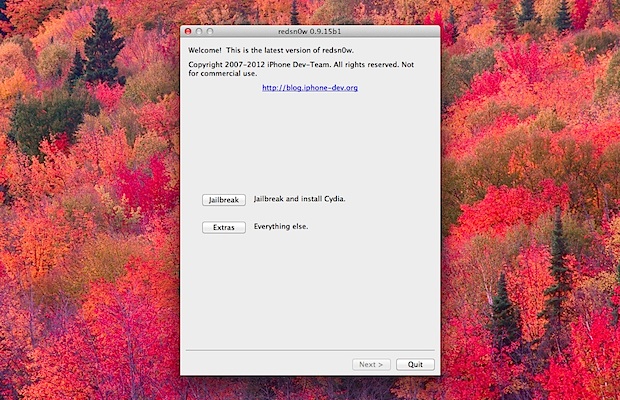
Redsnow An updated version of the redsn0w jailbreak utility has been made available to resolve a prominent bug with iBooks and also includes other minor bugfixes that could cause crashing. Versioned as Redsn0w 0.9.10b4, the new release continues to be an untethered jailbreak for iOS 5.0.1 for the iPhone 4 & 3GS, iPod touch 3rd & 4th gen, and iPad 1, and does not provide support to any other devices.

Fixing the iBooks problem for already jailbroken devices is simple enough, all that is required is to download and run Redsn0w 0.9.10b4 over an existing iOS 5.0.1 jailbreak to apply the fix.

Download Redsn0w 0.9.10b4

Alternatively, the Corona untether has also been updated which applies the same iBooks patch without the need for using redsn0w again. Corona can be downloaded on any jailbroken device for free through Cydia.

Fix an iPhone Stuck on Apple Logo During Boot

Jan 11, 2012 - 18 Comments

iPhone stuck on Apple logo Occasionally through the standard iOS upgrade process, but most commonly when jailbreaking, the iPhone can reboot and get stuck on the Apple logo. Turning the phone on and off generally doesn’t help, as you’ll be continuously stopped at the white Apple logo and the iPhone never boots. This is different than being stuck on Recovery Mode, which shows the ‘Connect to iTunes” graphic on the iPhone screen, but can be fixed in a similar manner by using DFU mode and iTunes.

  • Connect the iPhone by USB to the computer
  • Launch iTunes
  • Put the iPhone into DFU mode by holding the Power button for 3 seconds, while continuing to hold the Power button also hold the Home button for 10 seconds, now release the Power button but continue to hold the Home button for another 15 seconds
  • iTunes will alert you saying an iPhone has been detected in recovery mode, click “OK”
  • Now select the iPhone in iTunes and click on the “Restore” button

iPhone detected in Recovery from DFU

Restoring the iPhone will bring it back to working order, although if you like to jailbreak you will have to redo that, here’s how for iOS 5.0.1 with redsn0w.