How to Stop News Alerts on iPad & iPhone Showing on Lock Screen
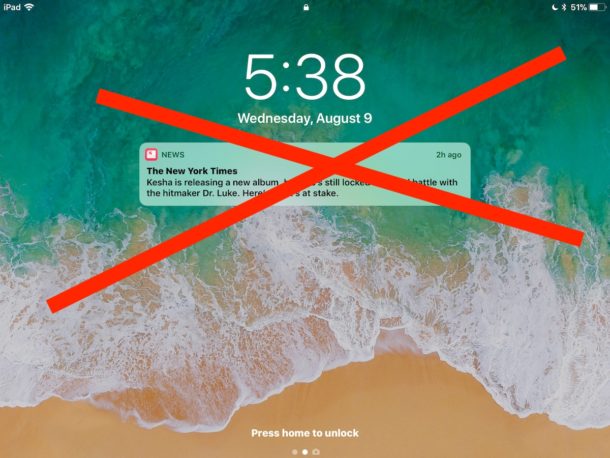
iOS Apple News defaults to pushing ‘news’ alerts and notifications to your devices lock screen, this is why sometimes you may pick up an iPad or iPhone and have various “News” notifications on the display, even if you never signed up to receive any headlines or news alerts.
These breaking News alerts on the iOS lock screen are often a mishmash of curious headlines on various topics, and while some users may find those type of stories to be vitally important and love having them pushed to their iPhone or iPad lock screens, other users may prefer to not have their device screens scattered with miscellaneous headlines of stories they might be disinterested in.
Fortunately it’s easy to stop the News app from pushing those alerts and notifications to your iOS device, thereby stopping all ‘news’ from appearing on the lock screen of an iPad or iPhone completely.